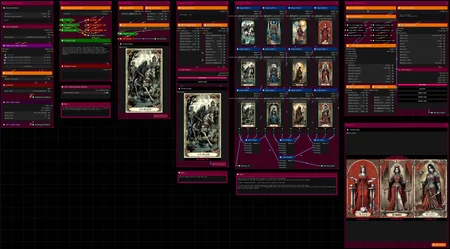
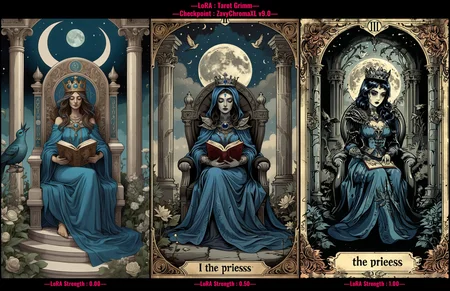
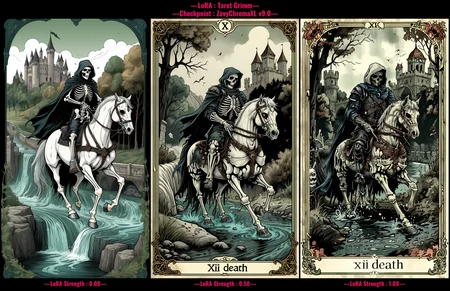
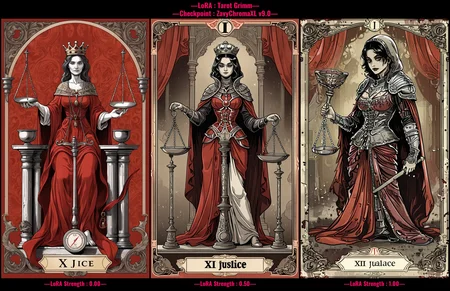
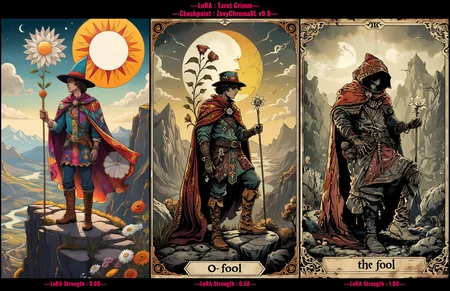
Hello there and thanks for checking out this workflow!
—Purpose—
This workflow was built to test and illustrate differences between :
updates of a checkpoint
versions of models dealing with the same subject
strength settings on a LoRA
anything that looks really good with nice, clean captions beneath, you name it
While keeping global settings fixed for fair comparison.
The output images can be aligned flexibly and are easy to customize in terms of fonts, colors, textbox, opacity, position, etc.
—So what is it good for?—
Users can contribute helpful comparisons to model pages that show what a model actually does; helping others in making better informed decisions.
This is especially helpful for creators to advertise models in an honest and convincing way, by showing off its effects and/or progression made at first glance.
Plus, it saves the post-processing hassle of adding text overlays onto generations manually with some 3rd party software.
Various notes throughout serve as guides and explanations to make this workflow accessible and useful for beginners new to ComfyUI as well!
—Custom Nodes used—
All of which can be installed through the ComfyUI-Manager
If you encounter any nodes showing up red (failing to load), you can install the corresponding custom node packs through the 'Install Missing Custom Nodes' tab on the ComfyUI Manager as well.
—Thanks—
The workflow would not be possible as is without these custom node packs. If you want to support the custom node creators, give them a ⭐ on their github repos! Thank you!
Feel free to ask any questions, share improvements or suggestions in the comment section!
Also let me know if you encounter any confusing points I can elaborate on and focus on improving for the next update!
Description
v3
— restructured many parts of the workflow
— addition of "Color Picker" group nodes to make the color selection more intuitive
— layout changes to keep relevant items easier in view with less panning
— custom node packs changes:
• additional: ComfyUI-mxToolkit, ComfyUI_LayerStyle
FAQ
Comments (6)
Your layout is very clean and straight forward. Much appreciate 👍
Thank you very much! I try my best!
I didnt find "workflowColor Picker 2" node.
Any tip?
Hey there, does the "Color Picker 5" node load?
This one on the right :
https://wormhole.app/yBdBx#m1vQDfRYc5xenGNGCmibaA
No.
Missing Node Types
When loading the graph, the following node types were not found
workflowColor Picker 2
workflowColor Picker 5
@iotivedo848 Upon startup of Comfy, do you have any custom node packs displayed with an (IMPORT FAILED) next to them in the console?
As those group nodes contain nothing else than ComfyUI_LayerStyle Color Picker nodes grouped for clarity.
I quickly deconstructed those group nodes specifically and re-saved. Can you check if this one loads properly for you?
Also make sure to always drag-and-drop in the downloaded workflow file, when testing if it works.
https://wormhole.app/rBzXL#MSbPKOx3UEBbHhnUgT_CAQ