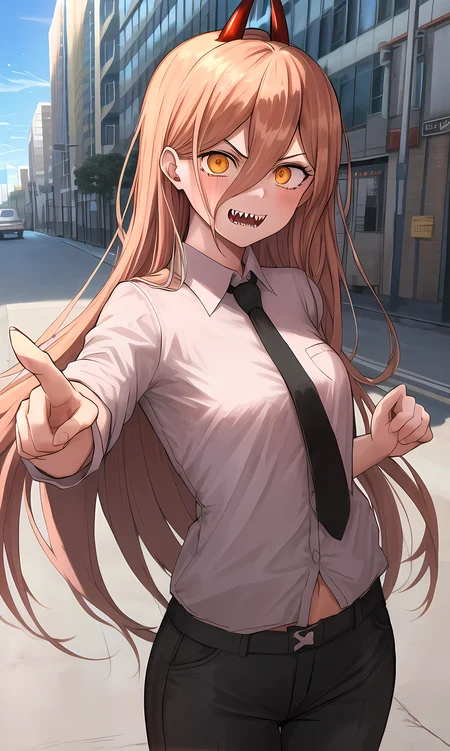
This is a textual inversion embedding for Power from Chainsaw Man. Chainsaw Man is an incredible series that you should try out if you haven't already.
This was actually a 2nd attempt at Power after the first went too hard on her sharp teeth and came out somewhat deformed, so I recommend putting something like (sharp_teeth:0.8) in your prompt along with this embedding to get a more accurate depiction. Also her cross-shaped pupils didn't come through very well despite tags for them existing and trying very specifically to bring that out in the embed - could just be the model I'm using perhaps, I'd be curious if any of you get better eyes with the +_+ tag. As with a lot of these the eyes aren't great with the embed by itself so I'd improve them with orange_eyes, hopefully.
Example images created using my 7th Heaven mix https://civarchive.com/models/4669/corneos-7th-heaven-mix
Check out my other civitai models for more characters and sex positions! https://civarchive.com/user/Master_Corneo
If you enjoy this embed, I genuinely love seeing your creations with it - you can attach them to a review if you're not aware (but not comments sadly)!
Description
FAQ
Comments (23)
Looks really good.
Can you add sakura from naruto to the strawpool?
Sure!
@Master_Corneo thank you. Also love all these new fine tuned poses
Your work is really impressive! I'm new to AI thingy, and thanks to you, I can now make beautiful renders. I have just one small question: I see bad-hands-5 in most of your negative prompts. Is that a negative textual inversion embedding? I've been spending much time trying to find that bad-hands-5 embedding with no success. Will you be kind enough to enlighten me? I'd be so grateful! Again thank you for your amazing work!!
I am curious about this as well
Thanks a lot! bad-hands-5 is a negative textual embedding, can't remember where I got it from initially so I've put it here https://drive.google.com/file/d/1czjL5OQxLklGpFHFOXQ8G0pTs2Cl5U0h/view?usp=share_link
@Master_Corneo You are the best! As always.
The embedded text you make looks perfect as it reproduces the characteristics of the character When I train it, it somehow imitates the colors and shapes, but it becomes a broken picture like a child's drawing. how do you train?
I really just follow this guide https://rentry.org/simplified-embed-training
Sounds like maybe you're training with a merged model instead of an "original" one (i.e. trained from scratch, no mixing)? This will break the output. Also I've found that training using my own SD creations makes the output go completely off too, which is a shame.
I'm sorry. I guess I was asking too much for results. After a little tweaking of the settings and more training, I got better results.
Thank you for your useful information.
@misora Excellent! Glad to hear it. It is a lot of experimentation and learning, most of my training still results in failures rather than something I release
@Master_Corneo However, my PC with low specs is approaching the limit of image generation and training. Perhaps, but I feel that the success this time is close to coincidence. So I'm thinking of replacing the GPU. I feel that the amount of GPU memory is important for image generation, but does the training speed work more favorably as the amount of memory increases?
@misora It 100% does simply because you can move from "Gradient accumulation steps" which is like a fake batch of images, to actual "Batch size" increasing with more GPU memory. I've just upgraded from a 2080 to a 4090 and my training time has changed from 5 to 6 hours down to less than an hour.
@Master_Corneo Sorry for the repeated questions. Last time, the cause of the failure was because you were using a merged model? is commented with.
Is the model that should be used basically a pure NAI model without any merging or pruning? Or is there another model that should be used?
@misora yes pure NAI is the model to use to train any anime TI, otherwise the base Stable Diffusion model for realistic mixes
where do I put "hash"?
Nowhere that's just the hash of the file as a quick way (for a computer) to know when it's changed. You put the file in your embeddings folder then use the name as part of your prompt
@Master_Corneo ohh ok ty
How to install it? I still don't understand how it works..
There's a "How to use this" link in the Type info box
amazing. can you maybe do a ti of nessa from pokemon?
Incorrect trigger word.
Correct: corneo_power_v2
The trigger word for an embedding depends on what filename you have it as locally