


PixelPruner - A Data Set Prep Tool!
New!
Try the Gradio version out now! - https://huggingface.co/spaces/TheAllyPrompts/PixelPruner
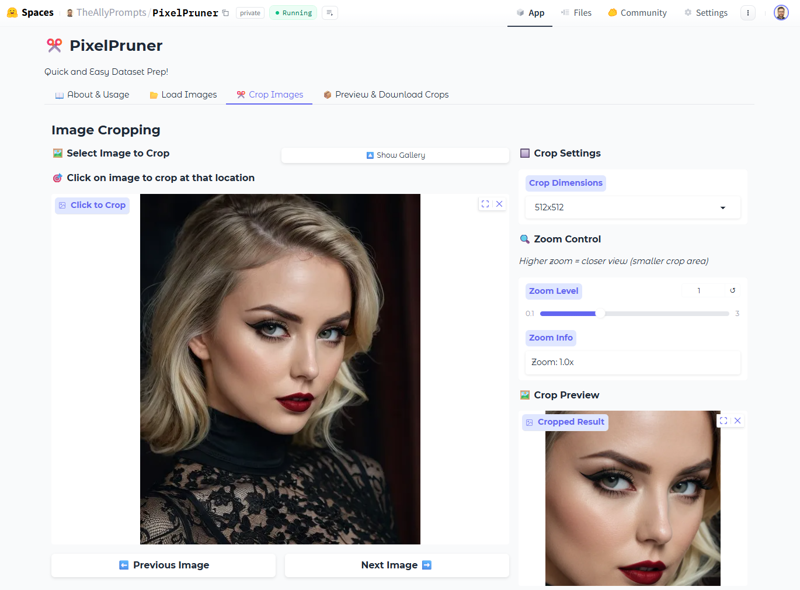
PixelPruner is a user-friendly image cropping app, built to assist in LoRA creation. It supports PNG, JPG, JPEG, and WEBP formats. Easily crop, preview, and manage images with interactive previews, thumbnail views, rotation tools, and customizable output folders. Streamline your workflow and achieve perfect crops every time with PixelPruner.
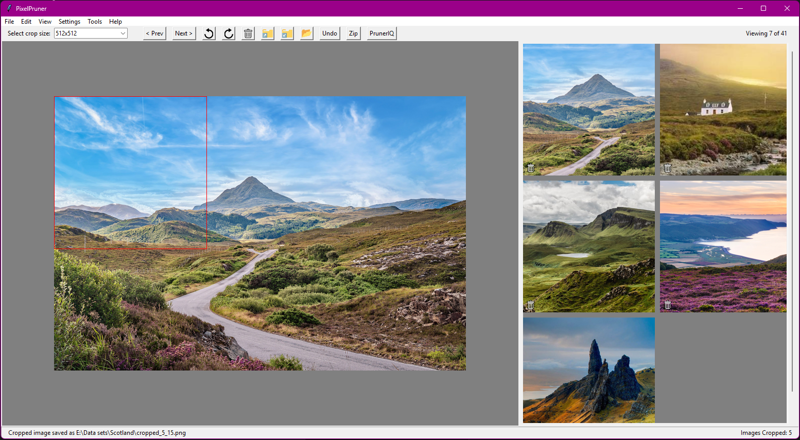
Features
Multi-Format Support: Supports cropping images in PNG, JPG, JPEG, and WEBP formats. Crops are converted to PNG.
Interactive Crop Previews: Preview your crop selection in real-time with an interactive preview pane, before you make the crop.
Thumbnail View of Crops: View all your cropped images as thumbnails in a dedicated pane, making it easy to manage and review your work.
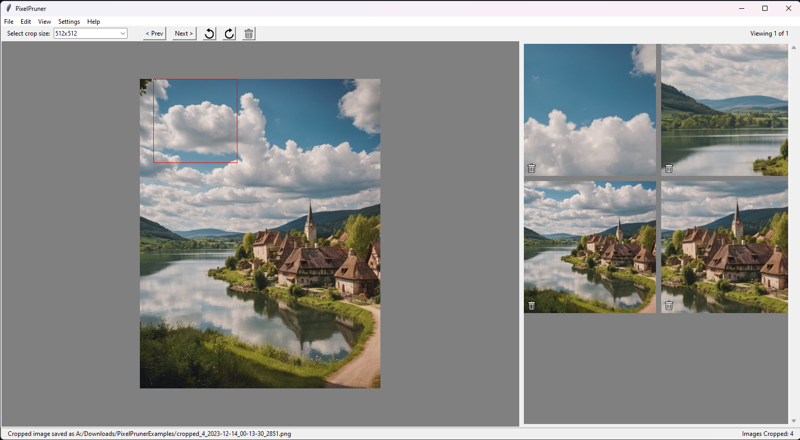
Rotation Tools: Easily rotate images to achieve the perfect orientation before cropping.
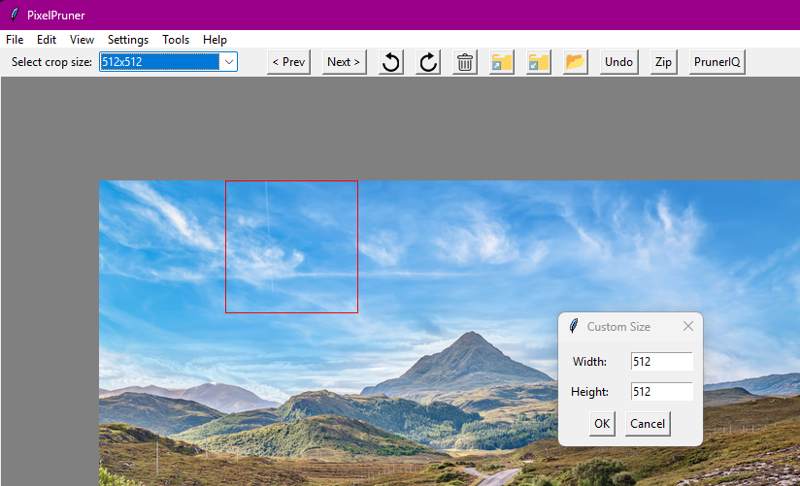
New! Custom Crop Dimensions!
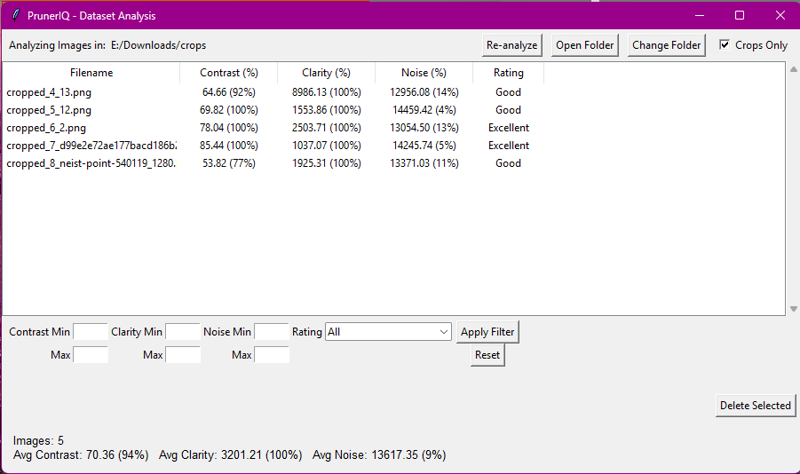
New! PrunerIQ Analysis
The built-in PrunerIQ analysis, accessed from the
Toolsmenu, examines your cropped images and scores them using:Contrast – standard deviation of pixel intensities. Higher is better.
Clarity – variance of the Laplacian; larger values indicate sharper images.
Noise – difference between the image and a blurred copy. Lower numbers mean less noise.
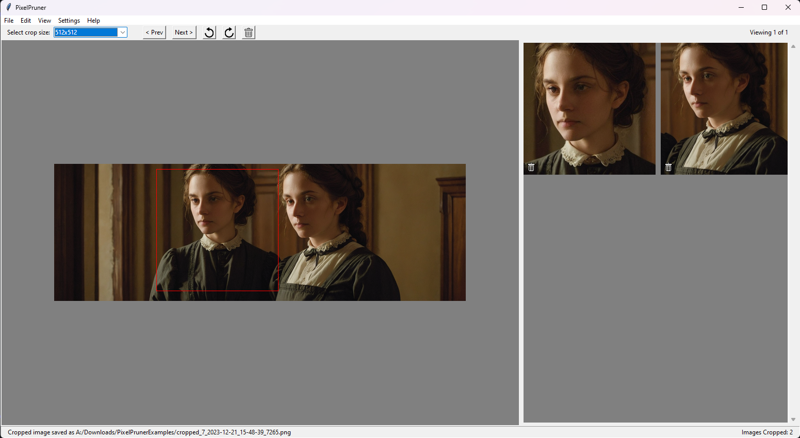
Multi-Crops: Make multiple crops from the same image. Multiple faces? No problem!
Customizable Output Folder: Choose a custom folder to save your cropped images.
Zip Crops: Quickly zip all cropped images into a single archive for easy sharing, storage, or upload to the Civitai.com on-site LoRA Trainer.
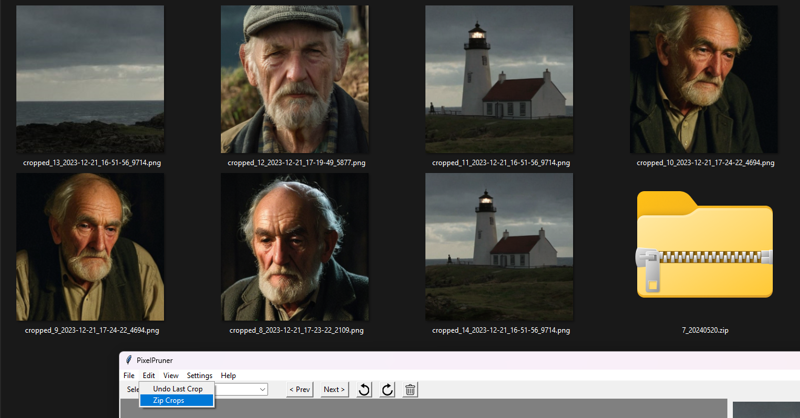
Undo Crop Actions: Made a mistake? Simply undo the last crop with the click of a button.
Keyboard Shortcuts: Navigate and manipulate images effortlessly with convenient WASD keyboard shortcuts.
Persistent settings: Your preferences, default paths, etc. are saved!
Download
View GitHub for the latest release!
MIT License, full source code available for inspection.
Donate!
Enjoyed using PixelPruner? I'd appreciate any donations for my time! https://ko-fi.com/theallyprompts 🙏