
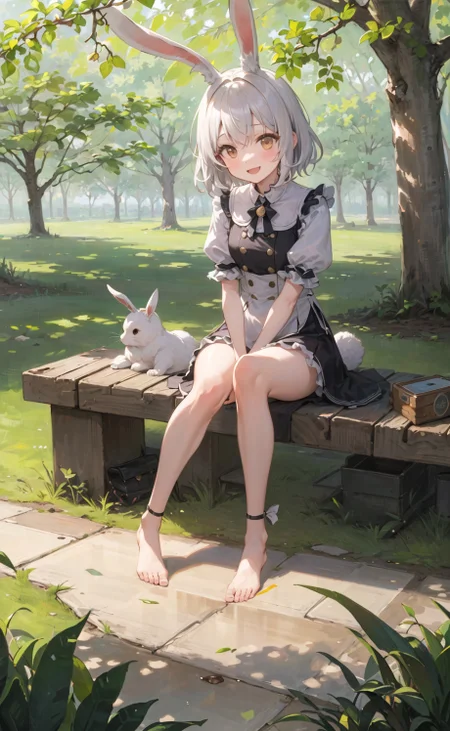


high quality anime style model.
Support☕ https://ko-fi.com/sfa837348
more info. https://huggingface.co/gsdf/Counterfeit-V2.0
Verson2.5 https://huggingface.co/gsdf/Counterfeit-V2.5
Verson3.0 https://huggingface.co/gsdf/Counterfeit-V3.0
EasyNegative https://huggingface.co/datasets/gsdf/EasyNegative
(Use clip: openai/clip-vit-large-patch14-336)
EasyNegative(Negative Embedding) https://huggingface.co/datasets/gsdf/EasyNegative
Official hosting for online AI image generator.
Description
updated
FAQ
Comments (131)
From the image.. is this the old one combined with orangemix?
Not sure what's going on, the colors in your examples are very vibrant, whereas mine that I generate on Invoke Ai are kind of muted even though I'm using all the items in the example?
I had the same problem initially, then I used the VAE Kl-f8-anime2: https://huggingface.co/hakurei/waifu-diffusion-v1-4/blob/main/vae/kl-f8-anime2.ckpt,
and if I use AnythingV4 I indicate (monochrome) in the negative prompts
I hope it will work for you too, this model is really beautiful
@Ayumiku That VAE gives me some extreme saturation and chromatic aberration for some reason. Oddly enough, the VAE's that don't do that with this checkpoint still give rather subdued results. I'll personally keep messing around with more VAE's and see what one sticks.
I seem to have a lot of generations with multiple characters when I only want one in 2.5. This is very weird as I use the same positive/negative tags with all the other models and with 2.0 also and it doesn't happen. Don't want to lower the score of this model so I'm posting this as a comment but I can't use it anymore mainly because of this.
why I have used exact prompts and settings from the examples and come up with pretty bad quality renderings? what went wrong?
and i did put easynegative in the embedding folder
Which VAE are you using? No matter what I do my colors are desaturated a lot...
For my personal preference "anything-V4" and "orangemix" are worth using with this model. "kl-f8-anime2" is a VAE that makes the picture a bit too bright. l like it , just don't know if you can get on board with that kind of picture.
Basically, the novelai's vae I think. I just calculatd hash for VAEs of anythingv4/3, nai and this model, and found they're all identical.
Putting the "EasyNegative.safetensors" file from https://huggingface.co/datasets/gsdf/EasyNegative into the "\stable-diffusion-webui\embeddings" folder fixed the desaturated look for me.
@nydexx Do you have to use it in the prompt as with other styles?
@Samogub My windows firewall says it detected a trojan virus while downloading this VAE. Did you encounter this problem as well?
@arvinsohandsome862 No
是的,下载了这个vae一点卵用没有,图片没任何变化
I find the mouths don't generate the way there supposed to, any fixes?
Putting the "EasyNegative.safetensors" file from https://huggingface.co/datasets/gsdf/EasyNegative into the "\stable-diffusion-webui\embeddings" folder fixed the look for me.
@nydexx Thanks, that helped.
Hi, I am very interested in making merge block weights models such as abyssorangemix, pastelmix, and counterfeit v2.5, etc, is there a discord group to discuss stuff like that? thanks a lot!
Does anyone know how to make the aspect ratio of these images anything other than the default square shape? Also I have installed the EasyNegative.pt file into the embeddings folder and restarted StableDiffusion and I'm still getting extremely desaturated images relative to what's on display here.
I am new to this and am currently trying to replicate some of the other pictures posted here to get used to this, and I am having little success. If possible, I'd appreciate if someone could explain this to me like I'm an 8 year old
did you install official VAE to VAE folder, for this model? REWORKED LINK to correct link
https://huggingface.co/gsdf/Counterfeit-V2.5/blob/main/Counterfeit-V2.5.vae.pt
folder: "stable-diffusion-webui\models\VAE" paste this VAE here
if nothing change or you use it before try add to first your prompt this
"((masterpiece, hyperdetailed, intricate details, best quality))"
or try use hires.fix "stetps 0, Denoising strength 0.6, Upscale by 1.5" make upscale lower if you get any problem with memory but better make it bigger
@Samogub Thank you so much for your reply! I really appreciate your help and I will try this soon. Any idea about the aspect ratio thing? Like making it not a square?
(Edit)
Ok so in trying to replicate the image you posted, I have done the following:
1. Followed this link https://huggingface.co/gsdf/Counterfeit-V2.5/tree/main/vae, and downloaded the file called diffusion_pytorch_model.bin
2. Dragged diffusion_pytorch_model.bin from my downloads folder into stable-diffusion-webui\models\VAE, which for me is called SDLocal\models\VAE because I renamed it, but I assume that's not an issue
3. Ran webui.user.bat to initiate the terminal window that goes through the process of opening my Stable Diffusion WebUI
For the record, the readout of the terminal window is as follows:
env "C:\Users\cutsc\Documents\zSDLocal\venv\Scripts\Python.exe"
Python 3.10.6 (tags/v3.10.6:9c7b4bd, Aug 1 2022, 21:53:49) [MSC v.1932 64 bit (AMD64)]
Commit hash: <none>
Installing requirements for Web UI
Launching Web UI with arguments: --xformers
LatentDiffusion: Running in eps-prediction mode
DiffusionWrapper has 859.52 M params.
Loading weights [8cdc294b] from C:\Users\cutsc\Documents\zSDLocal\models\Stable-diffusion\CounterfeitV25_25.safetensors
Applying xformers cross attention optimization.
Model loaded.
Loaded a total of 1 textual inversion embeddings.
Embeddings: EasyNegative
Running on local URL: http://127.0.0.1:7862
To create a public link, set share=True in launch().
(for the record, that textual inversion embedding should be EasyNegative)
4. Replicated your submission's information into Stable Diffusion - specifically the prompt, negative prompt, Sampler, CGF Scale, Seed, and Steps
5. Pressed the big orange "Generate" button and got this: https://drive.google.com/file/d/1LdkxO9eofPqx-QfqeArx2amNXPJuyGar/view?usp=sharing
The blurriness I'm sure is because I have not upscaled it, but as you can see, it is an entirely different image and it's a square. Do you have any idea where I'm going wrong?
@morph888 omg im so sorry i send you a wrong link to VAE
https://huggingface.co/gsdf/Counterfeit-V2.5/blob/main/Counterfeit-V2.5.vae.pt
This is correct link 100%. Delete first VAE and paste to same folder this CORRECT VAE.
And about resize your square and how to copy full data with two click and paste to your SD you can see here https://imgur.com/a/gLIus74
And you can't get 100% result like my image or other image due to differences in graphic cards as i understand so you can't get exactly the same result.
Tutorial how to activate VAE https://imgur.com/a/XMHl1tJ.
Sorry again and enjoy with new beautiful anime model.
@Samogub Hello, I added vae, but the color is still low saturation((
@Samogub Excuse me, I'm done, thank you very much!
@Samogub I just put VAE beside the safetensor file and Stable Diffusion is still able to load it, does that count as normal usage or it's actually not used at all?
@STRIDER_503 I also asked myself this question, I just threw it into the VAE folder so as not to understand such an insignificant issue =)
coooooool!
Could you provide some information on how you trained your model and would it be possible to provide your training data?
Thanks
Hello, this model is great for anime characters and congratulations to the creator of this model.
Nighttime related tags barely work, 90% of the time it just generate a indoor image without any trace of the sky, or it's just plain sunlight all over the place.
They do - check out a couple of night generations that some users posted, and I also suggest using a contrast fix lora, or the noise offset lora at 2 or so to get a great night scene
@AK_3D Yeah, someone suggested a contrast fix lora to me, and it immediately throws tons of errors at me when I tried to use it...
This problem can easily be fixed in Photoshop in a couple of minutes. My example: https://imgur.com/a/erVeWSB
@skygabriel37 I'm more impressed by that gun, actually... xD
@STRIDER_503 Make sure you're not using the 2.1 Contrast lora with a 1.5 model.
My suggestion is to use the Epi Noise for a 1.5 model and set it to 2 in the weight for great contrast and dim scenes.
@AK_3D Oh I didn't know SD version matters, thanks for the heads up!
I'll try the one you suggested, see how it works.
@STRIDER_503 Gun made with inpaint mostly)
Okay... the more I use this model, more problem shows up.
At first it just won't draw night sky no matter how much weight I give to nighttime related tags, and now it can't even keep the hair in one color. I gave 'silver long hair' tag and guess what, 2 out of 10 images has 'somewhat close to silver' hair, every other images are either red or deep blue hair.
Also... why is it always trying to add man-made structures and luggages?
@Nyanbre Hmm, looks like it's written for realistic models but I'll try anyway, thanks!
I know this is old but this is most likely not the model's fault, anything finetuned from v1.5 (and i think also 2 but idk) has an issue where the mean brightness is 50% (if I remember correctly). Someone else recommended a lora to fix it, I'll also recommend https://civitai.com/models/13941/epinoiseoffset, which works well with anime models in my experience. Also you can add "buildings, luggage, bag, suitcase" etc to your negative prompt.
为什么我生成的图片,色彩饱和度特别低
检查一下是不是vae的问题
試試看EasyNegative的Textual Inversion
https://huggingface.co/datasets/gsdf/EasyNegative
@Zoumachuan 感谢确实是vae的问题,自动识别不太管用
@729772955317 请教一下用了什么vae
@1450086066435 是和這個模型配套的 vae,在作者給的h站鏈接裡下就行
https://huggingface.co/gsdf/Counterfeit-V2.5/blob/main/Counterfeit-V2.5.vae.pt
@Cwlrin 哦哦好的,谢谢
Great model. but I have a question, when a word in round bracket for prompt , what's the use of round bracket?
Putting a word in brackets means the model will give that word more importance and try harder to show that word in the final image.
It is weird that when using this model with img2img the output becomes lower in contrast. This happens even if I set denoising strength to 0 (for other models this outputs the same picture as input but here I got a greyed out one). when used in inpainting it results in different color inside and outside the mask area
No vae file is set.
i cant do this anymore.
i've been adding vae, both in core models folder and in VAE folder, the images keep getting desaturated and blank on output, same prompt, same seed, same model, same vae. I dont know what I'm doing wrong.
Putting the VAE in the folder is not enough. Go to Settings ->Stable Diffusion. Under SD VAE, select whatever you want to use. Ofcourse I'm assuming you're using the WebUI
can you put the VAE too?
I'm a novice. Can anyone tell me where the vae documents are
in the most case is: C:\webui\stable-diffusion-webui\models\VAE
Found a trojan at https://huggingface.co/gsdf/Counterfeit-V2.5/blob/main/Counterfeit-V2.5.vae.pt don't click download on this link
Yeah saw my PC complains about and deletes it just now. Thanks for the heads up.
I don't know if it's INTENTIONAL "TROJAN" or just VAE's have an inherit pickle, it's a Lightning callback, may want to ask someone about it before panicking that it's a virus... windows anti viruses are EXTREMELY PICKY and have told me that MAC files are viruses (including basic zip files). - Also a lot of those anti virus companies sell your data btw :P
I'm not an expert, but considering several of my vae files were getting Casdet!rfn reports at the same time, I'm leaning towards this being just another false positive from windows defender.
Attach a link to discuss the issue: https://www.reddit.com/r/StableDiffusion/comments/11vo5ke/warning_windows_defender_started_to_tends_vae/
@Poi_poi_poi Well, considerably it's something funny cause safetensors get flagged with google drive sometimes and i can't always download them XD
False positive
宽高调大点图就生成不出来是怎么回事?
For some reason when i have tried making one of them from the examples, i get a very painting/smudged image unlike the clear, detailed and brightened images shown in the examples even though i have the same settings. i dont expect the same exact image but the quality has a drastic difference for me
For some reason creator didn't include the vae, here https://huggingface.co/gsdf/Counterfeit-V2.5/blob/main/Counterfeit-V2.5.vae.pt
Hey, man. Had the same issue. I'm using google collab automatic1111 so I do not know what the hardware is, and don't care. It works. Try checking comments under the example with bunny-girl on the bench. It helped me a lot! There is almost a complete manual on how to create exact replica of picture. And, by the way, try using PNG info in your webui, it gives you all the info you need
@sarekt Yes i checked that, ENSD Clip Skip help, and also the EasyNegative.safetensors file greatly increases the quality
How can I install the vae in colab?
@DropDrops just drop the vae inside your model folder (the folder where your counterfeit model is loaded) and make sure the vae has the same name as the model and has .vae.pt and the end. Then load the whole folder on colab and just make sure the vae is selected from the settings tab > stable diffusion
Would you be against training a checkpoint on 1995 anime series "Neon Genesis Evangelion"? It's a very popular series and a similar style checkpoint has already been done for Studio Ghibli. Would be amazing to see it for 199s Evangelion. Thanks!
Can anyone plz help?
changing setting sd_vae to Counterfeit-V2.5.vae.pt: UnpicklingError
Check if your counterfeit vae is still in your stable diffusion folder. I recently found that Windows virus defender will mistreat the vae as a trojan virus and auto delete the file. So now I can't even download the vae again because it will just be instantly deleted by Windows system again.
Some people already reported this to the vae source site:
https://huggingface.co/gsdf/Counterfeit-V2.5/discussions/14
Curious if anybody else has the same issue / knows how to deal with this problem!
@GoblinCaptain Thank you for your reply. "I am using Linux, and I am pretty sure that my VAE file is still in the VAE folder. I selected VAE from the settings.
Anyone else have issues with generating their mouths/lips/teeth? I have EasyNegative on and the correct VAE, and it would sometimes generate characters with weird lips and teeth. Happens a lot with characters with their mouths open.
oh lmao turn off Restore Faces
that took me way too long to troubleshoot something this minor
18
Why is the size of the model not the same as on Hugging Face ?
为什么我生成的图鲜艳度都不够
VAE
没装VAE
@Finale_ which?
搜同名VAE
@794252165970 什么是VAE
Why do I generate few details
You can carefully tweak Hires. fix for more details. I usually set "Denoising strength" between 0.5 to 0.7.
When will the model be trained on the base model of 2x?
Never. 1.5 gives the best results with characters. 2x is only better for landscapes etc.
I want to train my own checkpoint model. I have about 10,000 high-quality pictures. How can I do it? Does anyone know? If you provide relevant technical documents or solutions, I will be very grateful
seach youtub,e using dreambooth
@brokolies ok,I found some tutorials and am trying
趴著裸足抬腿非常扭曲,有辦法改善嗎?
Lifting the legs while lying on the stomach with bare feet is very distorted. Is there any way to improve it?
求修正pormat !
please fix pormat!
https://civitai.com/posts/127496
((masterpiece,best quality)) ,1 girl, barefoot, bed, blonde hair,, feet, head rest, on stomach, solo
EasyNegative, extra fingers,fewer fingers,low quality, worst quality, watermark,sketch, duplicate, ugly, huge eyes, text, logo, monochrome, worst face, (bad and mutated hands:1.3), (worst quality:2.0), (low quality:2.0), (blurry:2.0), (bad hands), (missing fingers), (multiple limbs:1.2), bad anatomy, (interlocked fingers:1.2), Ugly Fingers, (extra digit and hands and fingers and legs and arms:1.4), (deformed fingers:1.2), (long fingers:1.2),(bad-artist-anime), Multiple arms, Multiple legs. poorly drawn face
Steps: 20, Sampler: DPM++ SDE Karras, CFG scale: 10, Seed: 1920333456, Face restoration: CodeFormer, Size: 864x504, Model hash: a074b8864e, Model: Counterfeit-V2.5_pruned, Denoising strength: 0.7, Hires upscale: 2, Hires upscaler: Latent
省省力氣吧,你看看這模型多久沒更新了
找別的模型試試?
@STRIDER_503 有没有推荐的模型?
建議用OpenPose改善問題...
直接換Seed一樣可以改善問題...
https://civitai.com/images/465639 问chatgpt 帮忙改善tag
@seq2193 想问下需要怎么问chatgpt呢?直接发原promt然后问怎样改进脚嘛
@Yiujc 先問他你知道AI繪圖嗎 然後找個tag 讓他幫忙改成你要的promat ,接下來 正面改成 prompt 負面改成 Negative prompt 請都用英文表達
@seq2193 谢谢你
Where can i find this model's VAE?
在哪里能找到这个模型的VAE?
@Blindness And you my friend you are the true hero.
@Blindness Thanks!
And you,my friend you are the true hero!!
hero
为啥我的图身生成的感觉那么简陋,细节很少。 这两个参数是啥意思,在哪配置:Hires upscale: 1.8, Hires upscaler: Latent
勾选 [高清修复] [Hires.fix]
I have the same question here.
I've used exactly the same prompts and settings from the examples but the results are like rough sketches, with many visible brush strokes.
我輸入和其他範例圖完全相同的prompt及設定,但是生成的圖像草圖,有非常明顯的筆觸
Murphy2348 提到的[高清修复] [Hires.fix],upscaler是放大器类型. 如果你找不到,也可以提取图片信息->发送到文生图,会帮你设置好参数.
你先正常大小生成个100张,然后找一张你觉得OK的图,点高清修复,放大个1-2倍,然后把重绘幅度(Denoising)搞个数值,或者把高清修复采样次数搞个数值,然后每次都动一个参数,反复来,生成到满意为止~
啥时候有3.0,期待
需要帮助!我已经下载VAE, 也使用了VAE,为什么画面还是灰灰的,要如何解决?请各位帮忙
Me too
+1
同问
进入设置,左边找到用户界面,右边鼠标划到页面最下边,有一个快捷设置列表,下面的文本框如果是sd_model_checkpoint这样的,那就在后面加上sd_vae,用英文的逗号隔开,然后保存设置,重启UI,回到主界面后,在模型的后面会多一个VAE的模型选择框,选择你下载的VAE就可以了,默认是使用CKPT同名的VAE,如果没有就不用,所以你下载了还要选择使用才行。
@LanSeXingQiu 加了怎么没找到 vae的模型选择框
2.0和2.5差在哪?
怎麼改成18x ? 為什麼我發的圖沒有辦法設定18x ?
VAE怎么下载
This model sucks at listening to your prompt. thought it was just me but if you scroll based on recent you can find quite a few examples. The art style is honestly carrying it
It is kindof weird how it just outright ignores a lot of stuff that other models can easily do.
It could be that it used BLIP instead of Danbooru
Details
Files
counterfeitV30_25.safetensors
Mirrors
4468_CounterfeitV25_25.safetensors
CounterfeitV25_25.safetensors
counterfeitV30_25.safetensors
CounterfeitV25.safetensors
counterfeitV30_25.safetensors
CounterfeitV25_25.safetensors
CounterfeitV30_25.safetensors
CounterfeitV25_25【二次元】.safetensors
CounterfeitV25_25.safetensors
CounterfeitV25_25.safetensors
Counterfeit-V2.5_pruned.safetensors
CounterfeitV25_25.safetensors
CounterfeitV25_25.safetensors
2Dbc:Counterfeit V2.5.safetensors
CounterfeitV25_25.safetensors
Counterfeit-V2.5_pruned.safetensors
CounterfeitV25_25.safetensors
CounterfeitV25_25.safetensors
CounterfeitV25_25.safetensors
CounterfeitV25_25 (1).safetensors
CounterfeitV25_25.safetensors
CounterfeitV25_25.safetensors
CounterfeitV25_25.safetensors
CounterfeitV30_25.safetensors
Counterfeit-V2.5_pruned.safetensors
Counterfeit-V2.5_pruned.safetensors
CounterfeitV25_25.safetensors
CounterfeitV25_25.safetensors
Counterfeit_v25.safetensors
Counterfeit-V2.5_pruned.safetensors
78_CounterfeitV30_25.safetensors
CounterfeitV25_25.safetensors
gaopinzhidongman-Counterfeit.safetensors
CounterfeitV30_25.safetensors
(动漫风)高品质动漫风Counterfeit.safetensors
CounterfeitV25_25.safetensors
CounterfeitV30_25.safetensors
Counterfeit-V2.5_pruned.safetensors
CounterfeitV25_25.safetensors
CounterfeitV30_25.safetensors
CounterfeitV25_25.safetensors
CounterfeitV25_25.safetensors
CounterfeitV25_25.safetensors
CounterfeitV25_25.safetensors
CounterfeitV25_25.safetensors
Counterfeit-V2.5_pruned.safetensors
counterfeitV30_25.safetensors