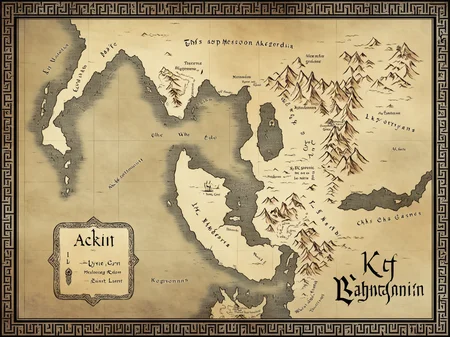
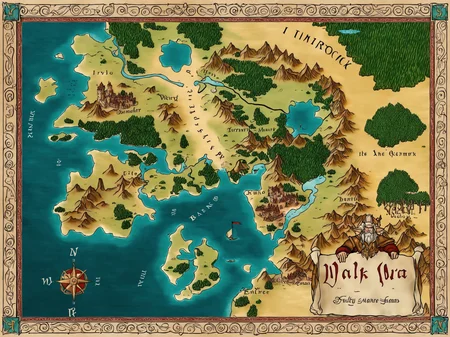
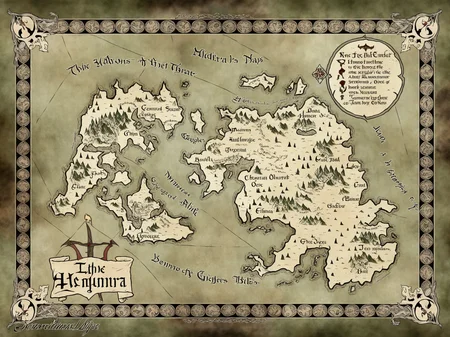


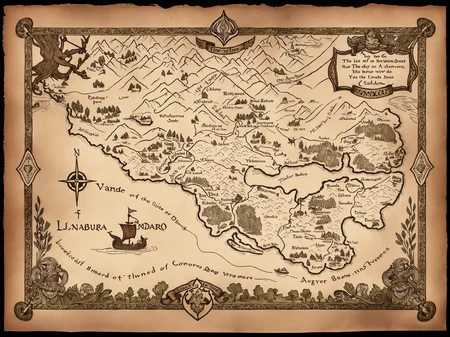
Creates maps in the handdrawn(ish) 2.5D style popular in fantasy roleplaying games. Trends toward faded/sepia unless you lower the strength.
Three versions:
Light: Imparts the aesthetic, but doesn't push toward any particular visual element.
Medium: Strong, tends toward the classic "Tolkien-esque" aesthetic.
Heavy: Very strong, creates dramatic, detailed maps with decorative visual elements.
txt2img can be used for fun or inspiration, but img2img can be used to flesh out crudely sketched maps (example provided).
Trained on SDXL 1.0 base with the trigger "fantasy map". Trigger doesn't seem to be strictly necessary though, and finetuned checkpoints seem to work okay (some better than others).
Seems to work best with a CFG around 7 or 8. You can turn down the strength as low as 0.5 if you want to mix it with other styles or control it more with prompt (otherwise it will veer hard toward the specific style on which it was trained).
Description
FAQ
Comments (14)
Naturally nothing beats img2img, but have you tried using this in concert with harrlogos or another text enhancing model?
Interesting! I hadn't tried it but I played around with it just now. I think the map LoRA overpowers the text LoRA (and it had a mixture of Latin, Cyrillic, and fantasy script on the maps), but it does seem to clean up the writing aesthetically, particularly if you turn down the strength on the map LoRA. Seems like a promising combo!
Posted an example of the combination to the gallery
Well done, dude. It does seem to have improved legibility by a bit for the fine print. Aye, lora balancing is always a challenge, but in my experience, if the loras don't directly compete against each other, you can usually find a decent stable point and run with it after a few exploratory gens.
fantastic work! I recently started drawing maps (IRL) in this vein and was contemplating a LoRA of this very sort. But you've done such a great job of it, I think I have nothing of value to add. Kudos!
This is exactly the sort of stuff AI should be used for. It's extremely helpful. Especially if using as a template to then take into wonder draft
How would you suggest getting this to not put text everywhere?
Any real use case I see for this would need to remove it all before adding your own city and landmark names, after all.
Just using negative prompting worked for me (stuff like "text, labels, writing, letters" or similar). Generating with img2img from a crude outline also seemed to less frequently pull in labels. As a last resort, maybe inpainting over labels, although that'd be a pain if there are a lot of them.
Edit: Possibly also swapping in the Medium or Light versions in place of Heavy. They seem to be less insistent on embellishing the results.
Hello, there is an example workflow to use img2img? (for sketch to img)
I don't really have a specific process documented, but this is a simple example I included in the gallery (first is the manual base, and then examples of it passed through img2img with each version of the LoRA): https://image.civitai.com/xG1nkqKTMzGDvpLrqFT7WA/8db9e583-91a0-4587-999d-968ff8ea810e/original=true,quality=90/img2img_example.jpeg

That was really just "paint some colorful blobs and then run it through img2img". Much more could be done with selective inpainting, and I've yet to use it with ControlNet but that would add a whole layer as well. I do recall is that it was less prone to attempting text/labels when using img2img, so by negative prompting stuff like "labels, text, writing", it should be pretty feasible to make just map graphics and then real labels can be added afterward for a usable map.
It's been a hot minute since I played with it though, so I don't recall much more detail.
If I ever get to a v2, I plan to try to incorporate some specific labeled geographic features in the dataset so that the prompting offers more control.
@basileus what did you put for the positive prompts? Fantasy map?
@th30be In the training dataset, yes, "fantasy map" was the common tag, so should be the most effective in activating the LoRA.
@basileus Sorry for all the questions. I am just trying to get it to work and pretty new to this. For your workflow with the manual base then each step of the LoRA, for the initial manual base to light version, did you type what color is what or anything like that? I am having trouble with it.
@th30be No, I don't think so (I did those a while ago and I don't have the originals around). It should just be a matter of using what colors are common on fantasy maps (and most of the training data was full color rather than sepia). So for example, green for most land, tan for desert, grey for mountains, blue for water, darker green for forest, etc...
1) Pop the base image with those colors into img2img.
2) Then write up the prompt, starting with "fantasy map" followed by a description of the kind of map. For example, "a vast fantasy continent surrounded by islands of various sizes set in a deep sea, with rugged mountains, overgrown forests, and distinctive kingdoms scattered around the map" and so forth. It doesn't necessarily capture all that detail in the output, but I found that including more "flowery prose" helped with the resulting quality overall. I did include some prompting for wind roses and scale markers, so you could put terms related to those in the positive or negative prompt depending on whether you want to encourage or discourage them.
3) I'd include some negatives like "Earth" (to avoid getting real landmasses/shapes) and "labels, labelled, text, writing, letters" (to reduce the chance of it scribbling nonsense characters all over the place, although that happened less in img2img for me anyway, compared to txt2img).
4) Add whichever LoRA strength you want. I'd recommend medium for a standard map, or heavy for something really decorative (but more prone to adding weird random details).
5) LoRA strength and denoising strength are really something you just have to play with and find what you like. I'd start at LoRA strength 1 and denoising 0.5, and tweak up or down from there (LoRA strength should affect the amount of detail and style imparted, and denoising should affect how much it deviates from the original image).
6) You could add a controlnet (maybe xinsir's canny model) to help keep it to the outlines in your original image, if you wanted to control the shapes/layout more strictly.
Details
Available On (1 platform)
Same model published on other platforms. May have additional downloads or version variants.