

Update: 24/01/2026
Qwen-VL Vision Model
Ideal for Models like Flux_2, Qwen ...
13.08.
Fixed a small Bug
Update: 08/09/2025
I had issues with the image loader in the old workflow, so I wrote a custom node myself that loads the images without errors.
This time, it uses GPT for captioning along with a custom instruction.
It can also be swapped out for open-source VLMs, but GPT works best overall.
Update 24.10.24: Added Joytag Caption
Update 29.04.24: I have changed the vision model from Moondream2 to llava.
For the llava model to work, Ollama must be installed. This allows llava to run locally and comfyui to communicate with llava via a local API.
Ollama Github:
Update 25.03.24: The bug that was causing incorrect counting has been fixed.
Comfy Moondream Caption (Dataset Caption Tool for Comfyui)
Welcome to Comfy Moondream Caption, a tool designed to generate captions for images using a local LMM. Follow the steps below to get started:
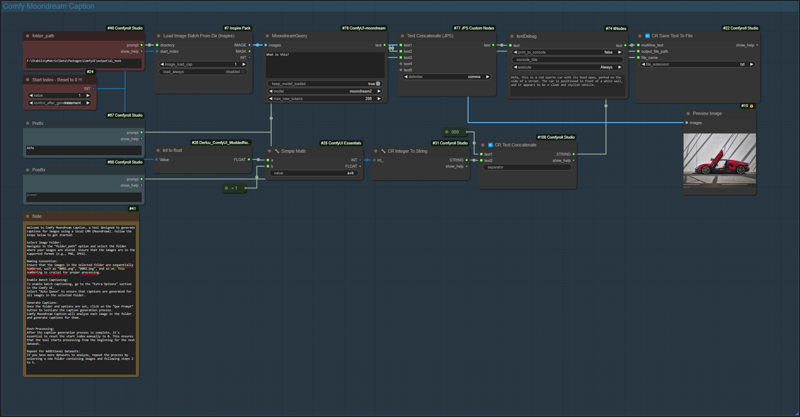
The workflow works for datasets with up to 9999 images.
Select Image Folder:
Navigate to the "folder_path" option and select the folder where your images are stored. Ensure that the images are in the supported format (e.g., PNG, JPEG).
Naming Convention:
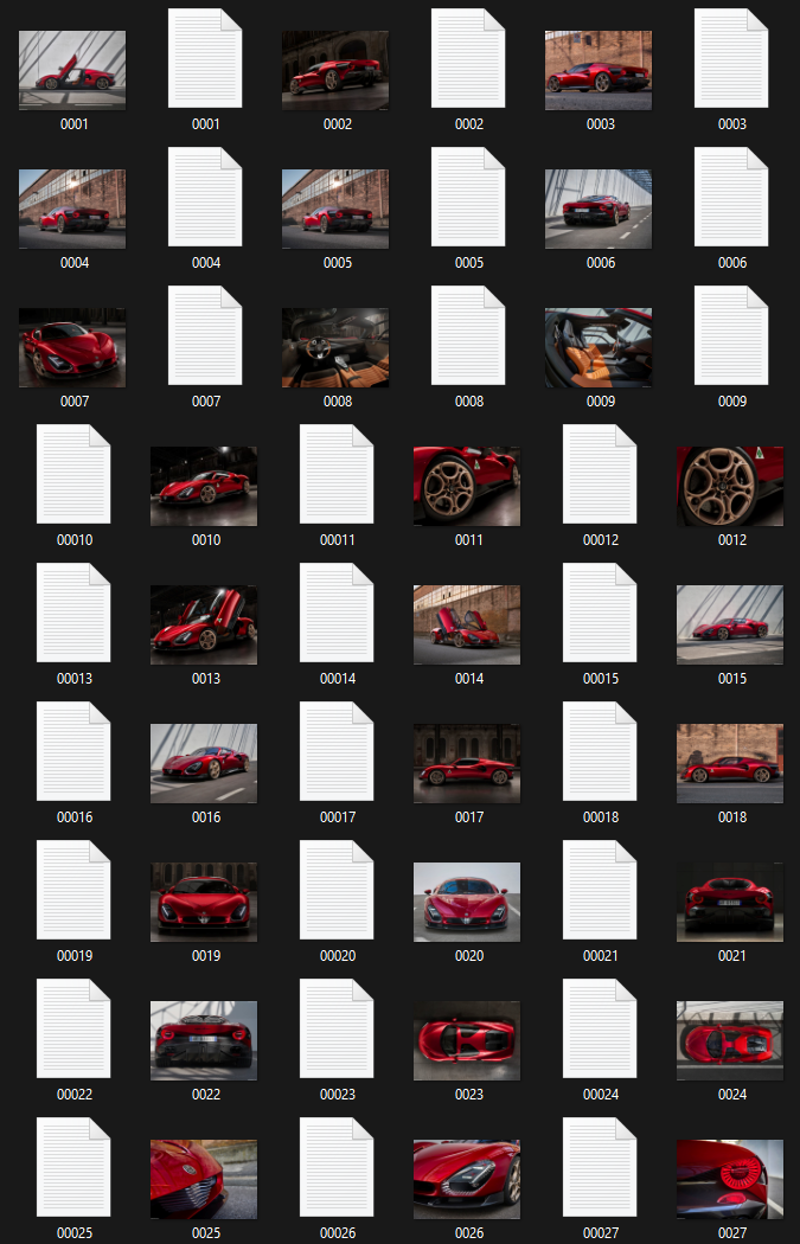
Ensure that the images in the selected folder are sequentially numbered, such as "0001.png", "0002.png", and so on. This numbering is crucial for proper processing.
Enable Batch Captioning:
To enable batch captioning, go to the "Extra Options" section in the Comfy UI.
Select "Auto Queue" to ensure that captions are generated for all images in the selected folder.
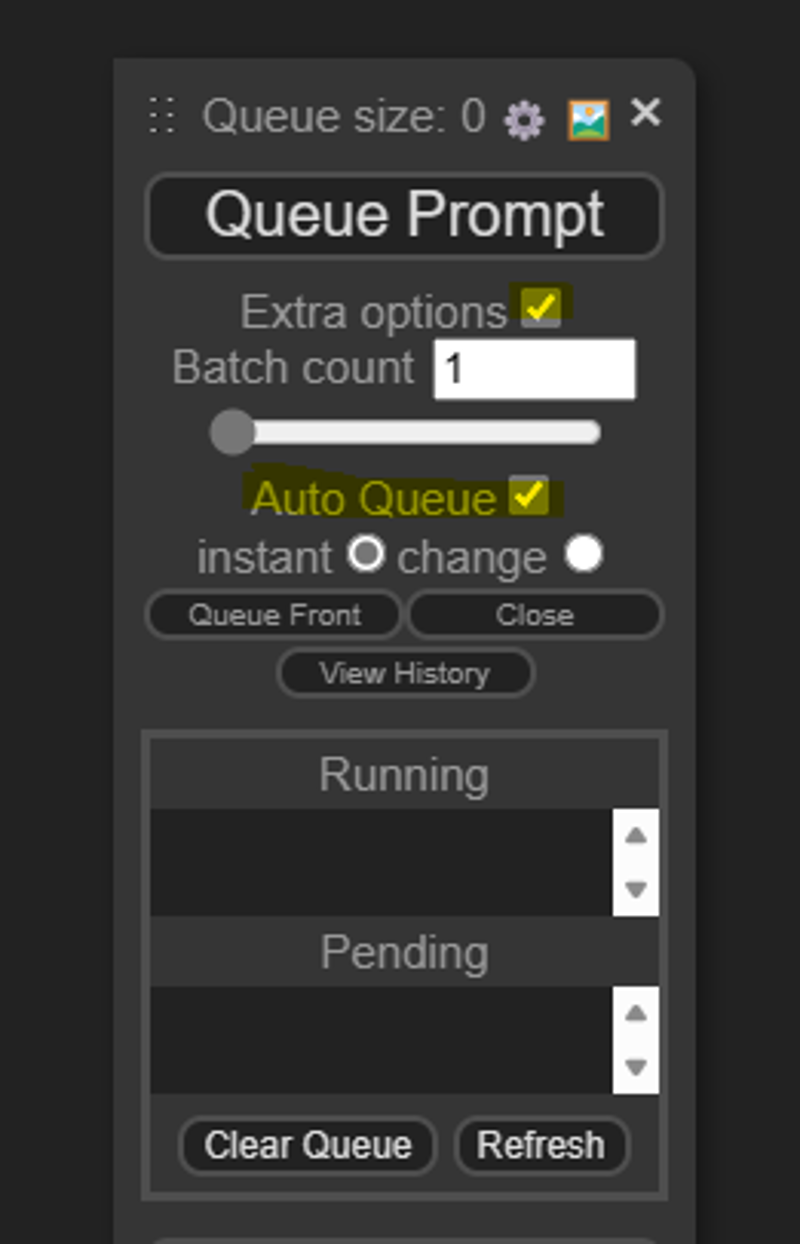
Generate Captions:
Once the folder and options are set, click on the "Que Prompt" button to initiate the caption generation process.
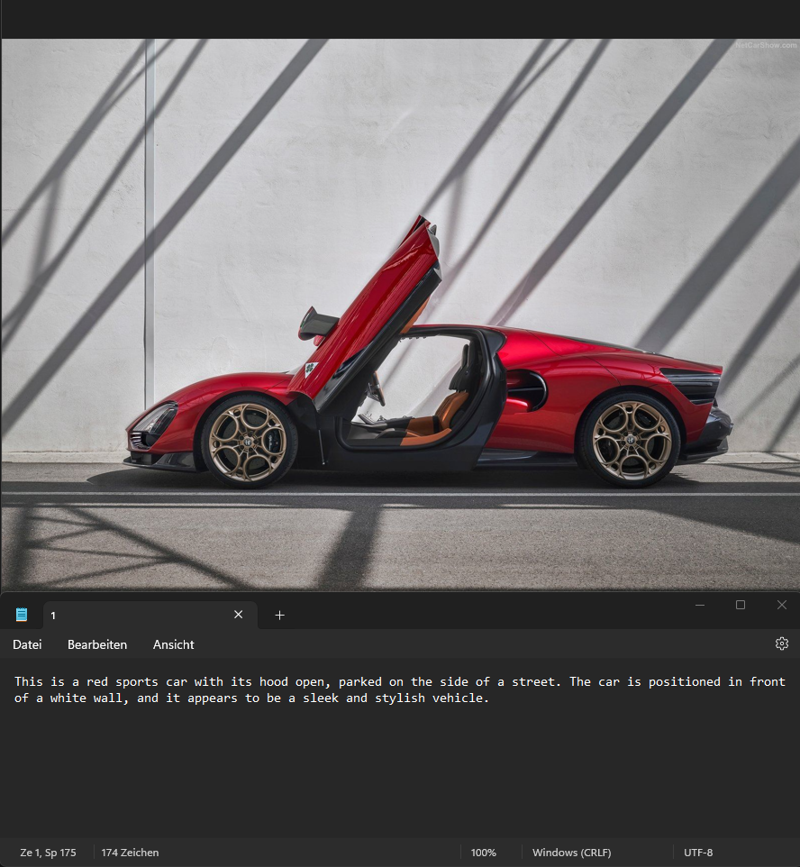
Comfy Moondream Caption will analyze each image in the folder and generate captions for them.
Post-Processing:
After the caption generation process is complete, it's essential to reset the start index manually to 0. This ensures that the tool starts processing from the beginning for the next dataset.
Repeat for Additional Datasets:
If you have more datasets to analyze, repeat the process by selecting a new folder containing images.
Installation:
To set up this workflow, you'll need the ComfyUI Moondream custom nodes developed by Kijai. You can find them at: https://github.com/kijai/ComfyUI-moondream
Description
FAQ
Comments (12)
I've been seeing the usage of these sorts of tools but haven't really taken the time to review just yet. What's the purpose of this?
Create captions for images to create a dataset for training
Hey, thank for the tool. a question, you have this note inside the workflow "Post-Processing:
After the caption generation process is complete, it's essential to reset the start index manually to 0. This ensures that the tool starts processing from the beginning for the next dataset." how and where do I do this exactly? thanks again.
Oh, the note is from an older version. I have fixed the error in the meantime, so you don't need to reset anything anymore.
It's just runnig forever, so u need to stop it manualy when all captures are done.
@denrakeiw Thanks! about the "running forever" part. In the Load Image Node, I converted the "INDEX" input and set it to Increment, and in the "Model" I set it to single_image. now when it gets to the last image it throws an error and stops. Still have to reset the value to 0 manually... But it STOPS :)
@Denrizaiwiz Hey, thanks a lot for the tip ^^
I can't get it to work. Do I have to have the LLM loaded first or something?
Which version then? Llava or Moondream? With Moondream, the LLM loads automatically and runs in ComfyUI, whereas with Ollama, you need to install Ollama and load Llava via Ollama in the terminal.
I was trying moondream can you post a workflow that uses the Moondream? I have been trying to get it to work I downloaded the moonbeam custom nodes in ComfyUi Manager so it should work? What am I missing Thank you for the help!
@DarkestNight You can select the moondream workflow here on top as a version, then download it.
@denrakeiw DERP MY BAD! I grabbed the wrong workflow!
Getting an error : :\AAA_Comfy\ComfyUI\venv\lib\site-packages\huggingface_hub\file_download.py:1194: UserWarning: local_dir_use_symlinks parameter is deprecated and will be ignored. The process to download files to a local folder has been updated and do not rely on symlinks anymore. You only need to pass a destination folder as`local_dir`.
For more details, check out https://huggingface.co/docs/huggingface_hub/main/en/guides/download#download-files-to-local-folder.
warnings.warn(