



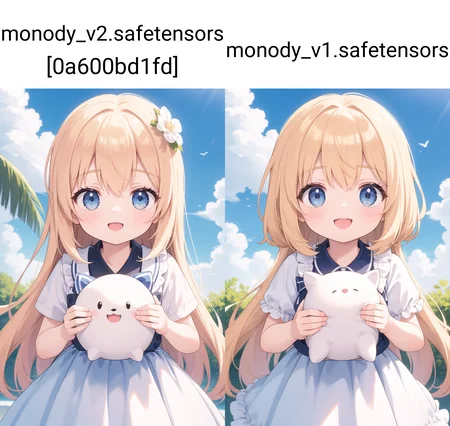






Update V2
+ Improve Stability
+ Improve Color
+ Reduce messy hairline
Every Quality Prompt will affect the results, it's best not use too much or the results will be bad
Usage recommendation
Sampling Method + Hiresfix
Euler Ancestral + 4xAnimeSharp
DPM++ 2M Karras + 4xAnimeSharp
Steps : 20+
CFG scale : 7 - 10
Resolution : 512x768 (Portrait), 768x512 (Landscape)
Quality Prompt : masterpiece, best quality
Negative Prompt : (worst quality, low quality:1.4), interlocked fingers, bad anatomy, disfigured, mutated fingers
Is highly recommended to use Hiresfix or you will get bad results
TensorArt : https://tensor.art/models/694305064514447621
Description
Update V2
+ Improve Stability
+ Improve Color
FAQ
Comments (11)
First of all, thanks for your models, they are great.
I'm trying to reproduce the samples here, but they come out different.
https://civitai.com/posts/2314447
Any idea why? I have an NVidia GPU, and use Automatic1111 1.9.0 with default settings, as far as I know. Are you on SD.Next or ComfyUI, maybe?
@D00derino584 I used a1111 v1.7.0 with default settings. I didn't change anything because it was for a showcase. Actually the image was made from an online generate service, and I copied it to a1111. The result is a little different but not like yours.
this is the original image https://tensor.art/images/694504037476957295?model_id=694305064514447621
well I see your image is not default setting, you are using ENSD : 31337, please change it to 0, because I am not using ENSD for this model
Easy way to copy sample just download it, then insert in PNG Info on a1111 just send to txt2img
That's what I did, I got the image here and pasted it on the PNG info tab.
ENSD changes minimal details, usually it's only noticeable comparing the images side to side.
Maybe something changed between 1.7.0 and 1.9.0, I'll take a look.
@D00derino584 Sorry I think you are wrong, ENSD will make the image very different, I have tried using ENSD 31337 and the results are the same as yours
@Bula Wow, you're right, thanks a lot.
If I just delete the ENSD number and leave the field empty, for some reason it still uses the one that was there before, I have to set it to 0 to reset it.
@D00derino584 Glad i can help, actually there is no problem using ENSD you don't have to always delete it if you're comfortable using it. some people also use it
@Bula what is the ENSD number and where do i find it?, apologies for zombie posting, but i've never seen this before