







Important instructions below! Make sure you read the "How to use?" section!
What is this?
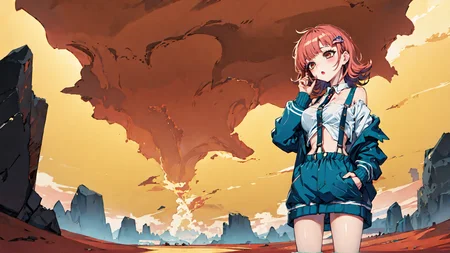
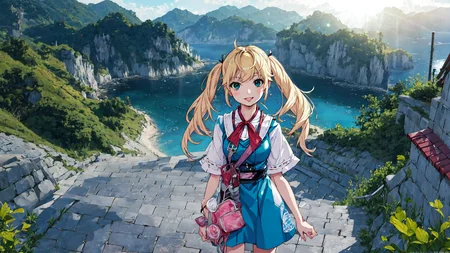
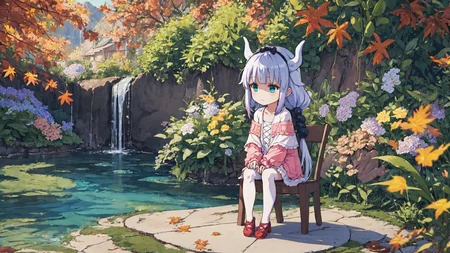
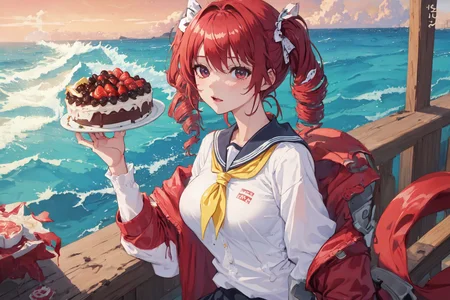
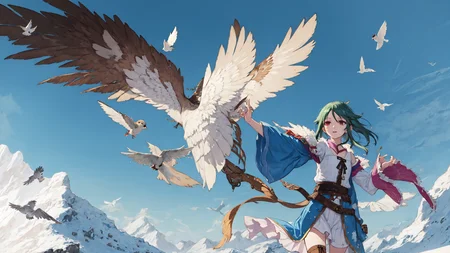
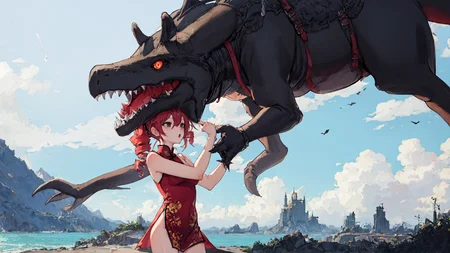
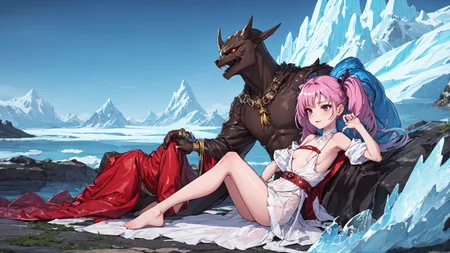
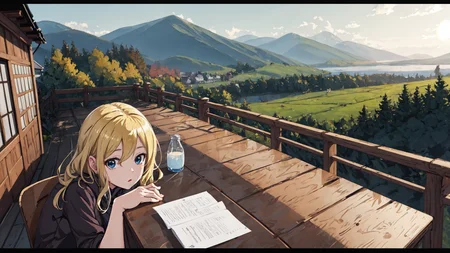
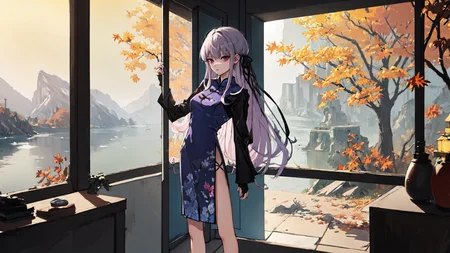
This is a collection of wildcards with extensive, customized lists of characters, clothing, location, pose, etc all logically nested together in order to automatically form a complete prompt. This includes character, clothing, and other loras, over 100 of them each tested and configured to have minimal impact on the style and composition of the image while retaining the lora's elements. All example images were generated with the same prompt/template or very similar. Just "__tt-all__" with a bit of flair like "4k wallpaper".
The original idea behind this system was to automatically generate myself a wallpaper each day or something, but it can be used for any purpose. Everything was tested to make sure it works well at 16:9, 1920x1080, but portrait or square ratios will only work better because wide ratio is the least supported by most models and loras.
Don't want to just automate the whole prompt? You can use individual elements as you like, "__tt-character__", tt-location, etc.
It's also nice to have a list of well configured characters or clothes to retrieve as needed with the auto complete extension like this:
You could also view this as more of a configuration list for a bunch of loras along with their trigger words, rather than just a set of wildcards.
How to use?
You will need 2 extensions first.
Note: It seems that the basic wildcard extension, the one given by civitai, conflicts with Dynamic Prompts, so remove that first if you have it. Dynamic Prompt extension makes it completely obsolete.
"Dynamic Prompts" extension to use wildcards. Put the wildcards .txt files in the wildcards folder inside the extension folder.
"LoRA Block Weight" extension to use custom lora weights. You will also need to add a custom preset that I used on most loras; add this line to the Weights Settings in the extension's menu then press Save Presets:
TT:1,0.2,0.2,0.2,0.5,0.5,0.5,0.5,1,1,1,1,0.5,0.5,0.5,0.5,0.5
I also highly recommend you get the "Booru tag autocompletion" extension, it's very helpful as it can autocomplete wildcard names and search through them for an entry.
And then the elephant in the room; if you want to use the collection as is you'll need the 100+ loras in it. I thought it would be a bit much to list all of them with links and expect people to download all of them that way (also that's more work and some are not available anymore), but I don't know about putting a huge archive of them on here on my own page either. For now I've included links to mega and google drive folders where you can either download whole folders or select the loras you want. Of course, you can also keep only the characters you like and add your own.
Some embeddings are also used and included in the archive.
Once set up, use wildcards in the prompt by putting 2 underscores around filenames, like "__tt-all__" for a complete prompt. All of my custom wildcards have the prefix "tt-" (some of the regular wildcards are used inside those, so they are also needed). Also, because wildcards are nested inside each others, you can't change the default wildcard wrapper unless you replace all of them.
What checkpoint and settings to use?
Use whatever you like. More realistic models probably won't work too well, but semi-realistic works fine, and anime models work best. My favorite is Kawaii25D, but it seems to have been deleted. I might reupload it if requested, but I don't know if that would be an issue. I don't really believe SD models belong to anyone, but eh. As for settings/negative prompt, you can use the examples as reference, but there's no reason your preferred settings wouldn't be better.
Important Notes
tt-all includes some basic quality tags. You can add some, or remove tt-quality from it if you want to manage quality tags only in prompt.
While there's no explicit sex acts included, there will be revealing clothes and nudity, so if you don't want to lewd certain characters, you'll have to remove them or something. For your convenience I've added "smol" and "nosmol" variants to all relevant wildcards, so you can use "__tt-all-nosmol__" or "__tt-character-named-nosmol__", etc. Separating them was a pain, and I've used the character's physique to do so because like 80% of anime characters are underage so that would be even more stupid. Basically Tatsumaki is smol, but most schoolgirls aren't.
If 2 or more characters are generated with a character lora in use, they will almost always be clones. This is not something I can do anything about and is an inherent characteristic of SD. Even without loras, characters will often look very similar. You can only try to prevent multiple characters from appearing; add 1girl, solo, etc. (not included in wildcards) Or use portrait ratio.
When testing and adding character loras, my objective was to add only the necessary descriptive tags for the character to be consistent enough, and retain as much flexibility as possible for other elements and varied image composition. You are probably aware that adding descriptive tags like eye color will heavily affect other elements, but you might not know the extent of it. For example specifying eye color doesn't just change other things' color, it also makes it much more likely for the character to face the viewer to show the eyes in the image, thus restricting composition. Ideally adding only the lora and character name is enough. As a result, you might sometimes get wrong eye color or something, but I think it's much better this way.
This collection is biased towards my preferences. My favorite characters and clothes appear more often, the tags I think work best are used, etc. Edit to your liking.
Tips
Want to add some creative spin to the image? Try adding something like " AND abstract:0.8" at the end of the prompt. This will add a layer of colorful abstract art and can cause some very interesting results that would never be generated normally, however it also makes nonsense like extra limbs happen more often. It's like blowing things up and hoping for something interesting to result from it, good for something more dynamic and action-oriented:
Speaking of extra limbs and other errors, they happen a lot more often in wide image ratios, and then if you add "lying" pose on top you end up with mangled bodies more often than not. I don't know of any way to prevent that other than not using wide ratio or removing lying pose from the list. Do as you like. You can try some negative embeds, but I've never seen them fix much and they all have more downsides than upsides in my opinion (more restrictive generations).
Description
FAQ
Comments (29)
I am doing something similar, so I know how much work you put into this. thanks for sharing op appreciate it.
Infinity! thanks for sharing, I will download the required loras and will keep it running for a while. Thanks for your efforts. By the way, do you recommend any specific model?
The model I like the most for this, kawaii25D, has been removed for whatever reason. I'd recommend any of the Meina mix, or ReV Animated, depends on your artstyle preference. There's also often a trade-off between better aesthetics and reactivity to prompt content, and also some models can't do hires as well, especially if using latent. I'm currently testing breakdro model, pretty good results. Also with a different negative prompt; "EasyNegative, (worst quality, low quality:1.4), medium quality, monochrome, [:badhandv4:0.5]"
embeddings好多中文的,是国人嘛,下回正文也给个中文翻译呀,兄弟
a REALLY unique and fun to use system, definitely got me thinking of new words/tokens/what-have-you to try out. have you considered making a google collab version of this though? i feel like it'd work super well with that
Hey where did you get the holographic clothing lora from? I'm searching for it but can't find it..
@wewewew thank you so much!
Hi really cool system you shared here. Although I am a bit confused, could you explain the steps if we want to add certain characters or remove some from the ones you already have in your wildcard template?
The characters are in tt-characters-named.txt (and -smol or -nosmol)
Every line is a character that can be picked randomly, so just remove or add lines.
Note that if you want to add duplicate lines to increase the chance of your characters being picked, you can't have them be exactly the same otherwise the extension ignores duplicates. Add something like [::1] which has no effect to make them different.
Great idea! Trying to get it working, but it's not recursively using the generated wildcards. Example:
If I use _ _tt-all_ , my actual output prompt is: tt-character, tt-location, tt-pose, tt-extra, tt-extra, tt-quality.
Any suggestions why? Ignore the italic/bolded , this text box goes nuts when using _
Hm, I don't know, are you using the wrong extension maybe? The one suggested by civitai below the download button won't work, you need Dynamic Prompt
@wewewew Yeah, I got the Dynamic Prompt and the other ones. I turned on the multi-layer option in Dynamic Prompt and it still doesn't work =/
If you think of anything, let me know.
Thanks for the wildcards regardless!
@06F9g1LtEisa Did you find a solution for that problem? I am experiencing the same issue. Only getting "tt-location, tt-character, tt-pose, tt-extra, tt-extra, tt-quality" in double __ when using the tt-all wildcard.
If you put in prompt: "{ choice 1 | choice 2 }", does it get parsed to pick one? If not, then I would guess Dynamic prompt is not working properly. I just tried updating the extension to make sure an update didn't break it, but it's fine.
@wewewew i tried { long brown coat | tan turtleneck } in the prompt and the resulting image only had "tan turtleneck" in it.
@ElizaPottinger That's working fine then, it's supposed to pick one choice randomly. No idea why nested wildcards don't work.
@wewewew Alright :D It is what it is, nevertheless a great idea. Guess I have to write out the different wild cards but there are worst thing than that. Thanks for compiling those wild cards and loras!
@ElizaPottinger Even those also have multiple more layers of nested wildcards in them, so I wouldn't bother trying to do this manually.
Also, I'm assuming there isn't any relevant error message in the console window? Like if I delete or rename tt-character and then use tt-all, it will show the message "No values found for wildcard tt-character" and leave that part as tt-character just like in your case. Could be a folder issue or something, but there would be a message shown in console.
If there isn't, next thing I would try is temporarily disabling other extensions to see if it's not a compatibility issue. If that still doesn't get you any answers, I guess you'd have to submit an issue to dynamic prompt github. Not saying you ought to do all that, but that's how I'd go about finding a solution.
@wewewew currently training a TI, will have a look for an error message when I am done. Thanks for your help in finding a solution!
@wewewew I had to disbale stable-diffusion-webui-wildcards to make it work!
now getting prompts like "(4k wallpaper, absurdres, fantastic scenery, detailed background, 1girl:0.8), indoors, night sky, <lora:JPMeido:0.8> jp meido, maid, romper[::2], thighhighs, detached sleeves[::1], animal ears, oiled, standing[::8], public use, Eugeniusz Żak, best quality, masterpiece, excellent lighting, sidelighting, beautiful" with tt-all
@ElizaPottinger Good to know, I'll include that in the description.
this is what i'm searching for, very thanks
I personally get really bad results (which may be a1111 itself) may I ask for model recommendations?
edit: some files and folders are called �� is that supposed to be like that?
The zip file uses shift-jis encodings instead of Unicode, unfortunately, so unzipping will give garbage filenames unless JP locale is active.
You can use an unzipper that supports encoding to fix that. For example, if you have ZipUnicode (from pip), you can use "zipu automaticWallpaper_v10.zip -enc shift-jis -x". But any smart unzipper should work fine.
If it succeeds, you should have the file "久岐忍 - Kuki Shinobu.pt".
@yunacchi Ahh I thought so, I was tempted to set my system to jp as I didn't know about that method, thanks!
What are the [::#], where # is a number, for?
That's a string that gets ignored, used to bypass the extension otherwise ignoring duplicate lines in wildcards. To be precise, it's a feature of A1111 that changes a string in the prompt at a certain step, ex. [dog:cat:10] would put in dog at the start and change to cat at step 10. [::1] changes nothing into nothing and doesn't affect the output at all.
Also, these wildcards are old and the lora integration inside them do no work with current version because the syntax for lora block weights has changed. I don't intend to update it because I have done a lot of other changes to them for myself. You can still use them without minding the loras not taking effect, I still use the lists myself with PonyXL; the tags alone work well enough.
Thanks for the quick reply, that's a creative way to bypass that duplicate line thing. I've been using these wildcards for months and finally got so curious that I had to ask. I used a search and replace on the lora syntax months age and everything still works great! Thanks for this great resource.