




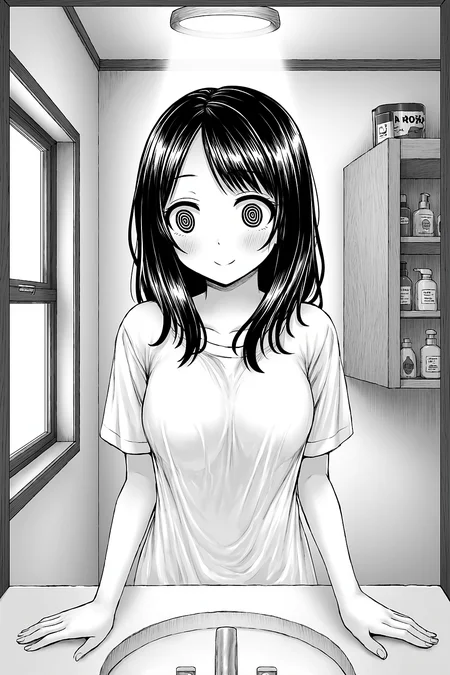


■This is a space for Chroma LoRA experiments.
If this is your first time running inference with Chroma, please download the models below to get started. The Text Encoders (TE) and VAE are exactly the same as the ones used for FLUX. I have included a sample workflow along with the LoRA files, so please feel free to use it as a reference. I've also shared some tips for inference at the bottom of this page.
chroma-hd-basemodel
chroma-flash-lora
T5-TE
https://huggingface.co/comfyanonymous/flux_text_encoders/blob/main/t5xxl_fp8_e4m3fn.safetensors
flux-vae
https://huggingface.co/StableDiffusionVN/Flux/blob/main/Vae/flux_vae.safetensors
■I want to share the immense potential of Chroma with all of you.
Chroma is an incredibly versatile, all-in-one model. Both realistic and anime styles are heavily baked into it right at the pre-training level, and it is completely uncensored. It boasts massive diversity and offers total freedom in styling—depending on your prompting, you can generate images across a massive variety of genres.
Because of this, we are spared the hassle of having to train it on new concepts from scratch. All we need to focus on is refining the model's style and figuring out how to make inference easier.
Moreover, this model was born directly from the community. It was developed by the visionary Lodestones, and its inference pipelines and ecosystem were established by dedicated community volunteers.
It is truly open-source—with minimal reliance on corporations and complete transparency in its development. It is a rare gem that was nurtured by the people.
Projects like this usually end up being nothing more than pipe dreams, but this is one of those rare success stories where the community actually won.
If we are going to drive development forward as a community, this is exactly the kind of model we should want to see grow.
Lodestones is currently putting a lot of energy into training other models as well. If you want to see more incredible open-source models in the future, please consider making a donation to them. > By donating, you help ensure that the developer can focus entirely on pursuing their ideals without being bogged down by computing costs or financial issues.
In return, the community is rewarded with models that embody those very ideals. I believe that virtuous cycle is exactly the kind of win-win relationship that open-source development should be built upon.
Here is the donation page for lodestonerock!
https://ko-fi.com/lodestonerock
[Basic Inference Guidelines]
I am using flash_lora, which is a distilled model. If you are using this, please set your CFG to 1. That solves a lot of problems. Omitting CFG reduces the number of steps, and the anatomy also becomes more stable. Distilling the uncensored Chroma model has very few downsides; even if it reduces diversity a bit, the underlying concepts are not lost.
Low step counts will cause noise artifacts. Depending on the sampler, this usually resolves around 20 steps.
A good workflow is to generate quickly at around 10 steps, and when you find an image you want to polish, increase the steps and run the inference again.
When using a LoRA at resolutions higher than the training resolution, line artifacts may occur.
I find it to be stable up to 1024x1536. 1152x1728 is also possible.
Going higher than that is possible, but it might gradually become unstable.
[Img2Img (i2i) Tips]
i2i upscaling is stable up to 2 megapixels. Pushing it to 3 or 4 MP is also possible and will improve the representation of fine details.
However, pushing the resolution too high can cause line artifacts, so try to find a good balance. The baseline is 2 MP. If you can tolerate the artifacts, you can push it higher. (Note: Line artifacts tend to be more noticeable in dark images or gradients).
LoRAs can have a negative impact at high resolutions, so it's probably best to avoid using them during i2i. Chroma already knows many concepts, so there's no need to rely heavily on LoRAs anyway.
Denoising 0.35 - 0.5: Optimal for detail enhancement.
Denoising 0.6 - 0.7: Optimal for overall polishing and refinement.
[Inference & Sampler Notes (for chroma-flash-heun lora use only)]
euler (20 steps): The standard. It can be a bit rough, but some people actually prefer that look. At 10 steps, it produces noise but works great as a quick preview.
heun (10 steps): Twice as slow as Euler, but the results are comparable to—or slightly cleaner than—Euler at 20 steps.
gradient_estimation (10 steps): Same speed as Euler but converges faster. This is perfect if you want fast and clean results. However, it can sometimes feel too clean, making details look a bit too smooth or the contrast too high.
dmppp_SDE (10 steps): Twice as slow as Euler. It produces different compositions compared to the Euler family.
dmppp_2m_SDE (20 steps)
Note: For standard models, Euler is the simplest method, while SDE or Euler_a tend to be more random yet stable. However, I am not entirely sure if the same logic applies to distilled or flow-matching models.
[Schedulers]
I'm not exactly sure which is best, but beta is commonly used in workflows.
From my experience running inference on many different models, simple or sgm_uniform are usually the most straightforward and reliable options. Whether that holds true for Chroma remains a mystery, so please experiment with them and see what works best!
[Training Notes]
I used OneTrainer for my training.
One crucial thing to note is that your training resolution needs to match the resolution you plan to use for inference. If you want to generate images at 1024px, you must train at 1024px. Otherwise, you will hit resolution limits and line artifacts will start to appear.
With FP8 enabled at a 1024px resolution, you can train a LoRA if you have 24GB of VRAM.
A potential workaround: Since the chroma-base model is designed for 512px, you could try training your LoRA at 512px on the base model, and then applying that LoRA to chroma-hd during inference. It might actually work pretty well!
Training directly on the HD model is obviously the best approach, but this can be a solid compromise. If you use this method, you should be able to train with 16GB of VRAM or less.
I'm sorry if it doesn't work out...
https://huggingface.co/lodestones/Chroma1-Base
If you have any questions, please feel free to ask!
日本語での会話も大丈夫なのでご気軽にお声掛けください!
If you enjoy my work and feel like making a donation, I would be incredibly grateful. Even the smallest token of support goes a long way in helping me lighten the load.
Whether I receive donations or not, I will keep doing what I love and pursuing my interests just as I always have. However, simply knowing that this kind of support exists brings me immense joy and serves as a huge driving force for me.
Description
Training Data (28.72 KB):comfyui workflow.
There are no trigger words required. Please run your inference as usual.
I trained this LoRA on approximately 30,000 highly curated, aesthetic anime images. It doesn't drastically change Chroma’s base capabilities, but rather gently guides the style toward a more aesthetic direction. Please apply this to
chroma-hd. If the effect feels too strong, feel free to lower the weight.
I have also included a workflow, so please use it as a reference for your inference. The included TIPO workflow uses both wildcards and TIPO to automatically generate tags and create a wide variety of images. This really takes the burden off having to come up with prompts yourself!
If anyone has any better inference methods or tips, please let me know. Let's share our knowledge so that more people can enjoy generating with Chroma!
FAQ
Comments (5)
I can't find chroma-flash-heun-r128-fp32.safetensors, everywhere I look it ends at r96. Could you share a link for the lora, please?
I believe this is the r128-fp32 LoRA. Is this what you're looking for? At the very least, this is the one I use.
https://huggingface.co/silveroxides/Chroma-LoRAs/blob/main/flash-heun-pruned/chroma-flash-heun_r128-fp32-pruned.safetensors
@hjhf Thanks. It doesn't show for me in the search for some reason. Appreciate the link.
@koto2091187
Are you talking about a direct download link, where it starts downloading automatically when you click it?
If so, the link below should work.
Fingers crossed that you can download it properly...
Ah, I see you already solved it! I misunderstood what you meant and sent the link again—please don't mind it.