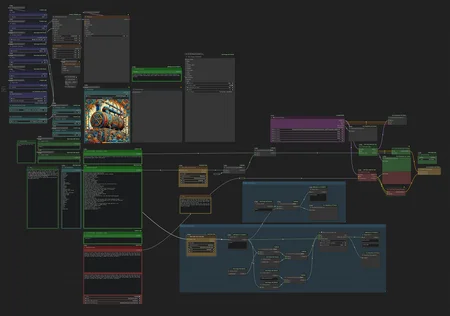
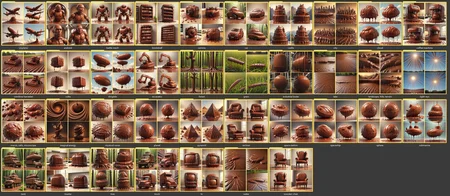


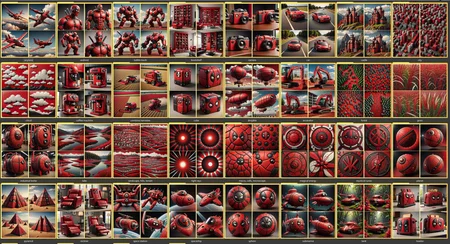

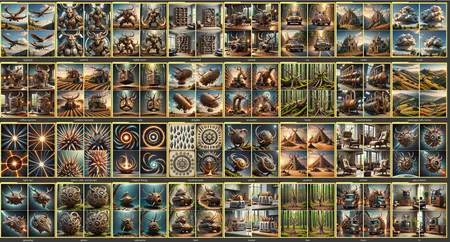
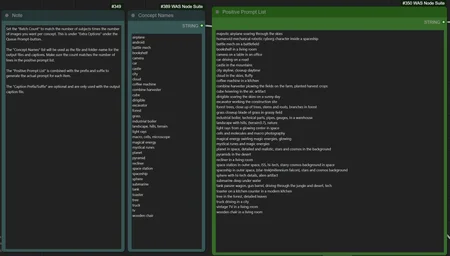
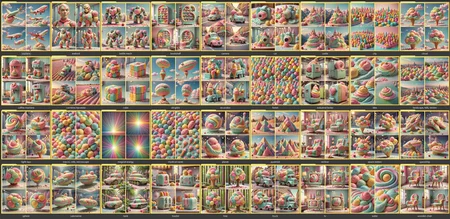
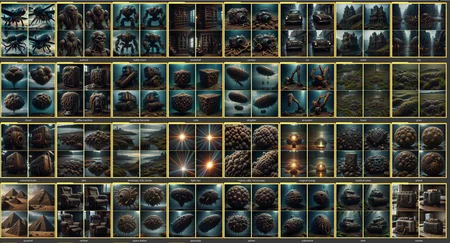
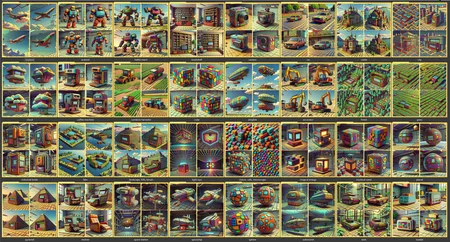
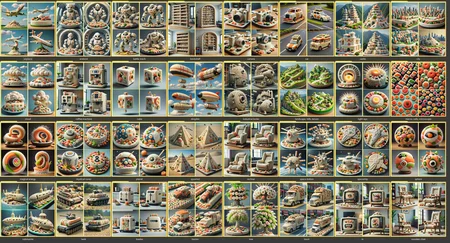

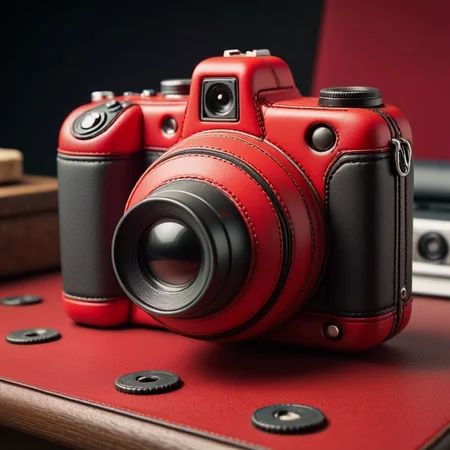

This workflow is a one-click dataset generator. It will batch-create the images you specify in a list, name the files appropriately, sort them into folders, and even generate captions for you.
Here's a video showing off the workflow:
Here's an article written on how to use the workflow:
https://civarchive.com/articles/3406
This workflow can also be downloaded from here:
https://openart.ai/workflows/serval_quirky_69/one-click-dataset/QoOqXTelqSjMwZ0fvxQ9
Description
The latest version, with updated IPAdapter.
FAQ
Comments (17)
Any ideas? Where does 1280 come from? Should all be 1024?
Error occurred when executing IPAdapterAdvanced: Error(s) in loading state_dict for Resampler: size mismatch for proj_in.weight: copying a param with shape torch.Size([1280, 1280]) from checkpoint, the shape in current model is torch.Size([1280, 1024]). File "m:\ComfyUI\execution.py", line 151, in recursive_execute output_data, output_ui = get_output_data(obj, input_data_all) ^^^^^^^^^^^^^^^^^^^^^^^^^^^^^^^^^^^^ File "m:\ComfyUI\execution.py", line 81, in get_output_data return_values = map_node_over_list(obj, input_data_all, obj.FUNCTION, allow_interrupt=True) ^^^^^^^^^^^^^^^^^^^^^^^^^^^^^^^^^^^^^^^^^^^^^^^^^^^^^^^^^^^^^^^^^^^^^^^^^^^ File "m:\ComfyUI\execution.py", line 74, in map_node_over_list results.append(getattr(obj, func)(**slice_dict(input_data_all, i))) ^^^^^^^^^^^^^^^^^^^^^^^^^^^^^^^^^^^^^^^^^^^^^^^^^^^ File "M:\ComfyUI\custom_nodes\ComfyUI_IPAdapter_plus\IPAdapterPlus.py", line 711, in apply_ipadapter work_model, face_image = ipadapter_execute(work_model, ipadapter_model, clip_vision, **ipa_args) ^^^^^^^^^^^^^^^^^^^^^^^^^^^^^^^^^^^^^^^^^^^^^^^^^^^^^^^^^^^^^^^^^^^^^^^ File "M:\ComfyUI\custom_nodes\ComfyUI_IPAdapter_plus\IPAdapterPlus.py", line 340, in ipadapter_execute ipa = IPAdapter( ^^^^^^^^^^ File "M:\ComfyUI\custom_nodes\ComfyUI_IPAdapter_plus\IPAdapterPlus.py", line 70, in init self.image_proj_model.load_state_dict(ipadapter_model["image_proj"]) File "C:\Users\Ste\anaconda3\Lib\site-packages\torch\nn\modules\module.py", line 2189, in load_state_dict raise RuntimeError('Error(s) in loading state_dict for {}:\n\t{}'.format(
Hmm, no I don't have anything concrete for you.
I do know that dimensions are not always about resolution though. Tensors and AI in general work in multi-dimensional space, so sometimes it's more about layers rather than resolutions.
I would post in the IPAdapter github and ask for help there:
https://github.com/cubiq/ComfyUI_IPAdapter_plus/issues
@mnemic It has something to to with the ip adapter and clip model being incompatible. It got it running without error now. But what is the best way to use it? Could you give us a short "how to"? That would be great. Thank you
@trewser843 How to use ip adapter? I'm not the guy for that.
Try this one:
https://www.youtube.com/@latentvision/videos
If what you said is correct, then I suspect maybe you need to update ComfyUI to the latest, and then get the updated IPadapter pack. This should be matching the latest models. You need the IPAdapter Plus node pack. Make sure this is what you have.
@mnemic I meant your workflow, not IP-Adapter.
@trewser843 Ah, I see.
Well, in the description above I link to an article I wrote on how to use it:
https://civitai.com/articles/3406
This should help.
I'm considering making a longer set of training tutorials and videos, but I don't have the time right now. I will certainly post about it if I get to it in the future. So if you follow or whatever you would get notified at least. Best I can do for now :)
@mnemic So sorry. I just saw the video. Will give it a try. Thank you!
Great workflow, thank you a lot! :-)
Got it working, Testing it out now so far the background the clothes are nice to see but the deformed body parts are in the neg still nothing changed there, Not getting but 1 useable image per batch making it a bit more then a handful to sort though.
Hmm, seems like a model/prompting issue? Not really workflow related?
I have a new version of this for Flux but I haven't cleaned it up and uploaded it yet. I'll do so soon :)
The IP-adapter in the workflow seem to be outdated. Replaced with "IPAdapter Style & Composition SDXL" which makes it a little different 🤔
Hmm, it still works for me, and I'm not that outdated in my setup.
When you say "workflow seem to be outdated", do you mean it's not working, or just that there are newer vesrions of things available also?
@mnemic I just changed the IPadapter 😊 Using your workflow with my updated ComfyUI-installation gave me some errors. First on the IP-adapter which I had to change and then I had to change something in the text/filename-output area. I can chare my changes if you're interested. It wasn't that much I had to do. Looking forward to the flux-version 😎
@kallamamran Cheers, nah it's alright. The Flux version is really just the same, except I removed the IPAdapter. Flux is already good enough to do a lot of things without it, and with img2img you can almost use it as an ipadapter naturally.
I think I deleted the text-file creation as well as I never actually used it like that. It was more of a curiosity ^^
@mnemic I actually struggle with Flux and img2img. It's like with Flux with controlnet... Either nothing happens or ALOT happens. It's like it's only sensitive between 0.7 and 0.9 or so. More so CN than img2img though, but basically it's more difficult than SDXL