


This model is a small finetune and lora merge of Seele-NoobAI-SDXL v2.1. This model and Seele are based on Noob 1.0 Vpred.
The goal of this model is to produce high quality 2d flat anime and backgrounds.
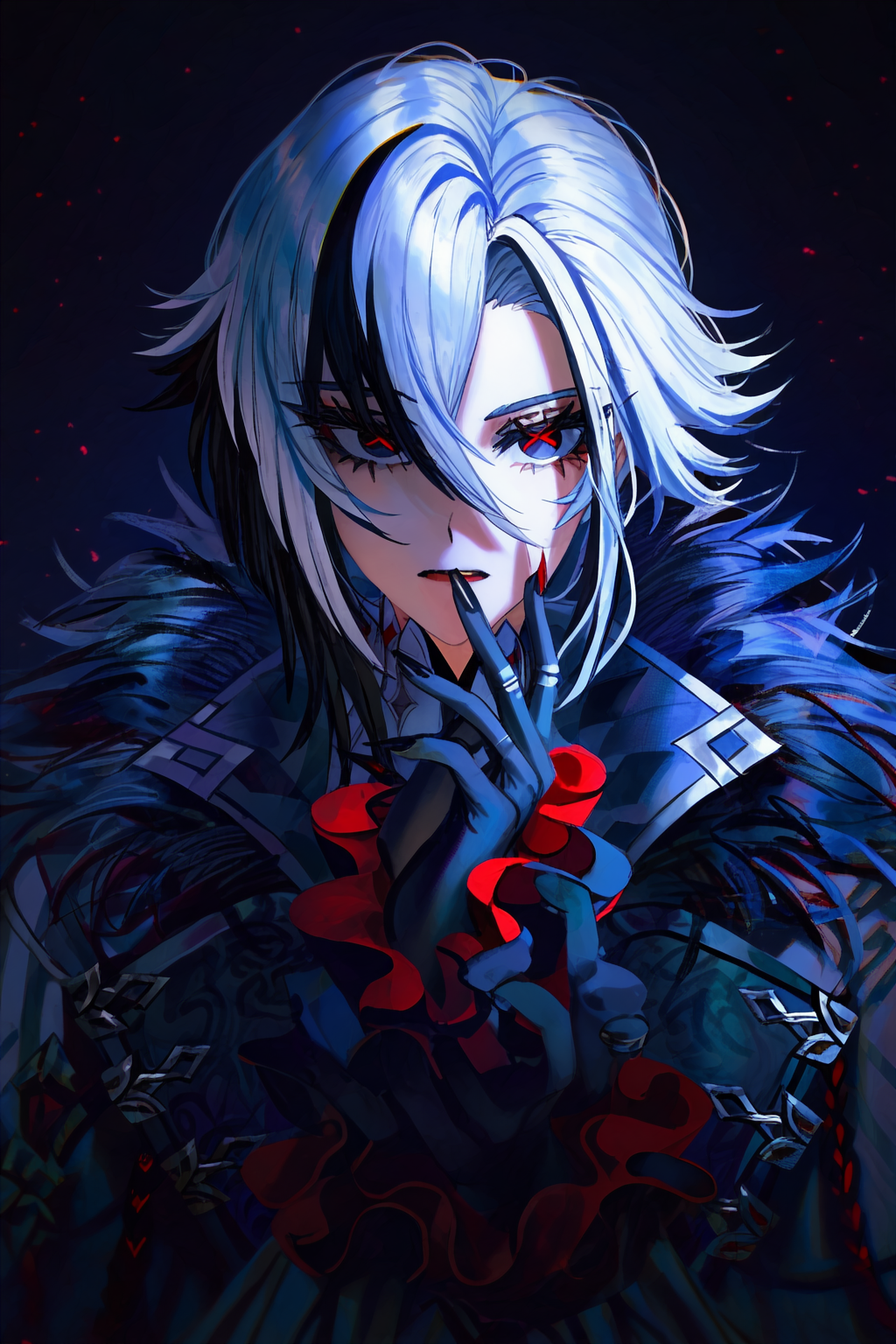
The main factor that differentiates this model from others is the ability to natively generate images as high as 2048x2048. Every image posted above was natively generated. No upscaling, no post editing, no inpainting at all.
Why use this model?
It can create true 2d anime in a flat/anime screencap style
It can produce illustration grade backgrounds
It can generate images up to 2048x2048, no need to upscale if you don't want to
It's noob based and also v-pred, so that means you gain access to all of noobs knowledge and the benefits of v-pred
Noob/Illustrious loras seem to work for the most part (haven't tested too many)
Where does it suck?
Hands and feet are a hit and miss. When you generate at 2048x2048 or any unrecommended resolution, things can break more often than not. Due to the 2d style bias, some artist and loras will be affected. Some background types are particularly unsavory. Like cities and indoor environments.
How to use?
The prompt follows the formatting from Seele. Start your prompt using Danbooru tags to describe your image. At the end of your prompt, put:
masterpiece,best quality,absurdres,highres,high resolution,As for the negative, all you need is:
worst qualityHere are a few negative recommendations I feel will help your image.
bad perspective: This helps with the backgrounds a bit.
too many fingers,bad hands: This and other hand related tags can help by placing emphasis on the hands when you're trying to correct them.
ringed eyes: Sometimes the eyes are generated with a ring around the pupil. This tag in the negative will help prevent that.
flat color: Due to the material used for training, the 2d style can become overly simplified. If you want to enhance the 2d, place this tag in the negative.
minimalism: Like the tag flat color, this also enhances the 2d style, but much, much more. Using this together with flat color will bring out the gradient style of the training material that was over shadowed by the predominant flat 2d material.
How to prompt in this model?
This is a v-pred noob based model. Meaning, if you don't prompt for it, it most likely won't show up. You have to be very deliberate with your Danbooru tagging. Please study my example images and become very familiar with Danbooru tags. Tags that contradict each other or don't make sense together will result in bad outcomes.
This is particularly noticeable when it comes to backgrounds. For example, if you just prompt "forest" with a qt 1girl like sango from inuyasha. The forest background will generate poorly. This is because the forest tag is just too broad of a term. Instead, prompt for things like "tree,grass,rock,moss,leaf,tree shade" and any other forest related terms. We need the model to put emphasis on the background as well as your waifu sango!!
Parameters:
Sample(Recommended): DPM++ 2M DY CFG++
Schedule type(Recommended): Beta
Sample:Euler Ancestral CFG++ or Euler/Ancestral
Schedule type: DDIM
Steps: 48 [44-60+] (anything lower will decrease the quality)
CFG Scale: 1 (for CFG++) 5 (Normal)
VAE: SDXL Anime VAE Dec-only B3 (Built in)
For any additional information, please go here.
Recommended Resolutions
1568x2048, 1408x2048, 1728x2048, 1024x2048There are more you can use but these are the ones I stick to the most. These particular resolutions give me the least amount of bad hands/feets. Yes, you can also use the default XL resolutions (or any other) but why use this model if you're not taking advantage of the higher quality results?
This goes without saying but, using such a high resolution with such a high step count will greatly increase your generation time. It takes me roughly 25 seconds to generate a image at 1568x2048 on a 5090. You're just going to have to determine if the image quality is worth the trade off in time.
Why make this model?
I originally had no intention of making or releasing another checkpoint. But after being introduced to Seele I begin to get intrigued. It started with a lora using the data from the MeMax material. I liked the results but felt the backgrounds were too poor. So I trained a lora using the Worldly material but the backgrounds barely improved.
At this point I begin to wonder why I couldn't effect the backgrounds to the degree I could with character styles and then it hit me. Why don't I try finetuning the model itself? I'd never done an actual finetune but I figured it couldn't be much different than loras.
After many days of iteration, I finally had a small finetune. I used pretty much all my MeMax data, along with background material from both Worldly and CoMix.
The results were...........not very noticeable.
So after scratching my head, I decided to train new loras on top of the finetune. Basically the same material for MeMax and Worldly. And the difference was night and day. Not only did the anime style look better but so did the backgrounds. By a large margin.
At that point I knew I had struck some kind of gold. Thus begin my journey of baking. I've made so many changes and improvements to the data set of MeMax, and Worldly thanks to this journey. What you see above is the culmination of many weeks of training, testing and failing. It's not perfect, but I'm more than thrilled I managed to get it to the state it's in.
Final Comments
A big thanks to waw1w1 for putting together the amazing Seele model. I wouldn't have even bothered if it didn't exist. This model follows the same license of everything it's based on. Use it responsibly.
Visit My Site For Models I Can't Post On CivitAI: https://qtgurl.com/
Description
Updated: The model was missing the v_pred and ztsnr dummy keys so UIs were assuming the model was EPS. The file was fixed and re-uploaded.
FAQ
Comments (31)
Can't use it.Very weirld,only black background with colored dots. Is my RTX4060 need improvement?Bro can u answer it
This is a v-prediction model. So you need to make sure whatever UI tool you're using supports that. I use Reforge. If you use comfy or any other tool, you need to make sure V-prediction and Zero SNR is active. For more information, please review the description of Noob :https://civitai.com/models/833294?modelVersionId=1190596
Thx! I use comfyui,and I think v-pred is supported here.Maybe some other problems
@Fish788 Okay,will try.thaknk u!
Really don't seem to work on Comfy for whatever reason. I have been only using vpred models since a while but this model just don't works no matter what I try. I have the same issue with the dots. Every other vpred model works fine. So maybe there really actually is some issue on Comfy with it.
@scarlizz Alright, I just loaded up the example image here. https://huggingface.co/Laxhar/noobai-XL-Vpred-0.5/blob/main/comfy_ui_workflow_sample.png The only change I made was I set the VAE from the Load Checkpoint node into VAE Decoder node. It worked right away. I am using ComfyUI windows portable. It's possible some additional feature or custom setup is preventing v-pred from functioning. Sorry I can't help more, I don't know much about comfy. Here is the resulting image to show you it really worked on my end. https://files.catbox.moe/dfr8vc.png

@Fish788 All good, I believe you that it works on your end. Its probably really related to something in my workflow that it don't works with it. Appreciate it that you took the time to check on it. Great model anyway!
@scarlizz it works.THX!
Het there,as someone else mentioned, I've also been having like blue with red like dots or something in the image,made sure to be on vpred but stills sadl6
If you're using comfy, post a link to a image or set up so I can compare. What version of UI are you using?
@Fish788 sadly no comfy,but pretty much the same settings as your images,in any case I could upload images of the results so you could look at the metadata if that helps
@Neon_signs What tool are you using? Post an example image with metadata.
@Fish788 my bad,it's actually an comfy backends,I uploaded the image already so you might check it
@Neon_signs Okay, I couldn't load the image workflow because it was asking me to download some missing nodes I'm not interested in downloading. Please use the default v-pred workflow [https://huggingface.co/Laxhar/noobai-XL-Vpred-0.5/blob/main/comfy_ui_workflow_sample.png] and see if it generates correctly. If it does, compare it to your workflow and determine what the problem is.
same for me. i can use any v-pred model but i cant use this one, i tried a lot of workflow and still couldnt work
@Depsh well at least it was not me
@Depsh Even the default v-pred workflow doesn't work? Are you guys using the latest version of comfy? Have you tried using the fresh version of comfy stand alone? I'm trying to figure out what could be causing this.
@Fish788 Yes, I tried the sample and still couldn't work. also tried it with both (fresh) portable and desktop version on the latest version
@Depsh Hum....could you show me a screenshot or video of your simple v-pred set up and an example result? As far as I'm aware, the only reason you could be receiving static images is because the UI isn't recognizing the model as v-pred.
@Fish788 https://imgur.com/a/EYI0CKU i dont know, for some reason i could use any vpred model
@Depsh I've tried a few things but I can't seem to replicate your results. Do you happen to have a yaml file in your stable diffusion checkpoint folder for 2d Gold Fish? If I recall, if that file sets the checkpoint as an EPS model, this could be the reason. Otherwise, I'm all out of ideas.
When using reForge classic I also get the dots error, had to swap to original reforged and manually enable advanced model sampling to make it work. Other vpred models work on classic, but you can't manually enable it, so I'm guessing its not being automatically detected as a vpred model.
Downloaded and tried both Steele and Noob 1.0 vpred and they are properly detected as vpred models automatically by reforge classic, so it's something specific to this model. Also even with the fix of manually enabling advanced model sampling it still causes issues with extensions like adetailer not detecting it as vpred and frying the image.
Managed to fix it. The model is missing the v_pred and ztsnr dummy keys so the UI assumes it's EPS, you can add them with this python script:
import torch
from safetensors import safe_open
from safetensors.torch import save_file
# Path to your original safetensors file
input_path = "path/to/your/model.safetensors"
output_path = "path/to/your/edited_model.safetensors"
# Load the existing tensors
with safe_open(input_path, framework="pt", device="cpu") as f:
keys = f.keys()
state_dict = {k: f.get_tensor(k) for k in keys}
# Add dummy tensors (scalar zeros; shape doesn't matter as the code only checks existence)
state_dict["v_pred"] = torch.tensor(0.0)
state_dict["ztsnr"] = torch.tensor(0.0) # Optional, but enables rescale_betas_zero_snr if desired
# Save the modified safetensors file
save_file(state_dict, output_path, metadata={"format": "pt"}) # Metadata is optional but preserves compatibility
print(f"Modified model saved to {output_path}")
@barbecue420 Thanks for the fix. I re-uploaded the file with the changes. I had no clue that the dummy files weren't present. I figured it must have happen after the small finetune. What a drag.
gens look AMAZING. One of the best 2d models in the site. but i still dont get why vpred models suck at img2img. which means hi-res or adetailers completely ruin quality of generations.
I don't get it either, the loss of texture detail when upscaling has turned me off of using any upscaler with this model. Thankfully, the default resolution is high enough for my taste. Also, using inpainting isn't so bad either. You can use that in place of adetailer.
@Fish788 oh thanks. i thought i was the crazy one because people keep saying it works fine with upscalers because they probably cant tell the difference between good quality and acceptable quality. Either way this is an amazing model. i will keep this bookmarked till you make a Illustrious version of this or i switch to a better GPU where i can fiddle around with this without upscaling lol. have a nice day. Always enjoy your stuff.
This model is online there https://tensor.art/models/953027446603566800
but why not here lmao
I don't mind reuploads but they shouldn't be charging people to use these models without the Noob team permission.
Great model for anime 2d style. Definitely struggles with hands. I recommend adetailer still for hands & eyes
Details
Files
Available On (1 platform)
Same model published on other platforms. May have additional downloads or version variants.