
WAN 2.2 First to Last Frame Infinite Video
The nodes no longer work due to an update. Even with a clipvision version, I cannot get this to work anymore. I will update with a different workflow as soon as I can find a suitable alternative
🛑 Do not bypass anything manually! Use the fast bypasser or the switches for that area!
I set it up to be modular. Just hook up one conector to each module and you can go as long as you like
Choose between GGUF, Diffusion, and Checkpoint models
Indludes Sage Attention
Includes NAG
Upscale
Iterpolate
FYI, I found running it with 6 steps, setting the High CFG to 2.0 and leavingteh low at 1.0, then swapping at step 3 works well. ALso, it is very helpful to have a reference point in teh first frame. I.E. "Steady camera push to the red bridge in the center of the last frame"
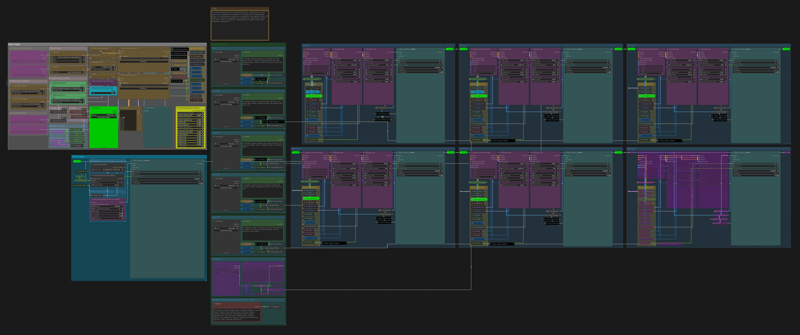
Description
Added to the notes section
FAQ
Comments (10)
Hello, I don't understand if I'm doing something wrong, but it's not really working.
When I start rendering, the “Last Image” boxes turn red and everything stops. I tried putting an image in “Cut 1,” but I just get a short video without it continuing, and the other “Last Image” boxes are red. What should I do ?
I'm rerunnign a project now. I ran it numerous times numnerous different ways. I'll have an answer shortly
OHG! if you have a cell bypassed, teh video box will turn red, but it will still generate. Also you need a first image in teh control area
Yeah, I just reran it. If you toggle everything on and off, it runs just fine. It's the first run that does that.
@lonecatone23 I'll give that a try, thank you !
@lonecatone23 No, it doesn't work. I pressed Ctrl + A, Ctrl + B to disabled and re-enabled everything, tried to put an image in “Cut 1” > “Last Image,” and nothing works. It just generates a single GIF and stops.
@Thorgrin wait, what? There is a fast bypasser. It's yellow and in teh middle of the workflow. You shold not be bypassing anything seperatly as I have Mute/Bypass controllers. if you are, then tere is your problem.
Toggle every switch on and off twice. I downloaded the workflow I uploaded and it ran just fine right out of the box
I revised a few things and added it. Redownload it and use that one
Hello, can someone help me out, please?
ALL the "first to last frame" workflows I tried so far, give me results where the vids end with a weird flash...
In the case of this workflow, all the video segments have it.
Any idea what might be causing it?
It broke 2 versions back. I have had some luck with clipvision, but everyone is using SVI or Painter nodes now. I will probably depracate this workflow