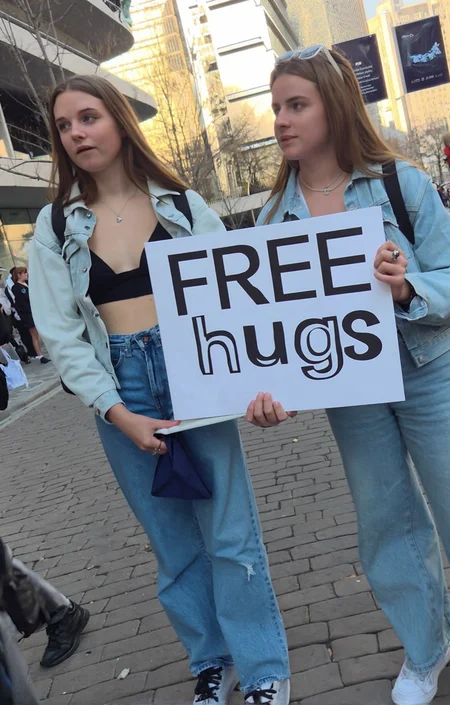


candid style photos, mostly street style. adds little motion blur and weird angles.
recommended settings: 30 steps with original fp8 or 15 steps with qwen_image_distill_full. Both with cfg 3.0. Resolutions: 832x1248, 1056x1584, vertical and horizontal
Workflow in images.
Trained in 1024 and 1300px for 5000 steps.
Description
FAQ
Comments (8)
Thank you it is a very good one !
This does not seem to work with Qwen Image Edit 2509. Tested at 1.0 str with 8step Lightning lora. There is no difference prompting for "candid photo" with or without the lora. Also, this is a SFW lora.
who said it was for qwen edit?
@crombobular No one did, but with any qwen lora that releases someone will ask about qwen image edit 2509 so I was just providing my test results. That's all this was not a shot against the OP, I love the vibe of this lora, hence why I tested with it.
@MysticalOne thats fair. the example images all only have qwen image. i'd assume for edit support it would have to ideally be trained on that too.
@crombobular Totally get it, and it really sucks that some of the best qwen loras just do not work with Qwen Image Edit in general, which sucks because the power of using Qwen Image Edit is massive and its my go to for image generation because of the control I have especially for merging multiple characters and making changes to get it exactly as I want. The fight has always been realism and finding the perfect lora/scheduler/sampler combo, but I am definitely getting closer :)
@MysticalOne
If one struggles with Qwen Edit Training i can recommend AI Toolkit for Training which supports the training of Qwen Edit and this:
AI Toolkit Easy Install, does all the install job in a ease.
https://github.com/Tavris1/AI-Toolkit-Easy-Install
AI Toolkit Tutorial for Qwen Edit:
https://www.youtube.com/watch?v=d_b3GFFaui0
A Qwen Edit Version would be nice, i 2nd this request.
Tried on qwen image, no lightning lora 30 steps. Didn't work at all, just normal qwen plastic.