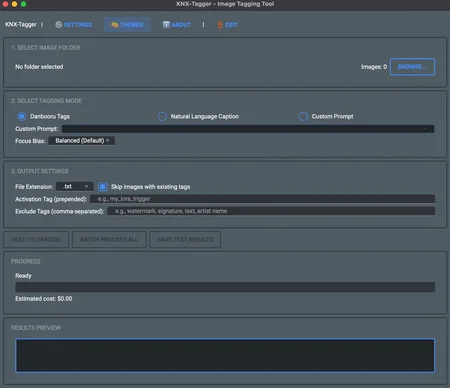
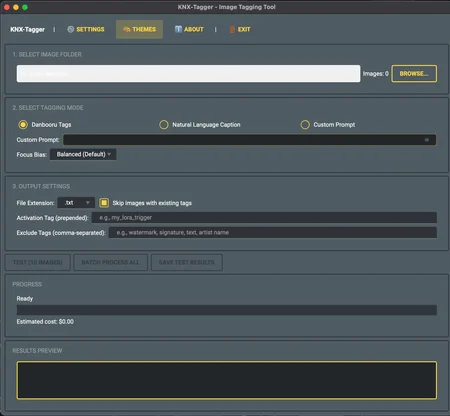
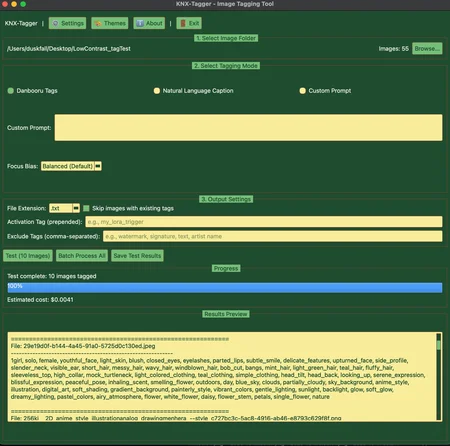
KNX-Tagger
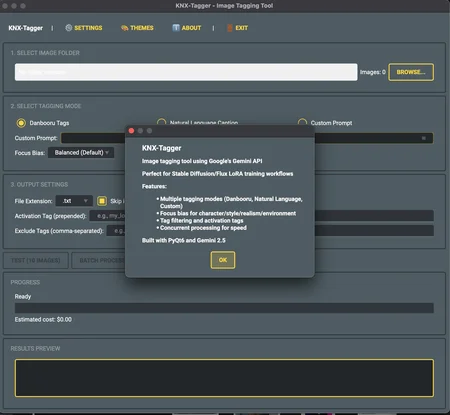
Image tagging tool using Google's Gemini API for Stable Diffusion/Flux LoRA training.
All issues/feature requests need to be handled on the Github:
https://github.com/Ktiseos-Nyx/Knx-Tagger
Requirements
Python 3.10+
PyQt6
Google Gemini API key (free tier available)
Supported models:
gemini-2.5-flash,gemini-2.5-pro,gemini-flash-latest
Features
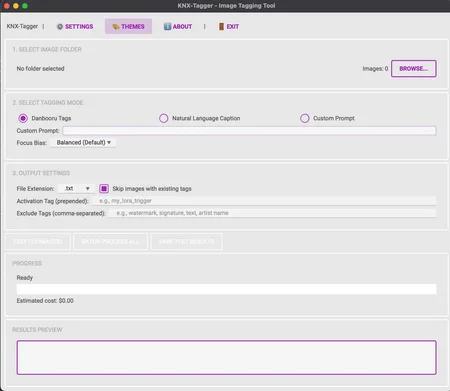
Multiple Tagging Modes:
Danbooru-style tags (comma-separated)
Natural language captions
Custom prompts with your own instructions
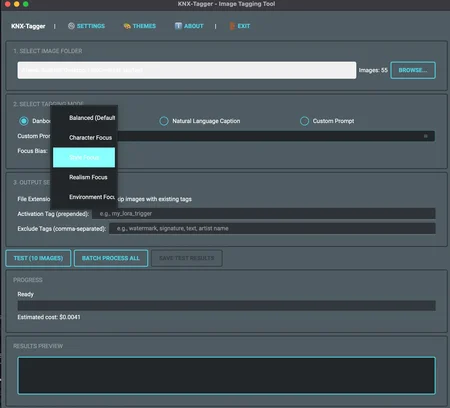
Bias Modes for Focused Tagging:
Character focus: Emphasize character details, expressions, poses
Style focus: Highlight artistic technique, composition, lighting
Realism focus: Detailed environmental and photographic elements
Environment focus: Scene context, settings, atmosphere
Flexible Workflow:
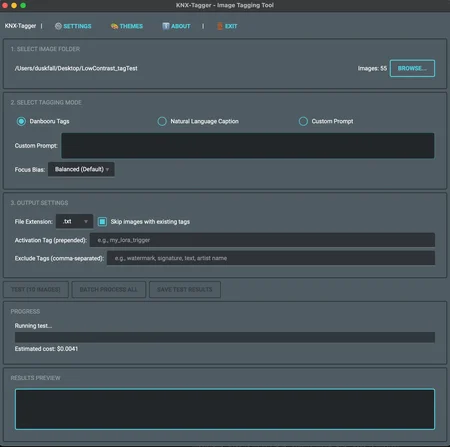
Test mode: Preview tags on 10 images first
Batch mode: Process entire folders
Skip already-tagged images
Tag filtering and exclusion
Activation tag prepending (for LoRA triggers)
Kohya-Compatible Output:
.txtor.captionfiles alongside imagesPerfect for SD/Flux training workflows
Theme System:
213+ pre-made themes from KNX collection
Support for qt-material, unreal-stylesheet, and custom QSS
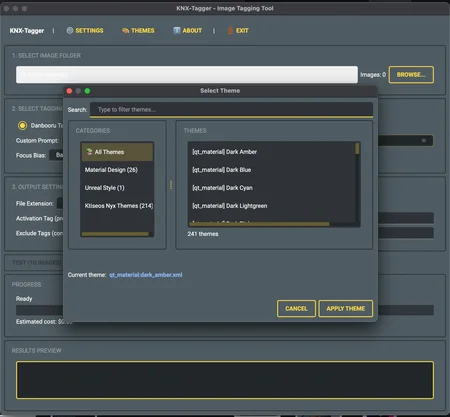
Searchable theme selector dialog
Complete skinning documentation for creating custom themes
Guides for Krita, GIMP, Photoshop, Affinity, and Illustrator
Cost Tracking:
Estimates API costs before processing
Uses efficient gemini-2.5-flash model
Concurrent processing (10 workers) for speed
Installation
Recommended: Install as Package (with knx-tagger command)
# Clone the repo
git clone https://github.com/Ktiseos-Nyx/Knx-Tagger.git
cd Knx-Tagger

# Install in editable mode
pip install -e .

# Now you can run from anywhere:
knx-tagger
Alternative 1: Using venv (Standard)
# Create virtual environment
python -m venv venv

# Activate it
# On macOS/Linux (bash/zsh):
source venv/bin/activate

# On macOS/Linux (fish shell):
source venv/bin/activate.fish

# On Windows:
venv\Scripts\activate

# Install as package
pip install -e .
Alternative 2: Using uv (Faster, Optional)
uv is a blazing-fast Python package installer - totally optional but recommended if you want speed!
# Install uv (if you don't have it)
curl -LsSf https://astral.sh/uv/install.sh | sh

# Create venv and install in one go
uv venv
source .venv/bin/activate  # or .venv/bin/activate.fish for fish shell
uv pip install -e .
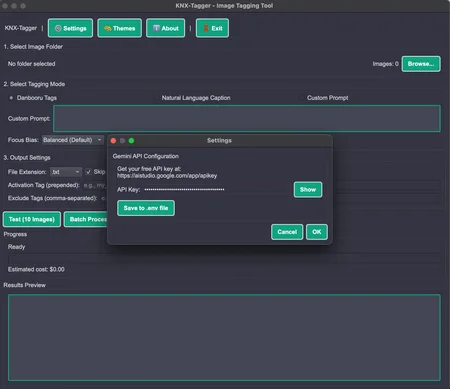
Get Your API Key
Get a Gemini API key:
Create a free API key
Configure API key (optional):
cp .env.example .env
# Edit .env and add your key
Or just enter it when prompted on first run - the app will offer to save it for you!
Usage
If Installed as Package:
knx-taggerOr Run Directly:
python main.py
# or
python -m knx_tagger
Note: You may see a harmless warning like ALTS creds ignored. Not running on GCP... in the console - this is just Google's library noting you're not on Google Cloud Platform. It's safe to ignore; the app uses API key authentication which is working correctly.
Workflow:
Select folder containing images (JPEG, PNG, WebP)
Choose tagging mode:
Danbooru: Creative, descriptive tags
Natural: Full sentence captions
Custom: Write your own prompt
Test first: Run on 10 images, review quality
Batch process: Tag entire folder after you're satisfied
Output:
.txtor.captionfiles alongside each image
Themes
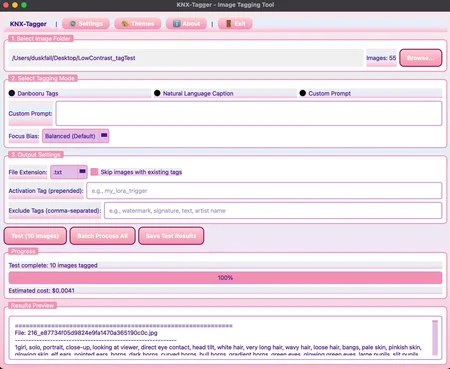
KNX-Tagger includes 213+ pre-made themes! Access them via 🎨 Themes in the top menu.
Browsing Themes
Click 🎨 Themes to open the theme selector
Browse by category or search by name
Double-click to apply a theme instantly
Current theme is highlighted
Creating Custom Themes
Want to make your own Winamp-style skins? Check out the documentation:
knx_tagger/themes/SKINNING_GUIDE.md- Complete QSS styling referenceknx_tagger/themes/WIDGET_LAYOUT_REFERENCE.md- Widget positions for template creationknx_tagger/themes/SOFTWARE_SPECIFIC_GUIDES.md- Tutorials for Krita, GIMP, Photoshop, etc.
Theme Categories
AI themes (ChatGPT, Claude, Gemini, Llama)
Retro UI (MS-DOS, Windows XP, Mac OS 9, Linux distros)
Games (Genshin Impact, Pokemon, Final Fantasy, Playstation)
Aesthetic (Vaporwave, Kawaii, Neon, Sunset gradients)
Food & Brands (Taco Bell, Domino's, Coca-Cola)
Pop Culture (MLP, Deadpool, X-Men, VTubers)
And many more cursed options!
Tips
Danbooru mode is great for inventing new tags beyond standard booru sets
Test before batch to ensure prompt quality
Skip existing prevents re-tagging already processed images
Cost estimates are approximate - actual costs may vary
Bias modes help focus on specific aspects (character, style, environment, realism)
Exclude tags can filter out unwanted terms from AI-generated tags
Some themes may look janky - they were designed for Dataset-Tools originally!
Extending
KNX-Tagger is designed to be modular:
knx_tagger/core/gemini_tagger.py- API integrationknx_tagger/utils/file_handler.py- File operationsknx_tagger/ui/main_window.py- PyQt6 interface
Easy to integrate into larger applications or use as a library.
License
MIT
Description
Looks like we don't have an active mirror for this file right now.
CivArchive is a community-maintained index — we catalog mirrors that volunteers upload to HuggingFace, torrents, and other public hosts. Looks like no one has uploaded a copy of this file yet.
Some files do get recovered over time through contributions. If you're looking for this one, feel free to ask in Discord, or help preserve it if you have a copy.