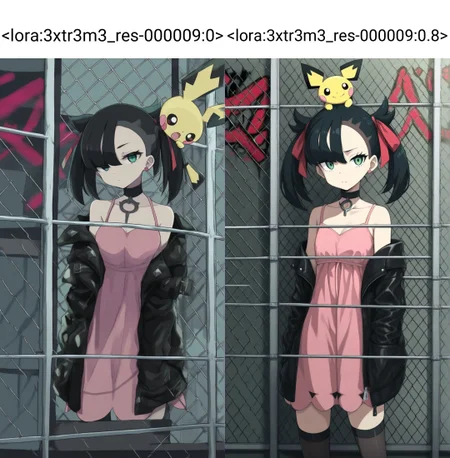
Illustrious Extreme Resolution v1.0
Description:
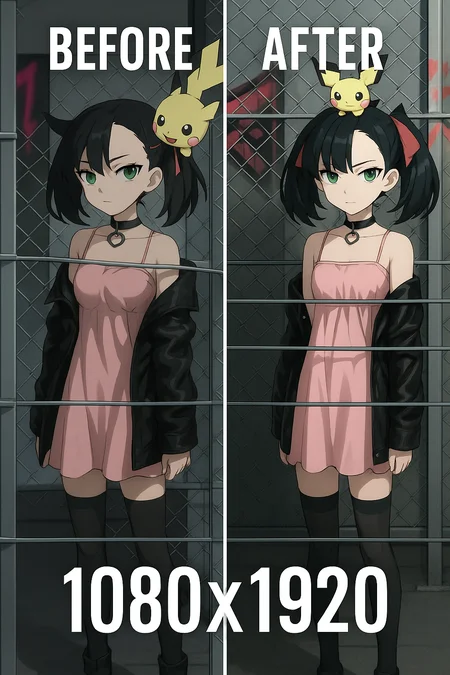
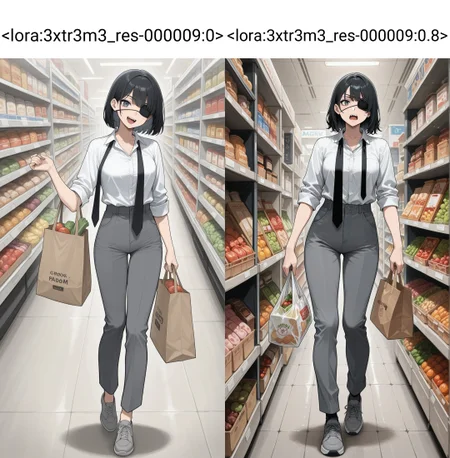
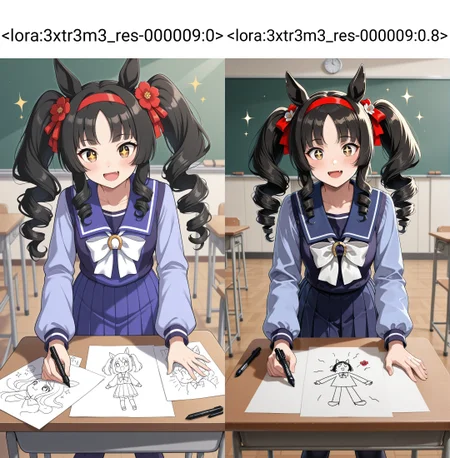
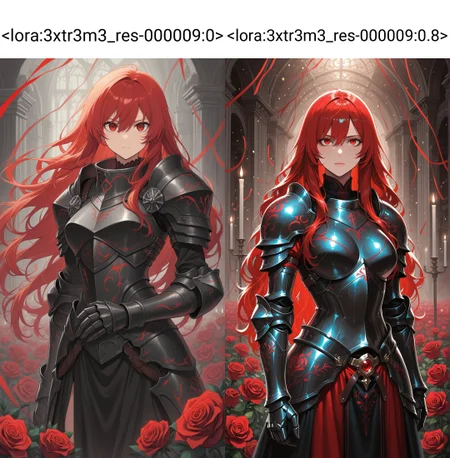
Illustrious Extreme Resolution v1.0 is a specialized LoRA designed to enhance Illustrious-based SDXL models, improving stability and visual fidelity at non-standard or ultra-high resolutions.
It provides native support for formats like 1080×1920, 1536×2048, and other high-aspect ratios, minimizing distortion, missing elements, or stretching artifacts.
This LoRA acts as a resolution stabilizer, allowing creators to push their Illustrious-derived models to cinematic or poster-grade outputs without losing the stylistic integrity or lighting balance.
Recommended use:
Works best with Illustrious from HaDeS, Illustrious Renaissance, Velvet Paradox and compatible derivatives.
Suggested weight: 0.5 – 0.8
Resolution: 1080×1920, 1152×1536, 1536×2048, or higher
Sampler: Euler / Euler A
Result: Sharper, cleaner, and better-composed images at extreme aspect ratios — perfect for cinematic portraits, posters, banners, and animation workflows (WAN, Vidu, Kling).
Description
Specialized LoRA designed to enhance Illustrious-based SDXL models, improving stability and visual fidelity at non-standard or ultra-high resolutions.
It provides native support for formats like 1080×1920, 1536×2048, and other high-aspect ratios, minimizing distortion, missing elements, or stretching artifacts.
FAQ
Comments (14)
I'll have to try this with Illustrious Renaissance. For some reason, I've been getting doubles/doppelgangers and some horizontal limb stretching in landscape (non-portrait) layout on v4.C15, which seems to occur more frequently as resolution is increased (from my usual 1152x960 up to 1536x1280, iirc).
That’s actually one of the main reasons I released this LoRA — I’ve experienced the same issue across many models whenever using non-standard resolutions or aspect ratios that SDXL doesn’t handle well. This LoRA was trained specifically to stabilize those cases and eliminate the double subjects or stretched limbs that appear when pushing beyond the native resolution limits.
@DeViLDoNia
The Before-After comparison must be reversed, I tried it and got blurry lowres-like gens instead, and 4 fingers instead of 5 fingers, womp womp lol
It's just a style Lora. Nothing more.
Metadata shows, that you trained it for resolution 1024x1024 (and all its buckets). It means, that it'll not give any specific advantages for high resolutions.
Total images: 30
Amount of repeats: 40.
Epoch count: 9.
I think you've overtrained it. Illustrious has that specific feature: the more overtrained checkpoint or Lora, the more "crisp" it is.
Also you trained it on Illustrious 0.1. It's quite outdated. Modern checkpoints use 1.0 or 1.1 or 2.0 as base. Training on them greatly increases LoRA's quality. Really.
Also... There are some useless tags in your dataset. Such as "simple background" (amount = 2). You should instead change it into the specific background color (like "white background", etc).
Thanks for the feedback 🙏
The LoRA metadata isn’t always reliable — it only shows the base setup and doesn’t reflect refinements or resumed stages. Also, it wasn’t trained on Illustrious 0.1 — and even if it were, that wouldn’t be a bad thing, since it would actually increase compatibility. But that’s not the case here.
If you take a closer look, you’ll notice that I specifically recommend three of my models as being more compatible with this LoRA. That alone should give you a hint about which model was actually used as the base — and even then, you’d still be wrong if you picked any of those three 😉
Regarding resolution: the base training was done at 1024, but the UNet refinements were performed at higher resolutions, as well as part of the training for one of the two text encoders. None of that appears in the metadata unless it’s manually edited.
If you’re interested in sharing training methods, I’m open to it. I’ll be launching my Patreon soon, where I’ll post some of my workflows and exclusive models. 👌
Thanks again for your comment!
@DeViLDoNia
It's funny, but metadata really shows that it was trained on Illustrious 0.1 (judging by hash of base model used for training alone). But if you've tampered with metadata (I'm doubting it), then it's another story and you should be ashamed. Nevertheless...
Also LoRAs trained on Illustrious 2.0 and 1.1 are backwards compatible with checkpoints based on 0.1 (at least guys Onoma-Ai did not lie about it). And show better results. You should try it too at least by training on Civita. I think you have enough of blue buzz for a testing.
Of course, I am not a pro, but I have tagged my share of datasets, learned on my own and other people's mistakes and helped to tag datasets of my friends, but Illustrious 0.1 is quite outdated, it doesnt't understand many concepts which 1.0, 1.1, 2.0 understand without problems.
But isn't a main aim on any LoRA for it to be compatible with any checkpoint, not specific ones?
BTW, why Adafactor with cosine_with_restarts? Isn't it just an overkill because Adafactor by itself changes learning rate using its own algorythms and "help" from restarting of cosine curve'd be quite useless? I tried it too some time ago and it looked to me as one of best ways to overtrain a LoRA quickly.
Also you've made some really weird choices, judging by metadata.
"shuffle_caption": false,
"flip_aug": false,
Your dataset is small, but you did not flip pictures (40 of them) automatically (and randomly). Did you make a more of original dataset by flipping hand-picked pictures manually? Or was there no need for it?
And why did not you shuffle captions other than activation tag? Because of that LoRA was trained into using specific order of words every time. For every picture of 40. With no changes. In other words, model's attention was not spread between all tags for a picture. It concentrated on the first tag and then the tag which was the second one more often then the other tags. Everytime it learned on specific tags in specific order. All these "1boy", "1girl", "spoiler (automobile)" and others were not shuffled. For 9 epochs and 30 repeats. It just amuses me.
@Raylom The metadata embedded in a LoRA file only records the initial training parameters — things like optimizer, scheduler, base model hash, and batch size. However, it doesn’t store any information about resumed sessions, partial refinements, UNet or text encoder retrains, resolution adjustments, or merged training stages. Because of that, metadata often becomes outdated or incomplete. A LoRA can go through multiple refinement stages or even switch to a newer base model, but the internal hash and config inside the file will still remain from the very first run. That’s why reading metadata to judge how a LoRA was really trained can be misleading — it only reflects the starting point, not what actually happened after the refinements.
A common advanced technique is stage refinement, where the LoRA is first trained at a standard resolution (usually 1024²) to establish stable weights and structure, and then refined at higher resolutions in later stages. In these refinement passes, the UNet and sometimes one or both text encoders are retrained or fine-tuned with larger input sizes (e.g. 1280, 1536, or more). This process effectively increases the model’s understanding of high-frequency detail, depth, and lighting transitions — resulting in visibly sharper and more consistent outputs at high resolutions. However, these refinements don’t alter the original metadata, so even if a LoRA was later refined at 1536, its metadata will still say 1024. That’s why judging resolution capability purely by metadata is inaccurate.
The use of Adafactor together with Cosine With Restarts is deliberate, not a mistake. Adafactor’s internal adaptive learning rate manages per-parameter updates, while the cosine restart scheduler defines the global scaling curve for long-stage refinement. The two don’t conflict — they complement each other. Adafactor adapts the gradients independently for each parameter, allowing it to use less memory and avoid the learning rate spikes typical of AdamW. Cosine With Restarts smoothly resets the global LR curve to prevent the optimizer from “freezing” during long refinements (especially beyond 1000 steps). Together, they act as a controlled pulse that keeps the training fresh without overfitting.
During long or resumed runs, this pairing helps maintain gradient freshness and prevents stagnation. The cosine restarts are configured with low amplitude and short cycles, allowing periodic micro-resets that stabilize convergence and reduce overfitting — a known issue in SDXL long refinements. It’s not about spiking the learning rate; it’s about refreshing the optimizer’s state without destabilizing it. When tuned correctly, Adafactor + Cosine With Restarts provides smoother long-term convergence, better retention of texture and lighting detail, and less catastrophic forgetting in resumed training. So it’s not “overkill” — it’s a controlled combination for stability during staged refinement and mixed-resolution workflows.
Parameters like shuffle_caption or flip_aug are not absolute indicators of quality or correctness. Many creators handle augmentation manually for balanced datasets, especially when working with small or curated collections. The absence of those automatic flags in metadata doesn’t imply poor training practice — it simply reflects a more controlled and intentional workflow.
Appreciate the discussion — even when we don’t agree, these exchanges always help push things forward. 👌
@DeViLDoNia I appreciate the answer, but it looks like your text was written by AI. So I'm done here.
@Raylom it doesn't look ai generated to me. just take the L
@zezelash As someone who works with LLMs daily, it is AI. If I'm being devil's advocate, I want to assume its because the person does not speak english.
If you want visual cues, the emojis and mdashes are the first red flag. The way each point is argued is also the way AI tends to manage points and exposition. Lastly the ² feels odd, since to my best understanding, there is no way to format text here manually (that includes emojis). Just me writing this I tried to use an emoji and there is no option to do so.
Funny comments here))
For some reason, no one thought about the fact that a person could simply translate his speech through the same neural network and there is nothing shameful in this, you did a good job, keep it up.
@GhostyWolff you're right, i take it back. just reading the last line gives massive llm vibes
@Raylom this whole thread is starting to feel like Twitter 😂
Just to make it clear and wrap up this little drama — of course I use LLMs to write in English. I also use them to translate the nonsense I sometimes get because I don’t speak a word of English 😅
Everything I post in English goes through AI, so yeah, guilty.
Funny thing is, we’re on a site dedicated to AI image generation, but the moment someone uses a language AI… boom! suddenly it’s a scandal 🤣
经过测试,会破坏原有画风,不是一个成功的工具类的lora,背景确实减少了纵横交叉错误,但依旧劣大于优