
Overview
Wan2.2 Animate represents the pinnacle of V2V.
Using my mid-range setup (RTX 5060 Ti 16GB, 64GB RAM), I was able to create high-quality videos for extended periods, so I definitely want to share that workflow
2025.9.26 Addendum
The reference image appears to work even when composited from two images. If a back shot is also needed, connect them as shown in the diagram.
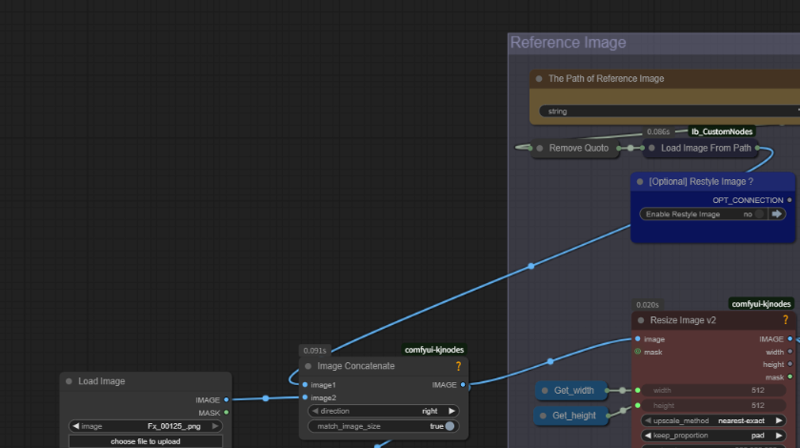
Usage:
As with my previous works, you only need to be mindful of the parameters in “Main Configuration”.
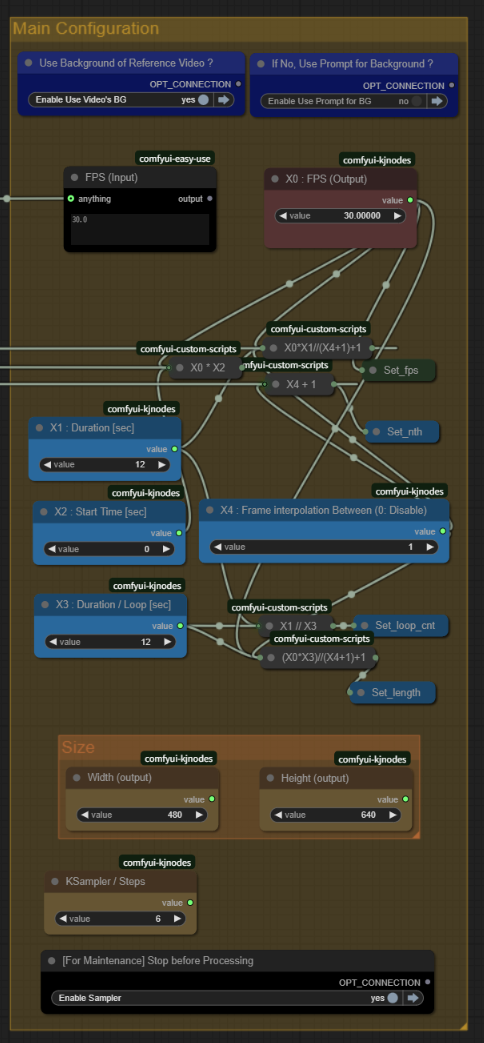
1. The blue section configures the background. It determines whether to use the video's background or generate it via prompt.
2. The light blue section sets the output video's duration (length, start time in seconds, and processing interval in seconds). Assuming the same fps as the input video, this setting automatically determines the frame count and number of loops.
3. There are two ways to create long videos (e.g., 10 seconds):
- Set X1=X3=10 and complete it in one loop, or
- Set X1=10, X3=2 and complete it in five loops.
Depending on the size, splitting is recommended to avoid OOM. I tested creating a 60-second video at 480×832 resolution. While it didn't cause an OOM, color saturation occurred toward the end.
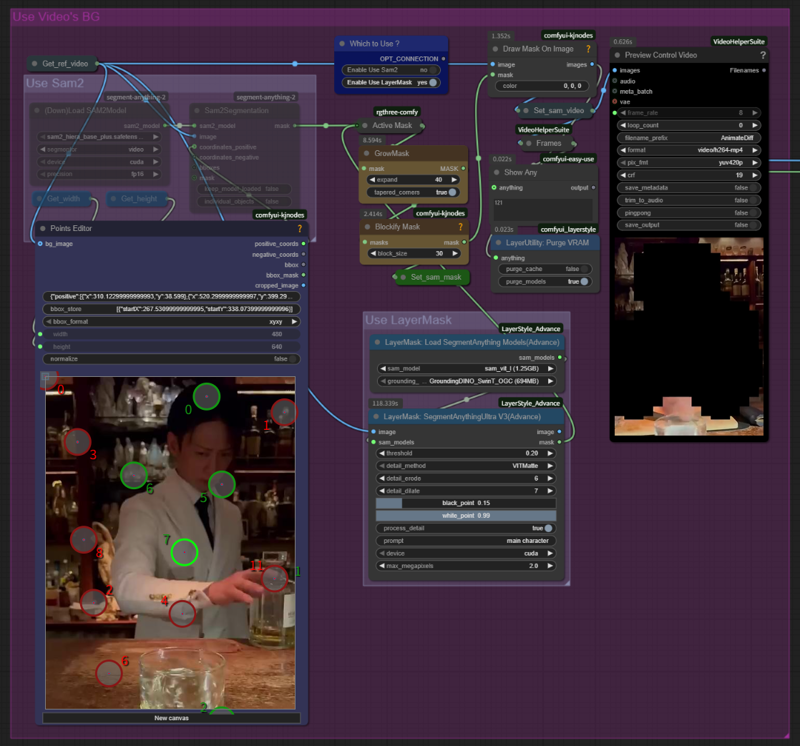
4. When using video backgrounds, choose one of the masking methods (SAM2 or LayerMask). LayerMask is superior but takes slightly longer. For single-loop cases, we recommend using SAM2 (Points Editor).
5. Finally, decide on the size. 1280×720 offers high quality but may cause OOM under certain conditions. However, even at lower quality (832×480), you might get satisfactory results in some cases. In my case, applying my custom character LoRA (Wan2.2 i2v fp16) yielded excellent results.

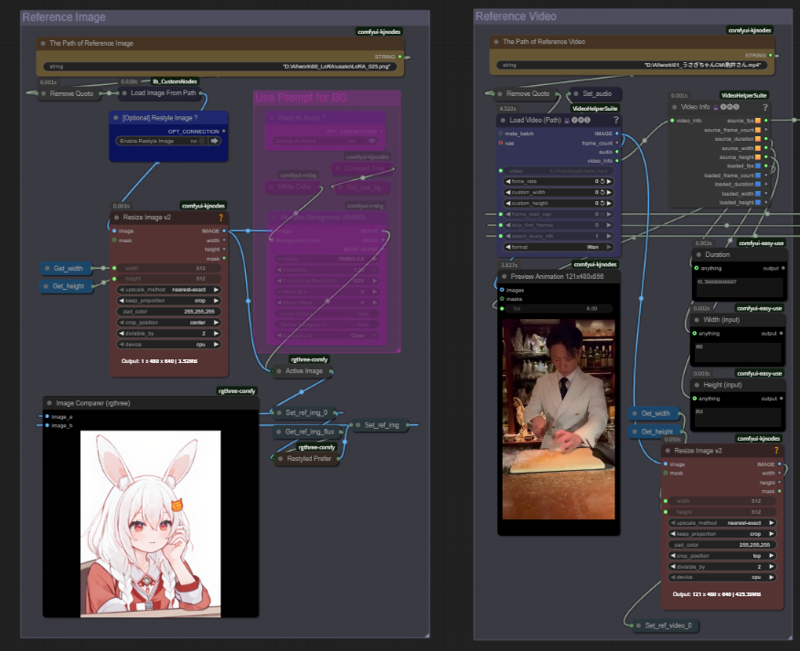
6. When setting the size, you can also rotate a vertical video horizontally. In that case, don't forget to adjust settings like using the Resize node with padding to prevent image distortion.
7. Regardless of your settings, Animate's specification creates a number of frames equal to WindowSize × N. This means that in cases where multiple loops are executed, the animation will not play correctly. Therefore, we implemented processing to trim these frames after they pass through the Sampler.
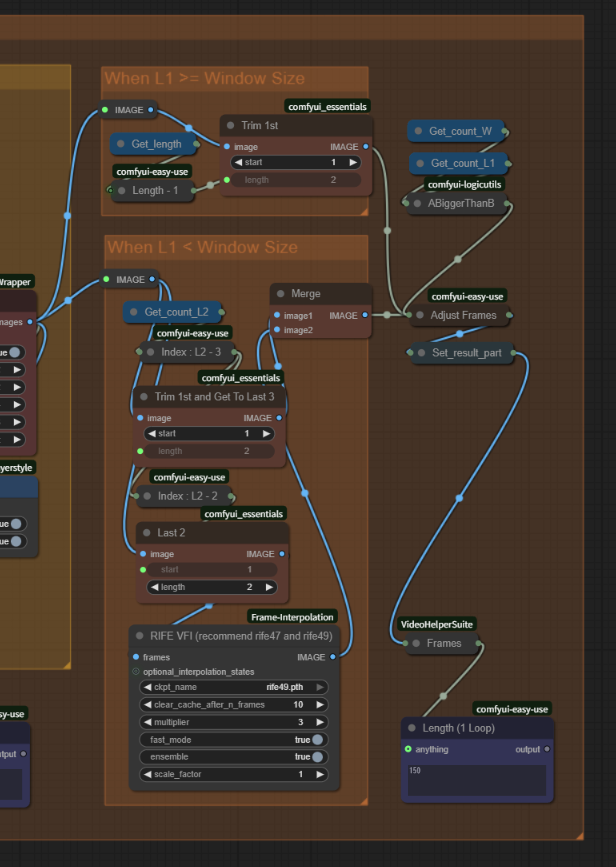
That's all for the explanation. I must say, I've created something truly remarkable.
Just between us, I tried making an NSF* during development and ended up getting sidetracked (lol)
Thanks.
Description
FAQ
Comments (11)
Hello! Thank you very much for sharing. I’m getting an error with the “LogicGateCompare” module; I have the latest version of ComfyUI, 0.3.60. Could this module be replaced with a similar one? Thanks!
Same issue here.
ABiggerThanB ? please search similar one instead
@Usako_USA Does anyone know of a similar node? Or can those "ABiggerThanB" nodes be deleted without affecting the workflow?
animate is another wan 2.2 model or you can use the base 2.2
Was that a question?
It's a new model.
I gotta be honest, the workflow is great. You have done an excellent job.
While it may take slightly longer in the initial and I did swap out some of your nodes eg. load video as I prefer that than path... The masking change is really what sets this apart.
Also hats off for the gguf and safe tensor switch. That is a life saver for those who previously had to go through trial and error of what needs turned off and on for different model types.
Also would like to note that the start at is genius! Instead of having to cut out the section you want to use and then use the clip this easily does that for you.
Thank you for your wonderful comments!
I feel the starting position adjustment feature really allowed me to express my individuality.
Looking forward to working with you again!
Seems the face is altered too, I wanted just the body to be changed. Any tips?
Is the ollama thing really needed? What does it do?
Any tips when other characters are close(males), I don't want them edited...
the workflow is the same from here : https://civitai.com/models/2509704/wan22animatevideo-facedetailer-and-faceswap-workflow
its not the same on the picture in this page