Wan 2.2 S2V Speech to Video 5 Steps #ComfyUI Native Workflow + Step by Step #s2v #wan22 #lipsync#ai
📥 Download the All Model here
Description
v 1.0
FAQ
Comments (20)
Remember, if you want good motion in is2v, avoid scaled fp8 models, for main or for clip. They are broken on Blackwell (and maybe older GPUs as well). ComfyUI recently boasted fp8 'optimisations' for Blackwell, and I fear these are responsible for the catastrophic collapse in quality (ie., the maths is wrong).
What shocked me the most was the effect of using scaled fp8 for the clip. It brain damaged the ability to understand the prompt- a sign that ComfyUI is generating extremely incorrect mathematical results when using fp8 from an fp8 model. Just use GGUF- even Q5M- it may be smaller but works properly.
I've just rendered a 28 second S2V generation using the Q4 GGUF, a quantised Clip and quantised audio encoder, and I have to say, even GGUFs aren't cutting it here...
Running on a 5070 with 12gb VRAM and 64GB RAM
The lip sync was completely off. The character was supposed to be singing but their mouth barely moved, and mostly moved at the wrong times making the video absolutely useless...
I think S2V, moreso perhaps than any other WAN model, is one that you either run on a supercomputer with the full fat models, or you just have to accept defeat with. There doesn't seem to be an option for us regular low-power consumer card users when it comes to S2V sadly...
Thanks for this. I was able to see the truth in it easy enough last night by swapping the KJ scaled fp8 high and low WAN models with, first, Q5K and getting immediately better prompt adherence when re-running the seed on a previously generated video. I had already stopped using anything but fp16 on most clips and text encoders, and use MultiGPU to push them to CPU anyway, where I've got plenty of RAM. Q8 is far and away doing things more to the prompt and with what looks like higher visual quality as well on my 5090.
Hi, I love your workflow! I wanted to ask if you’d be up for creating one like this with infinite duration for the regular WAN 2.2? :)
Thank you, for your workflow and tuto. i like your way for low gpu. and it's work easily.
i can't use the workflow :/ when i run i got an error with the get_scheduler and the KS sampler
Same
i checked out the youtube comments:
"RES4LYF Node is the issue. Disable it and restart the ComfyUI".
That got my past that issue.
I couldn't find the RES4LYF node, but disconnecting the get scheduler from ksampler and S2V extend made it work.
@abeslu425 I've just had this exact issue, the RES4LYF was in my custom nodes folder so I simply moved it to disabled and I'm back up and running - 2 bloody days I've spent on this :o
Did any of you get this error
AudioEncoderEncode
Input type (float) and bias type (struct c10::Half) should be the same
I'm stuck again now
Thanks for any advice :)
I'm having a problem trying to use the workflow, all the multi gpu nodes just don't work, tried installing them from the node manager and from git url, what can I do?
Could you be more specific?
S2V sucks ass it never looks good
FIXED - but worth reading if you have issues :)
Hi guys,
can anyone please help me fix this?
After 2 days of re-installing and removing everything, I am still having issues on this workflow, it seems to be the KSAMPLER, all those block around it are RED :(
3zFdk.md.jpg (500×541)
I really hope someone knows how to fix this as I am in the middle of a great workflow and now it's all come to a stop :(
Thank you :-)
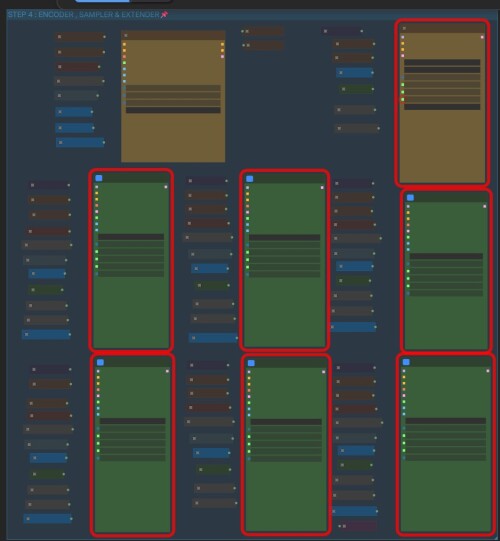
ok guys, so after reading other comments and the info on YouTube, I found the issue:
I have node installed called RES4LYF, even though this workflow does not use it, you need to disable it, so I just manually moved it to the disabled folder and then closed and restarted Comfy and now this workflow is working great again.
Another workflow I use relies on RES4LYF so I will write a simple bat file that moves it to and from the disabled folder until the author fixes it.
I hope this info helps others.
oh crap, now I have this error
AudioEncoderEncode
Input type (float) and bias type (struct c10::Half) should be the same
cany anyone help please?
I've found this, which might fix it, but I don't understand it, hoping it helps someone to come up with a solution :)
Fix fp16 audio encoder models by rattus128 · Pull Request #12811 · Comfy-Org/ComfyUI
It's amazing what you can do when left to your own devices isnt it :)
I've fixed this too:
on your comfyUI startup bat look for this
python main.py
and add this to the end:
--disable-dynamic-vram
Mine looks like this:
python main.py --use-sage-attention --listen --auto-launch --disable-dynamic-vram
Again, I hope this helps some of you :)