


Praise for AegisFlow From Fellow Civitai member and all around cool Canuck PolarisFX:

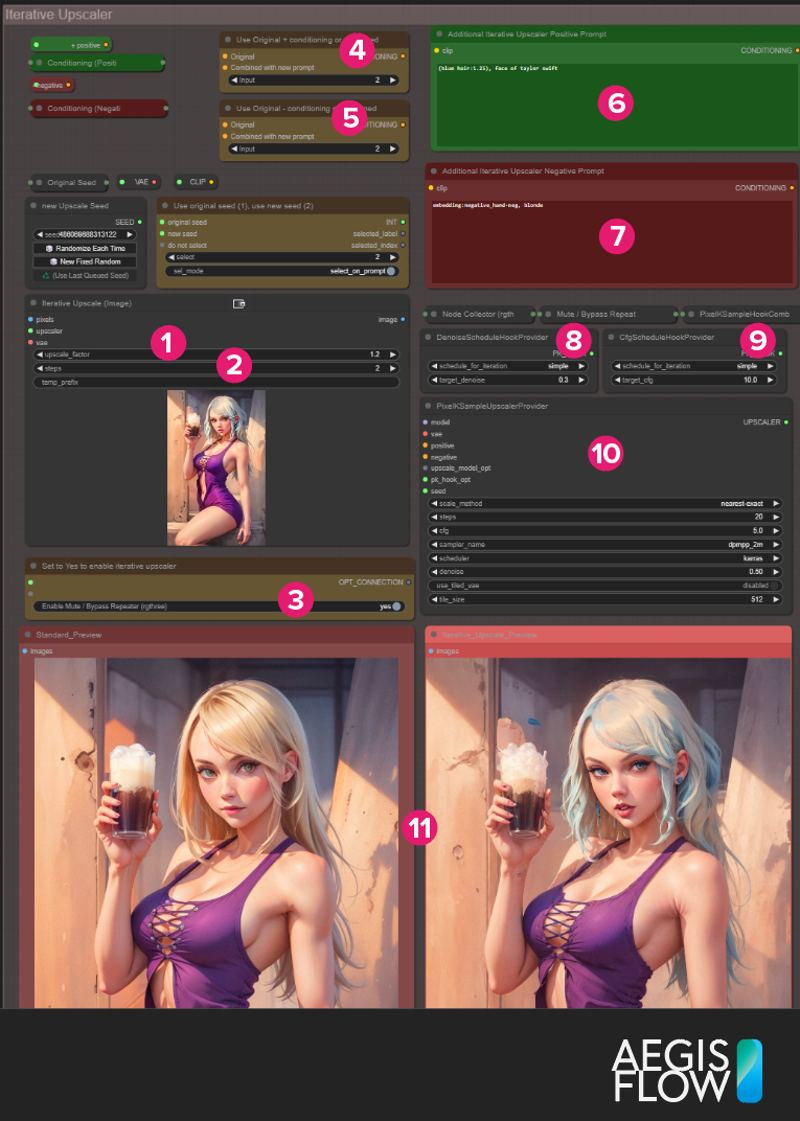
AegisFlow is a project-oriented workflow designed for those needing to auto-generate assets for various concepts in a system that handles project/file naming automatically and keeps ideas organizable. It is sectionally arranged, and many sections can be muted while searching for just the right seed/conditioning/settings.
Then re-enable the sections to generate palettes, lineart, post-processed, and other outputs when you're ready.
It has a 22+ page (and growing) manual that explains its use clearly and professionally, and is a good resource for understanding basic SD features and principles. Check it out here.
Most items are switch-controlled; no more wiring and rewiring as if you're using an old analog synth rack.
For Example, (3) below enables or disabled the iterative upscaler.

The best way to fight back against the bugs is to check out the 22-page AegisFlow manual located at GitHub or get the workflow at Gumroad
Big Changes for v.a6! Now a windows installer, and only 5.5gb!!! This is a full install, minus 2 models, 2 VAEs, and 2 controlnet models.
New instructions give direct links to these extra resources, and tell you just where to place them.
Need it preconfigured on Digital Delivery?
I now have a custom installation with everything you need for sale on Gumroad for $15. This installs a custom ComfyUI environment, gives you a desktop and program files shortcut with icon, and much more.

This also allows me to create exe-based patches, which I test beforehand, so that you won't have to spend all your time fighting pythons and more time generating images.

I'm also continually extending the workflow and adding in utility workflows. The paid installer updates will include all these, while the base free workflow will not.
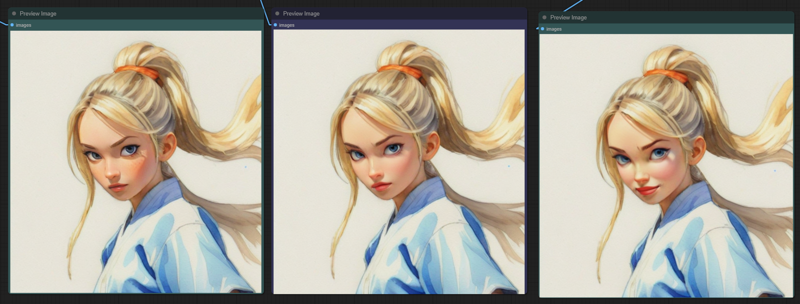
So far, There are four chainable workflows (and workflow templates) that Allow you to chain together a facial detailer/modifier, a creative mask and fx system, and an iterative upscaler. There's also a "saver" template that you can use to save your results, or wire it to a simple "save image" node. 
Need it preconfigured on USB?
For those that want a preconfigured, plug-n-go solution Ioffer a 256gb MicroSD card that has an out-of-box experience for those with a bit more cash than time, and also has a wide assortment of checkpoints, LoRas, etc.
It comes with a fully functioning Windows ComfyUI install, all dependencies, extra stuff, and of course the workflows, all neatly arranged and organized. I test every card before it leaves to ensure that all files copied well and that you'll be able to generate right away.
License
As of now (v.a7), this workflow is MIT licensed. You are welcome to install it, use it, extend it, or change it in any way, for any purpose that the MIT license allows. I'd prefer that you don't just download it and resell it as is, or pretend you made it, but I can't stop you either :). If I see abuse of this, I might modify the licensing but in general I want to keep the open spirit of the Ai community, while also making money for myself and family. Thanks!
Description
AegisFlow 1.5 and XL are virtually identical workflows, but each has small differences to accommodate the specifics of 1.x and XL operations.
Please READ THE MANUAL. One, it's kinda pretty. Two, it answers most questions. In particular, make sure you don't use 1.5 controlnets on an XL model, and vice-versa. This isn't an AegisFlow thing, but a SD thing. That said, I have seen this trip folks up (including me!)
AegisFlow is a tool, and like any tool, you need to understand it at least a bit. "This is a saw, this sharp part spins and should never be used on your arm."
FAQ
Comments (4)
One reviewer mentioned Adetailer not being in here. It's coming, but I need to figure out where best to put it in the flow, and how :). For the moment, it might be worth taking a good generation and using "Send to Workflow" with your own Adetailer setup.
The adetailer arrangement from https://civitai.com/models/145538 (has more detailer models than average) is what I'm trying to use. Hooked it up after the first ksampler that produces an image. I think it's a starting point.
@Rad2 Thanks! Def a good starting point, although I think I'll need to modify some of those node names LOL. "pussy" hahahahahahaah
Once we can get node groups similar to the way the Blender compositor works (wherein you can have a workflow inside workflows and pass info between them/control execution) this will all be way better :). I fully expect that in a few months time, the flows and layouts will drastically change. I need to check up on that project's progress. Some amount of containerization is possible with plugins, but I eliminated them when they ended up very hard to troubleshoot and fix once collapsed.