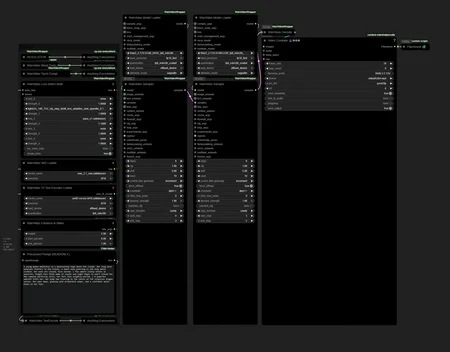
DRAG AND DROP PNG WORKFLOWS IN COMFYUI JUST LIKE JSON
A set of ComfyUI workflows for WAN Video:
I highly recommend using Torch Compile and Sage Attention (set as “SageAttention_Compiled” in the model loaders). The TorchCompile node and SageAttention are enabled by default.
If you don’t have them installed, you can bypass the TorchCompile node and use SDPA instead of Sage Attention - it will be slower, but it will work.
VACE WAN 2.2 Depth Control
WAN 2.1 I2V
WAN 2.1 T2V
WAN 2.2 FaceEnhance
WAN 2.2 I2V StartEnd Frames
WAN 2.2 I2V
WAN 2.2 LORA COMPARE
WAN 2.2 S2V
WAN 2.2 T2I
WAN 2.2 T2V
WAN ANIMATE 2.2
WAN 2.2 FASTWAN 5B ControlNetDepth
WAN 2.2 FASTWAN 5B I2V
WAN 2.2 FASTWAN 5B T2V
FlashVSR FaceEnhance
FlashVSR UPSCALE
WAN 2.1 FantasyPortrait
WAN 2.2 I2V FAST EFFICIENT BATCH
WAN T2I 2.2 FAST EFFICIENT BATCH
WAN T2V 2.2 FAST EFFICIENT BATCH
WAN 2.2 UPSCALE + FACE ENHANCE
WAN 2.2 UPSCALE
WAN 2.2 FunCameraControl I2V
WAN 2.2 FunControl
WAN 2.2 MANUAL FunCameraControl I2V
".png contains workflows, you can drag and drop them like .json in your ComfyUI interface"
Some workflows uses Subgraphs, on your .bat launcher set:
--front-end-version Comfy-Org/ComfyUI_frontend@latest
Make sure to update your Kijai nodes and CRT-Nodes
You can find better scaled versions here
This is my RUNPOD referal link to earn 5$, wich is about 6h of free RTX 5090 usage : https://runpod.io?ref=u7b2habt
It also helps me to train new models, thanks.
Description
FAQ
Comments (867)
Showing latest 267 of 867.
ok i have the workflow in my UI, all missing nodes seem installed.... I want to add some loras, how do I patch them into the workflow?
There is probably a lora loader node above the model loaders, but I don't know what exact workflow you are using so I can't tell
@pgc im using 2.2 i2v just want to connect a few more loras and Im new so not exactly sure how
I see, so this is where you would insert your loras models, https://ibb.co/p9GFqXX
Left is High noise, Right is Low noise
Im new to wan, i imported the workflow but got the missing nodes message, how do you fix?
@mrodey54 Install the custom nodes manually if the manager "install missing nodes" didn't work, https://github.com/kijai/ComfyUI-WanVideoWrapper
Brother, let me be kind here, where is the temporal workflow? This is like the most DESIRED VACE/fun workflow. Instead of doing this dogwater first last frame extension method that everyone has been doing, we need to extend from a prior VIDEO using it's last N frames to create the new clip.
I share what I made for myself in the first place, and I’m not really interested in making long videos. Using the last frame to generate the next video is not practical, you are right, but instead of asking me as if I were an LLM (from your previous post that you have deleted), without any consideration or a minimum of respect, you could have simply suggested that there might be a better approach. this is how humans talk to each other, we would start a conversation and maybe find a way to make things better,
I can consider adding other methods besides diffusion forcing and last frame methods for long video, even if this would still looks like a bunch of crap to you.
This is the only viable long video solution I can provide atm
https://www.youtube.com/watch?v=DANF7O8Mp1E
https://civitai.com/images/93905212
WTF? Instead of putting actual .json workflows in the zip, you put png screenshots of the comfyui workflows? Are you actually serious???
just import the screenshots in comfy, they include the actual workflow
PNGs contain workflows. Just drag and drop them into ComfyUI and they will open.
Also useful for your own generations if you forgot the workflow or want to repeat it.
lol instead of complaining about your lack of knowdlege maybe try to make some research first and learn something instead of blaming other people for their work they give you for free. Such a clown
Slap yourself on the forehead.
What is between the two ears? Good luck is coming 666
I've attempted to play with a little longer videos now and tried to utilize the I2V (LOOP).
I load the picture, click "Run", then turn "Continue the video" to true and click "Run" again, but the result is:
ERROR in SaveVideoWithPath: [WinError 2] The system cannot find the file specified!!! Exception during processing !!! [WinError 2] The system cannot find the file specified
There's also no videos found in either tmp/loop or regular output directory.
Initially I thought that it might be some permission problems from Windows side so I reran Comfy as administrator. The only difference is that the same video gets generated from the picture and there's no "dummy" videos being created from the prompt.
I also switched the tmp/loop directory from the steps to the actual output directories but it also didn't help.
Actually, I think that the best solution for me to glue several videos would be to just simply add a "safe last frame" option to the regular Wan 2.2 I2V workflow (that works like a charm). How difficult would it be to implement saving last frame in there? (E.g. replace the useless "Save metadata" for "Safe last frame" option).
Sorry for long message and thanks in advance for any assistance here :)
"I load the picture, click "Run", then turn "Continue the video" to true and click "Run" again"
This is the correct way, the first video should be saved in a temp folder, and be replaced by all consecutive runs, as long as the "Continue the video" is true. (I don't see why the video would not be saved tho)
Diffusion forcing works in the same kind of way but saves and replace latents instead.
There is this method that came up recently, I didn't had the time to dive in yet, but feel free to take a look: https://github.com/kijai/ComfyUI-WanVideoWrapper/issues/1519#issuecomment-3443540666
I'm also getting the same error, did you figure it out?
@caggu unfortunately not, I gave up on trying to get it work at this point.
@pgc thanks for the answer, I am not sure if the thing you linked fits my use-case (it also applies to Wan 2.1 AFAIK?).
Would it be possible to simply store the last frame of the generated video in the regular "WAN 2.2 I2V" workflow. E.g. at the "Video Combine" node stage, there's the "save_metadata" boolean step which stores the input picture, which doesn't really make sense to me - I'd love to replace it with "save_last_frame" instead.
I am more of a "user following the guides blindly" and not a "dude who understands what he's doing" kind of person, so apologies if I'm not making any sense :D
@rozowy30cm69 I made a node that is called "Get First & Last Frame (CRT)", you can connect the output of the vae decode to it, and use a regular image save to store it somewhere
I think this is OS problem. I did run multiple times on Windows 10 and did get same error. But on Windows 11 works fine.
Did fix that by installing fffmpeg, adding to path, and restarting pc. On win 11 worked fine because it already was installed.
the images are the workflow drag/drop the image in comfy and it loads!
@pgc One doubt: What version of Python do you have installed? I want to create a Python virtual machine (venv) to isolate the comfyui environment from the system so that it doesn't break anything.
This is the main point of the ComfyUI "Portable" version. That I would recommend to anyone over the windows app. Since it won't use your system-wide Python installation, this will avoid any conflicts at the cost of a slightly bigger installation, totally worth it.
@pgc I'm having trouble with the sageattention/Triton libraries in ComfyUI Portable. How did you resolve this?
@nokiasupreme973 If you follow the instructions from both repos, everything should be fine.
"if you're using the embeded Python, then instead of directly run pip, you need:"
You have to use the path of your python from your comfyUI environment when you run pip commands, this is important. For triton you need to copy include and libs into the Python folder to make Triton work. but at this point I'm just pasting the instructions, just be sure to carefully follow them
I've followed the instructions, even copying the folders. But Triton doesn't work: there's an unresolvable conflict between the Windows version of Triton and the Python version that comes with ComfyUI Portable. I'm running without Triton.
What versions are you using for ComfyUI portable, Python, CUDA, PyTorch, SageAttention, and Triton? I haven’t been able to get any combination working on an RTX 5080.
ComfyUI 0.3.66, Python: 3.13.6, pytorch: 2.9.0+cu128, last sage and triton versions
@pgc Thank you very much
Trying to use the workflow WAN 2.2 FASTWAN 5B T2V, it immediately dies with an out of memory error when entering the WanVideo decode node. I have a rtx 5070 ti with 16gigs of VRAM.
Allocated memory: memory=4.835 GB
Max allocated memory: max_memory=7.479 GB
Max reserved memory: max_reserved=8.219 GB
!!! Exception during processing !!! Allocation on device
Traceback (most recent call last):
for some reason when I just hit Run it just gets stuck in the first Ksampler node. It doesnt even start.
There are about 25 different workflows; could you tell which one you’re having difficulties with?
@pgc he has a missing model for sure, writing a comment complaining is way easier than looking what is missing.
In general, stuck means that the execution has started. When a node is stuck for whatever reason, mostly VRAM issues, it’s still highlighted with green borders. The console provides details in all cases. But if it didn't even start, it's possible that the model is not found yes.
I recommend that if you plan to use a workflow later, you set your models first, then save the workflow again so that next time everything is ready to use.
@pgc The I2V workflow. It could be VRAM issue. So I basically hit "Run" and the 1st sampler highlights green and stays that way for what seems like forever. I tried updating the node to different versions but that didn't seem to help. (My specs: 4070ti s 16gb, 32gb ram)
@pgc So after a fresh reinstall (it took 4 minutes) but it actually started and the debug log say 0/3 , 1/3 etc.. Any reason why its moving so slow? I left everything default and the resolution is 480p.
Hi! I'm an avid user of your workflows, always check for new updates, and I've noticed the last workflow (1.7.8) Wan I2V, doesn't have lora support? I tried to add on my own, and I get really bad hallucinations.
Is there a reason there is no lora support? because I'm just a noob where it all come to the mechanism of worfklows, I just use them :D. well anyway would glad to know if you could answer that'll will be great!
Anyway I'm using some older versions for now, but looking forward for next version for lora support!
also didn't found any kofi link so i can support you! ( i don't use runpot sadly )
Thanks! I made a mistake by overwriting the WAN 2.2 I2V workflow with a WAN 2.2 T2V one, but I’ve reuploaded it to fix this.
As for LoRA support, you can see a LoRA stack input on each model loader, you can add as many stacks as you want: https://giphy.com/gifs/ajs62FjZUjdNwrn73Y
In most case you would want to untick "merge loras"
I kept the lighting LoRAs in the model loader but removed the extra LoRA loader since not everyone uses them, just to avoid extra clutter 🙂
If you’d like to support me, you can do so at: https://buymeacoffee.com/designedbycrt
Always appreciated ,)
@pgc that gif is too low res to read, or the website displaying it is crunching it
The Wan2.2 T2V workflow seems to actually use Wan2.1 and doesn't have a high and low track, is that right?
Exact, No it's not right, I did make a mistake when saving it. I will fix this, thanks
Hello, somenone can explain how to use the Kijai workflow with DR34ML4Y ? with the 14B, hard to find where to insert the loras :( 5B is ok ! thanks !
Hi, on all workflows you will see a lora input where you can connect the lora loader, there is a single for wan 2.1 models, or 2 for 2.2 models (high/low noise)
https://media4.giphy.com/media/v1.Y2lkPTc5MGI3NjExY3Z2Z3oxZGgzZW9iZjJlYm4wNW1jd2MzOTRzZnJtcWozenVjb3lsZSZlcD12MV9pbnRlcm5hbF9naWZfYnlfaWQmY3Q9Zw/ajs62FjZUjdNwrn73Y/giphy.gif

Thank you pgc, but it works only with I2V and not T2V ? I can't see the lora loader in the FastWan I2V 2.2 5B too.
@hoop4499413 These lora stacks inputs are available on all model loaders on each workflows, t2v also have these inputs.
I though that wan 2.2 5b didn't had much LoRA available, but there is some, so I added these inputs to the model loader, download the last version of the workflows, you will see a LoRA loader in each WAN 2.2 5b workflows
Thank you very much ! it's perfect :)
@pgc Thank you very much, it's perfect !
@pgc Hi, could you detail what you are pluging into what? The gif is so low res it is unreadable. Thanks.
@cmoaln1249 its lora stack high and low on the model with a lora stack node
C'est un truc de malade tes workflows !!! Meme si je suis loin de tout maitriser dans Comfyui...Mille Merci !!!!
Can you make a workflow that combines an upscaler with the I2V, something like the flash. Built in Lora stackers would be nice too, they don't seem to work on my workflow when I add them to high and low.
Hi!
When I run the wan2.2 T2V workflow, I get this error NonType' object has no attribute 'shape'
in node WanVideoSampler
What could be the problem?
Hi, Make sure your loaded models are correct, and the wanvideo wrapper nodes up to date
anyway you can make one with a lora tie in? im not sure where to plug it in to the img2vid workflow
Each workflows have one or two lora loader inputs on the model loader subgraph, you can connect a lora stack node to it/them, https://giphy.com/gifs/ajs62FjZUjdNwrn73Y
@pgc Thanks!
I've been using Wan 2.2 T2V (v1.7.5) since its release. It's been working amazingly. But after updating the WanVideoWrapper, the workflow has become really really slow, especially the WanVideoSampler node. Any idea what could've gone wrong?
Hi, nothing really changed since the previous version, (I just reuploaded the Wan 2.2 T2V workflow with corrected sigma values (0.875)).
The only difference is that now models loaders and samplers have their respective subgraphs or avoid clutter, and have a bigger realtime vae preview for the inference.
Everything else remains pretty much identical, see if you used lower resolution before, or less block swaps wich could of course increase the inference speed, if you are using sage attention and torch compile you can now use "sageattention_compiled" on the model loader subgraph
Has anyone with a 5090 successfully ran the I2V workflow? Mine just freezes at the sampling stage. Wonder if it’s related to cuda/pytorch/sm_120 bug?
Possible yeah, is it related to vram usage?
*I can run it no problems on a 4090
pytorch version: 2.9.0+cu128
Enabled fp16 accumulation.
Set vram state to: NORMAL_VRAM
Device: cuda:0 NVIDIA GeForce RTX 4090 : cudaMallocAsync
working around nvidia conv3d memory bug.
Using sage attention
Python version: 3.13.6 (tags/v3.13.6:4e66535, Aug 6 2025, 14:36:00) [MSC v.1944 64 bit (AMD64)]
ComfyUI version: 0.3.66
@madreag curious to know what the bug is? I was facing similar issue in the older workflows. Could you please point me to the github issue
I know that if you cancel the run during the low noise model loading it can fail to offload what has been loaded, and could need to free memory and cache manually with the button.
But I think it's worth to check on the repo itself, and maybe report an issue if you have some elements that could help resolving it https://github.com/kijai/ComfyUI-WanVideoWrapper/issues
The T2I results all look like vignette or old. I can't get any to look like a modern normal realistic output that you would physically see or take with a smartphone.
This occurs at default settings and I've even checked the CRT Post-Process Suite and made sure it is all off including Vignette.
Any what I'm missing?
Looks fine to me. https://ibb.co.com/HLBv8x4D
Maybe try different sampler/schedulers, gradiant_estimation/bong_tangent usually works fine for t2i.
I could not run any of your workflows. They look broken and I am afraid they are.
If you can't define broken or gives a minimum context of what is happening on your side for not being able to run them, I can't help
@pgc Cannot read properties of undefined (reading '0'), made the whole studio flip...
Hi mate sorry to be a pain can you share the link for your light 2.2 files for image to video i cant seem to find em and you changed the name in th workflow. want to make sure im doing everything exactly right <3
also your WAN 2.2 I2V workflow is a duplicate of your firstlast frame one, any hance u could sort it out for us
@seanhan19911990198 Exact, it has been mistakenly overridden, I have restaured it. Also added lora stack loaders back to avoid confusion on how / where to load them. Thanks
As for the models, I usually use the kijai ones,
https://huggingface.co/lightx2v/Wan2.2-Distill-Loras/tree/main for I2V
https://huggingface.co/Kijai/WanVideo_comfy/tree/main/LoRAs/Wan22-Lightning for T2V
@pgc Both links are for T2V. You sent duplicate links. Can you send the correct I2V loras? And what strength value should be used for lighting loras in your default workflow?
@zirtapod between 0.7 and 1, you can do 1 for high, 0.7 for low, to have a more natural look
@pgc Thank you. One more question, I think the steps and cfg values in I2V workflow has been setted assuming the use of lightning lora. What would be the best step and cfg value with no lighting lora in same I2V workflow?
@zirtapod Yes all workflows are set to use lightning loras, but you can use cfg 3.5 and 30 steps minimum. But it will take a long time to render, and the two steps sampling is not really compatible with things like teacache, easycache, magcache etc..
just doing some quick tests you should encorpate block swapping google says "In the context of the WAN video model within the ComfyUI framework, block swapping does not degrade video quality. The primary difference when using block swapping is a significant trade-off in generation speed versus the ability to process higher resolutions and longer videos with limited VRAM"
i cant even process 300x600 with your i2v workflo wih 4090 16gb but if i add 35 swapped blocks which coppies other workflows i can do nearly 720x1440, i think i;d rather take a few more minutes then have a 10 minute 99% usage then oom error
@seanhan19911990198 Yes without Blocks swap I cant even make the workflow running. I set it to 20 and it runs now flawlessly
@seanhan19911990198 There is already block swapping on all workflows, you can see two "dark red" nodes on each of them. One for block swapping, the other one for torch compile.
In every cases, if the vram usage is higher than 95% there is a high chance for the inference to stuck or throw an OOM, wich is better than being stuck since you can just manually unload models and cache, review the settings and re-run again. But when it's stuck, it usually takes less time to restart comfyUI than waiting for the execution to be cancelled.
ComfyUI team did some things recently to cancel faster but I don't see much improvements yet.
@pgc Can you explain why WanVideo Sampler works slower than a classic Ksampler? I made some comparison runs with same base models and loras and it seems WanVideo sampler is much slower than then classic Ksampler (%30-%40)?
@zirtapod You better ask on the kijai repo, I didn't runs tests comparisons on my end so I can't tell you
@pgc With rts 5080, when Sage Attention mode enabled it is pretty fast, I2V 81frames is completed in 90 sec. But torch compile + SageAtten together same 81frame is created in 155sec. Is there any extra setting should be changed in WanVideo Torch Complie node?
@zirtapod Sageattn3 is only supported by 5000 series, i don't know if it's working alongside torchcompile tho, you should ask on the repo to get the right answers I can't give you proper ones
@pgc Ok will do. How about resolution slider, it always create 9:12 ration videos. How to set it to 16:9 for 1280x720 (or lower res). ?
I think, 2.2 I2V was overriten by 2.2 I2V StartEnd Frames... It's same.
Right, it's now fixed thanks
hi mate, workflow looks killer, but quick question?- why does it seem like the high noise LORA is plugged into the low noise, and vice versa?
Hi, for 2.2 I2V? Yeah, I recently added the LoRA stack nodes to the workflows and swapped the two stacks. Thanks for letting me know! Don’t hesitate to reach out if you find anything else.
I retested everything after the refactor with models loaders subgraphs, but a dumb unseen mistake is always possible
@pgc No problem! -- question about the LoRA stack, do you load in other LoRA's first, and then the Lightxv2 lora's last (i.e. in slot #2, #3, etc) - or is it always best on top of the list? In previous workflows I've always had the light loras last in the chain but I'm not sure if the loader is different. Cheers! this workflow is top notch <3 <3
@dreadinterface You will probably get more details by using lightning models at last, but less coherent with possible funky things. But putting these lightning models at last will give more weight to your stack
So I don't think there is a rule to follow, it's more about what you want to achieve, best is to make some tests and comparisons
Nothing but praise for the work put into building these workflows. What do you think about implementing "kaaskoek232 /
IPAdapterWAN"? That would be amazing and would take the workflows to another level of excellence. Is it possible to implement this extension?
I installed the workflow but its missing several nodes. Where can I find all of the nodes for this? I tried searching each one individually but could not find it. I'm new to Wan but why couldnt the nodes be added to a github and linked here? Thanks.
🧩Manager > Install Missing Custom Nodes > Select All > Install
what's system requirement to run these workflows? mainly I2V
I often don't get wan 2.2 to do nsfw content if the starting image is not already explicit. Any hints? Also why are there so many loras listed in the description of this workflow?
Download a LoRA for that
I am having an issue with the ‘WAN2.2 T2I + VAE UPSCALE’ workflow; it always produces black images.
I have searched for the models and LORA where I could. Is there a way to download directly from ComfyUi to avoid mistakes?
Thanks =]
Did you downloaded the right vae? https://huggingface.co/spacepxl/Wan2.1-VAE-upscale2x/tree/main
@pgc Did you downloaded? 😅
Not sure if it fits in the list of workflows that you've made, can you add one for LanPaint? You're really good with creating beautiful workflows :)
Appreciate the workflow. It's very clean. However I'm not very experienced and don't know where to add a lora to this workflow. Most of the others I would drop in a "LoraLoaderModelOnly". I don't know how to add one here. Could you explain how and where? Specifically the WAN 2.2 T2V workflow.
Hi you can see on the left both LoRA loaders (one for each model). You can add one or more LoRA, each workflows are organized with the same kind of layout
@pgc Oh damn. Thanks.
The workflow works pretty well. But I'm running out of VRAM. I'm trying to load the TE in guff format, but the wrapper doesn't allows that extension. Additionally, could be possible enable the sageattn v2.2?, Thanks in advance!
Try to increase the blocks to swap, the default configuration may not suit your hardware,
I don't know if the text encoder doesn't allow gguf models, but I know that you can use t5-xxl-enc-fp8em4fn instead of the fp16 model, you can also set quantization to fp8 and offload the model.
I feel like I'm missing something simple but Comfy UI is not seeing the ONNX files I downloaded. I tried updating everything. Help! This is for the Animate 2.2 workflow.
I'm so very confused about all of this... First of all thanks! For sharing your amazing results I wish I understood how to achieve at least half what you do... I have an RTX5090 with plenty of RAM on a Ryzen 7, but I simply lack the knowledge and understanding of these systems. I've never been able to recreate anything nowhere near similar to these results.
I try to make things simple for new users, and a good starting point for more advanced ones who can build around to achieve more specific results, this is how I balance my layouts.
You can optimize the settings for your hardware, bump them up until you reach limits.
Download the crystools nodes with your manager, to have a clear vew on what ressources you are using / how much you can increase resolution, use more steps, use smaller shift values like 3-5, reduce blocks swaps to render faster, add an LLM to enhance your prompts, etc..
There is plenty of things you can do, but it's also about practice, do comparisons, figure things out by yourself is the best way to improve
@pgc I appreciate your reply. I've been playing around with all of these elements, but I fail to see still how checkpoints differ from diffusion models and how to merge them if needed to on a workflow. I've gotten amazing results om some workflow I found here on civitai, applying LLMs and clips, some loras, but then again, the result does not compare with anything on this gallery. The Na'vi for example, it's all already trained and you can get amazing results when it comes to image generation. Video however? Totally different story. Obviously the workflow wouldn't be the same; is not a hardware problem I figured that one out a while ago. Got a monster rig and sadly don't know how to use it yet x_x
I've searched GPT, google, redit, for tutorials that would allow me to comprehend further this... Would you please share any info about it? Thanks in advance.
I'm using checkpoints that have everything built in. But why is this taking 20+ minutes to sample 81 frames at 640x480 with 4 steps vs no more than 2 minutes with other workflows? No loras loaded with this workflow either.
What is your vram consumption % during the inference? If it's that slow you may be out of vram, I don't really know. Look at the https://github.com/kijai/ComfyUI-WanVideoWrapper/issues repo if you can find the right answer
@pgc So increasing blockswap to 30 fixed it. i'm on a 5080.
@pgc Only problem now is after two runs the ram usage is stuck at 96%. I got 64Gigs of ram.
@delta45424155 Disable "non blocking" on the block swap node, it should reduce the ram usage
@pgc Thanks. Seems 720x640@81frames is my limit with blockswap set to 40. I guess I really do need to upgrade to a 5090 lol.
@delta45424155 Give a try to crystools nodes to monitor your ram and vram usage, so you can see when you reach limits (90%+) https://github.com/crystian/ComfyUI-Crystools
@pgc I already use that, but thanks. If you don't mind me asking... What video card and amount of ram do you have? Or what is your system specs.
BatchCLIPSeg
Input image size (352*352) doesn't match model (224*224).
when I was trying do some face enhance, I got this error message. I just can't get rid of it
I don't experience this issue, but found that this may be related to transformers,
I use transformers Version: 4.57.1 on my own
https://github.com/comfyanonymous/ComfyUI/issues/5402#issuecomment-2446198777
@pgc Really appreciate the help! and yes, my transformers was on 4.46, updated to 4.57.1, then I got a 'Florence2ForConditionalGeneration' error. Base on what I found on Github, I rolled it back to 4.49.0 , and it finally works now.
BTW, you've got some impressive works in the gallery ,NJ
Related Topic:
Could you recommend settings and safetensors for a smooth 5sec video generation on a 5080, 64gb ram?
I don't have 16gb of vram so I can't tell what could work best on your setup
Great workflows boss! Btw what lightning loras are you using for i2v and t2v?
Where is the negative prompt in T2V workflow?
It doesn't work if CFG=1
I haven't gotten around to testing your workflow, but i've noticed on others with using the last frame to continue; the quality quickly degrades. Does this workflow have the same problem? What would be a fix to this issue?
Due to Wan Video itself, there are some workarounds you can try
Where can I get all the models? I can’t find the encoder for I2V or the high-noise/low-noise ones at the top of WAN 2.2 I2V.
Heya, where did the I2V workflow went, the one with extend video toggle? It was my favourite!
Copy it from another workflow
Hi thanks, I removed them from the pack to not over populate it, do you still have it somewhere? I can give you a link if you doesn't
@pgc I would like a link as well please!
can I get a link too please? thank you!
@plepkitty721 @STRWHERE You can redownload, I re-added and updated it
@pgc Sorry for the late reply and thank you! :)
@pgc Heya, sorry to bother you again... but I'm having weird results on that LOOP workflow. I'm using the same model/lora setup as on standard WAN 2.2 flow, but on the LOOP it goes nuts. Like it's sped up 5x and people in scene look like they're having a seizure. I've checked subgraphs and compared some settings, but can't find a culprit...
@terrosaurx try to bypass the Modelsamplingsd3 node completely and see if the issue gets fixed.
Thank you very much for the workflows. Is there any I2I workflow using WAN2.2 I2V? Or is it possible to copy the logic of T2I?
Use Load Video and VAE Encode instead of Empty Latent Image
Is there a power lora loader Kijai node that has a toggle button. That toggle button makes too much use.
Sageattentio works perfect. But if I run TorchCompile node and SageAttention together somehow it takes longer to create the same video. Around 30 sec longer. So whats the point of Torch compiled node? My torch version is 2.9.0+cu130
The point is to render faster, but if it doesn't, use what's works best for you, if it's faster without torch compile, you can disable it
damn this new update is able to generate something useable in around a minute on a 4070ti. Crazy. Can you restore the old prompt text box for the I2V Loop workflow? The new one seems too small to see the prompt.
Input sequence length: 21168
Sampling 81 frames at 448x576 with 5 steps
100%|████████████████████████████████████████████████████████████████████████████████████| 5/5 [00:41<00:00, 8.27s/it]
Allocated memory: memory=0.077 GB
Max allocated memory: max_memory=4.074 GB
Max reserved memory: max_reserved=5.312 GB
Prompt executed in 79.37 seconds
I encountered this problem when loading the workflow, but my ComfyUI version is already 0.3.66, and I don't know how to solve this problem"
Some nodes require a newer version of ComfyUI (current: 0.3.66). Please update to use all nodes.
Requires ComfyUI 0.3.66:
e2d7ed60-857d-418d-8095-3ed2737cc268
Manually installing everything in a fresh comfyui portable build and I can't believe how fast this model is now. Love it.
"a fresh comfyui portable" Why?
@qek I had an issue with windows and dumbass me accidently formatted the secondary drive containing all my ai stuff. So I figured i'd learn to install portable myself instead of an auto aio.
I used your fastwan workflow and its pretty fast. But i have a problem. When i use a photo of a girl result comes someone else different. Turns blonde woman into black person. Am i missing something?
Maybe about noise and denoising, lowering it will more refer to reference image, i think?
@gandoeldpk15 Gonna try but every single time it turns into same black woman. Interesting
@Tolga_creator Ahh, that's intriguing ... even with different prompt ?
which lightx2v loras to use for the 2.2 I2V workflow? there seem to be a ton of options and none of them match the filename in the workflow exactly
@pgc Thank you again. I notice this is a 2 month post but let me ask you:
The first link (lightx2v-distill-lora) seems to have updated 1 month ago a T2V aswell, do you recommend download the new t2v from the first link or do we keep using t2v from second link (lightx2v-lightning) ?
@TheKnightsWhoSayNI I did some comparisons for the available models at the time
https://huggingface.co/lightx2v/Wan2.2-Lightning/discussions/64
But didn't used or made comparrisons about the last one "1217" so I can't really tell if it's better than the previous ones or not, I was not aware of it tbh, so I will test it and see
For WAN 2.2 I2V FAST EFFICIENT BATCH the VAE_Utils_CustomVAELoader is not to be found in any node manager
https://huggingface.co/spacepxl/Wan2.1-VAE-upscale2x
https://github.com/spacepxl/ComfyUI-VAE-Utils
In case of you still didn't found it on the manager, you can add it manually
Getting a Titron error on the wan 2.2 i2v workflow. Is there a way to run it without Titron?
Yes, bypass the torch compile node, and set the attention mode to sdpa
Hmmm I'm new to all this and I just have a 3060 12GB, what workflow would you recommend for just a simple anime Img2Vid ?
How do I use this workflow download? is there a tutorial somewhere?
I think latest Comfy broke the connections/workflow.
"I've been trying to use the WAN 2.2 I2V and LOOP workflow, but encountered a lot of installation errors. There are also many version conflicts with Torch Compile and Sage Attention. I was hoping for a more updated and streamlined workflow that would be easier to install and use. I know organizing these must be a lot of hard work, but the results look amazing, and I really hope a more straightforward version can be updated and provided. Thank you so much for your efforts!
it's most probably a version compatibility issue. I'm using ComfyUI desktop version and ran these in terminal:
clear
uv pip install triton-windows==3.4.0.post21
uv pip install -U sageattention --no-build-isolation
This works extremely well for me with really great results, specially after getting sageattention to finally work. A note on sageattention: you may have to download an older version of PyTorch (2.9.0) to get it to work. I'm using a PNY 5080 16gb with 64gb DDR4 memory and generations usually take about 140 to 180 seconds.
sageattention was a nightmare to get going but it does speed up things. on my end, it went from 5-6 minutes per video to 3 minutes
@pgc In your WAN 2.2 T2V workflow are the GetNode and SetNode nodes supposed to come from here?
https://github.com/cdanielp/COMFYUI_PROMPTMODELS
It's the only one that's failing to install for me. (also does not seem popular so not sure if maybe it's a false positive, but there's no conflicts for those nodes).
Thanks! But I didn't find VACE WAN 2.2 Depth Control is this workflow called something else?
Hi, I replaced the VACE worklflow by "FUNCONTROL", It gives better results
Your work is underrated.
Really excellent! Thank you!!
BTW any chance you would share a replace character in any scene WF? I've seen others but I;d love to see one from the likes of your caliber, detail to attention and ease of use. Thanks!
I got "Invalid T5 text encoder model, fp8 scaled is not supported by this node" in "WanVideoWrapper" node.... What should I do?
hello, could you please tell me where is "longvid" folder?
hi! I met error (ubuntu, git cloned) with Wan2.2 I2V workflow! I installed sage attention 1.0.6.
the error log is : "This workflow was created with a newer version of ComfyUI (0.6.0). Some nodes may not work correctly. Core nodes from version 0.3.66: 2dce7e0e-33e8-4256-aa71-145b48c2f9d6, 7546269c-e8cb-4705-9545-0b6b7caf99c6"
but my ComfyUI is already v0.6.0-1-g650e716d | Released on '2025-12-23' and ComfyUI-Manager is V3.39.
I think the 2 missing nodes are not custom nodes but comfy-core nodes. I already tried git pull ComfyUI but it shows already up to date.
Please help me!
it's sovled but I don't now why. anyway when I input a image and then run, i met error :WanVideoDecode 28:
- Exception when validating inner node: tuple index out of range
can you guess some reason? please help me!
The Patch Sage Attention KJ node?
@qek Yes, does the Sage Attention system require adding more nodes, or does it work automatically?
When I extracted the file I only see .PNG files and zero .JSON files. I downloaded again and double checked. Which folder are the .JSON files in? Perhaps I'm blind.
WAN 2.2 UPSCALE is worst. It changes the picture very drastically and there is much more noise.
thank you so much for creating a workflow that's actually easy to use for a beginner and works well. finally i found one that doesn't require a ComfyUI PhD.
Hey I have a 3060 12gb vram and 32 gb ram. Which Model for t2v do you think I should use with your workflow
Sorry, really newbie to Comfy and stuff, first of all thank you, thanks to your workflow, I finally managed to create my first animated image using the I2V workflow you provided, my questions is if there is a way to load any other wan lora apart from the high and low model loras and if there could be a negative prompt section, thank you very much for your amazing work and kind help
Sorry I just discovered that there are more slots for loras, now I'm just looking for a place to include a negative prompt
@nemo_theoceanborn hi, i need to fireup a cloud gpu to tell you exactly) i dont have comfy locally. but the negative prompt you can expand some of the nodes (near the positive prompt), maybe its hidden behind the positive prompt. you wont expand more than 3-4 nodes.
edit: right click on node -> search expand in list.
@nemo_theoceanborn @vAnN47 Guys if you are using lightning loras with cfg 1 then negative prompts will have no effects, you don't need it
@pgc I've been using loras for wan2.2 apart from lihtning, but characters keep moving their mouth like they were talking, dunno how to avoid this
sorry, but really, almos every character i animate, moves their mouth as if they were talking, I believe that a negative prompt should help avoiding certain non desired outputs, how can I add a negative prompt please?
@nemo_theoceanborn This is your only way to use a negative prompt when using Lightning lora https://ibb.co/Qv6p5jYT
But if your characters are always talking you must have a lora that does that, or it comes from your prompts
@pgc Thank you very much, much appreciated, not really, I even get talking characters even without any other lora aside from Lightning ones, prompts I've tried very detailed and also very simple prompts, usually, produces talking characters
@nemo_theoceanborn try different wan2.2 checkpoints
"Invalid T5 text encoder model, fp8 scaled is not supported by this node" in "WanVideoWrapper" node, any idea of how to fix this?
I have a big trouble to make it work with sageattn (i'm still a newbie), what template and GPU (the 5090 i guess) you are using on Runpod with this workflow ?
I only use runpod to train models, you can replace sageattn with sdpa if you don't have it installed, it's not mandatory
This workflow freezes after sampling starts with an error of
"error during model prediction: shape '[4932833269897625600, 4928301040017488020, 4309647363, 1, 2, 2, 16]' is invalid for input size 2096640"
which is followed by windows freezing and restarting a minute later.
I'm using all the default workflow settings, models (VAE/LORA/Encoders/etc), with a new install of ComfyUI for AMD (9070 XT).
The TorchCompile node is bypassed and I'm using SDPA as SageAttention is not installed.
I'm having a problem with the face enhancer. When I'm putting together a wine video, the faces are slightly out of place. More precisely, it's like the composite is being done with the wrong proportions.
If the face is going out of the frame it will cause alignement issues, it's very important that the face remain visible, like on this example https://civitai.com/images/92645190
This is a limitation that I would like to get over, but didn't find proper ways to do this without adding too much complexity to this workflow
In my video, the face remains in one place within the frame.@pgc
Batch Uncrop Advanced the problem is somewhere here. The cropped and composited cropped images have different proportions.
@pgc And when i try to use radial sage i have error about resolution not dividable by 4. In any case, thank you so much for the work you've done. If I can send a donation, it would be great to know where.
@SM_HAY I invite you to post your video in my discord if you have it, so we can see what could be the reason of this mismatch together https://discord.gg/uV6ZNgg33j
If you want to support me you can can do so here, https://buymeacoffee.com/designedbycrt
really appreaciated thanks
I2V, how to set start and end step, shift, and more like a normal sampler / Wanvideo Sampler? As I am using lightx2v 4step.
shape '[3072, 3072]' is invalid for input of size 26214400 can you support?
ComfyUI doesn't seem to find the Textbox node and is unable to download it for the I2V workflow
uninstall mixlab nodes if you have them
I've got the same issue. Comfyui tells me, the missing node for the textbox was installed. But is isn't. The node manager tells me, that the ComfyUI-Chibi-Nodes package would be missing. It's the same thing with this package: Installs, confirms install, isn't installed.
I don't have any mixlab nodes installed.
Any ideas?
ok, managed it by installing it manually from the huggingface repository. Just search for the ComfyUI-Chibi-Nodes package.
Same issue here, manually downloading ComfyUI-Chibi-Nodes fixed it 👍
nice worklow) can you add multi gpu nodes in this workflow?
Hi, where is .json workflow files ? i saw only images
Just drag and drop those images onto ComfyUI, they have the workflow embedded in them
Error in the workflow (v1.8.5):
[GetNode] ✗ Variable 'FunEmbeds' not found!
Available: (none)
Tip: Make sure SetNode runs BEFORE GetNode in the graph.
shape '[3072, 3072]' is invalid for input of size 26214400 can you support?
can you share what settings and what models you used in the i2v generation? I get blurry and ghosting effects.
Hi OP! I've really enjoyed this video upscaling tool. It's ability to inject realism/detail and repair artifacts introduced by SDXL is unparalleled. I have two questions to ask you for whenever you have time:
1) Any advice on getting really crisp outputs? My generations so far have returned a good amount of noise spread evenly across the entire image. I tried raising steps to about 12 (with lightning lora) and resolution to 1600, but I still got about the same level of noise despite generation taking more than twice as long. When I upscale again with a model like 4x-Ultrasharp it just upscales the noise.
2) Any advice for longer form videos? What's the context length limit of the upscale tool? I tried a 28s upscaling from 720p to 1080p on the long edge, but it crashed my machine so I guess this is not possible even at relatively low resolution. I guess we would need to think creatively about how to use this for longer than 10 seconds or so because you can't just upscale a video in chunks with creative upscaling or you'll get noticeable seems between segments. idk.
Hi, for the noise you can reduce the "noise augm strength" on the WanVideoEncode, I like to have some noise but you can even set it to 0 if you want.
for longer videos you can use "WanVideo Context Options" to the sampler,
You can also bypass the "upscale using model" node, or use a tensorRT version for faster processing
https://ibb.co/ym3P8bvF
It's not really an upscaler but an enhancer, something that seedvr2 couldn't do. But you are limited by the VRAM amount, you can still augment the blocks count to offload, it will reduce vram usage but increase RAM usage,
I didn't uploaded the updated version of this workflow but since then I replaced the "Video new max size (longer side)", to megapixel value, so once optimized the performance is the same no matter the video input aspect ratio, wich is not the case on the current available version
@pgc thanks for your reply! helped immensely so I did a longer form video with less noise you found below (nsfw).
so what is the purpose of this like what's the benefit over the regular workflow?
妈的弄了一下午也没弄好 各种不兼容 缺节点
Hey can you help me? I'm having issue in funcontrol workflow.
Both nodes are not loading properly. SAM3ModelLoaderin and SAM3DepthMapin. I already installed all requirements, and tried a new fresh installed comfyui from zero, help pls?
I manage to fix it, ComfyUI was leading me to a wrong custom-node, I had to download TBG-Sam3 and insert the nodes again. It works
But now new problems ahead.
FantasyPortrait are not loading: FantasyPortraitModelLoader, FantasyPortraitFaceDetector, WanVideoAddFantasyPortrait. Any help here?
Also S2V is gave me this error:
WanVideoSampler - upper bound and lower bound inconsistent with step sign
where to find lightx2v_i2v_2.2_high and lightx2v_i2v_2.2_low ?
huggingface
@danceswithnodes364 You try finding it on there.
anyone else getting this error after the first few generations in the wan i2v workflow? "upper bound and lower bound inconsistent with step sign" it seems to fix whenever i reimport the workflow but then happens again
came back here to say, the face detailer is amazing
i can't seem to find anyway to add my own lora, it only let me add the lightning lora in t2v
i cant find the text encoder
Whenever i use this workflow, it uses 10.2 GB of shared GPU memory all the time. even after inference is done and gpu memory is clear and
even when clearing the cache
is there a solution?
What gpu do you have? Because I don't think shared memory is possible with a regular gpu, the worst case is OOM, at the moment where the inference needs more than 95% of your VRAM then it means your settings have to be reviewed, increase blocks swaps, reduce length or resolution, use quantized gguf instead of fp8 safetensors etc...
This workflow looks awesome and I really want to use it, but for some reason, no matter what I do, I keep getting 'out of memory errors.' I have 16gb vram + 48 gb system ram and so many of the other workflows I use dont ever give me OOM errors. Not sure what I'm doing wrong here.
The wanvidowrapper doesn't rely on automatic offloading like the native nodes,
This is good because you can choose exactly how much VRAM usage / speed you get
There is a "WanVideo Block Swap" node that allows you to increase the blocks count to swap to the system RAM, to avoid OOM at the cost of speed
Try with a large value, like 30, and decrease the block to swap count if you still have VRAM headroom. If 30 still throws an oom, then fp8 may be too large for your system, consider using quantized gguf models such as q4 or q6
@pgc awesome, thanks for the explanation
The i2v workflow does not work at all for me.
Without giving any console infos, noone can help
https://www.youtube.com/watch?v=gNFxPzkslT4
Just tested it, and it works, generated a video under 60s
i tried the wan2.2 i2v workflow and noticed that the mxtoolkit Desired Frame Count and mxtoolkit Desired Resolution node is blank. so it looks like i cant change any of the info in those nodes. any idea of how to fix that? thanks for the help!
Same. You can actually click in the node anyway and you can change the number but it doesn't have any effect on the output video resolution. Please can this be fixed?
I always have on WAN 2.2 UPSCALE and on FACE ENHANCE error WanVideoSampler
expected stride to be a single integer value or a list of 2 values to match the convolution dimensions, but got stride=[1, 2, 2]
pls help
So turns out problem was that in this workflows sampler doesnt really work with ggufs
@JackSheepe It think It does, you have to disable quantization on the model loader
This is great, thanks. Any way to change the resolution on i2v? When I click mxtoolkit and type in a new number, it doesn't change anything. When I delete the node and manually type it in sometimes I get an error.
please add svi wrapper workflow 😢
what is SSL.safetensors?? I cant found it
a month later still no answer....yeah. where is it??? workflow useless without them mentioning where to get certain models @pgc
@emotionaldreams2 Became less present than I was on Civitai, well you can use the base wan 2.2 models
High Noise T2V
https://huggingface.co/Kijai/WanVideo_comfy_fp8_scaled/blob/main/T2V/Wan2_2-T2V-A14B_HIGH_fp8_e4m3fn_scaled_KJ.safetensors
Low Noise T2V
https://huggingface.co/Kijai/WanVideo_comfy_fp8_scaled/blob/main/T2V/Wan2_2-T2V-A14B-LOW_fp8_e4m3fn_scaled_KJ.safetensors
High Noise I2V
https://huggingface.co/Kijai/WanVideo_comfy_fp8_scaled/blob/main/I2V/Wan2_2-I2V-A14B-HIGH_fp8_e4m3fn_scaled_KJ.safetensors
Low Noise I2V
https://huggingface.co/Kijai/WanVideo_comfy_fp8_scaled/blob/main/I2V/Wan2_2-I2V-A14B-LOW_fp8_e4m3fn_scaled_KJ.safetensors
Put them in your ".\ComfyUI_windows_portable\ComfyUI\models\diffusion_models" directory.
You can find the lightx2v loras here
https://huggingface.co/lightx2v/Wan2.2-Lightning/tree/main
@pgc oh alright. in that case, i have them already😊 i thought it was a special model or something...thanks
why don't you share prompt and settings with your video previews? Probably because this has nothing to do with the shared workflows. You probably used Seedance...
ROFL
thank u for sharing
i can't run the WAN ANIMATE 2.2 workflow
error: ONNX Detection Model Loader
screen
ONNX Detection Model Loader
onnxruntime.capi.onnxruntime_pybind11_state.InvalidProtobuf: [ONNXRuntimeError] : 7 : INVALID_PROTOBUF : Load model from D:\ComfyUI-Easy-Install-1.66.1\ComfyUI-Easy-Install\ComfyUI\models\detection\vitpose_h_wholebody_data.bin failed:Protobuf parsing failed.