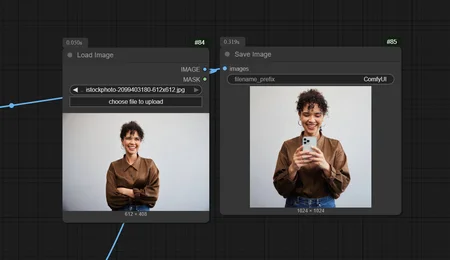
change whatever you want
Description
FAQ
Comments (9)
How to get kontext inpainting conditioning node ?
https://github.com/ZenAI-Vietnam/ComfyUI-Kontext-Inpainting
Kontext Inpainting Conditioning Node
where to copy this?
Thank you. I have installed the node and the workflow is working. But there is no clue how to use it differently than just a regular kontext workflow. What is the conditioning supposed to do? I don't see anything different in the outputs but I may be missing something.
The main difference with this workflow is the prompt-based inpainting capability — it's designed specifically to let you replace or add objects to an image in a natural way. For example, if someone is holding a phone, you can prompt them to hold something else instead (like a flower or a book), or add new items like a hat or beanie to their head.
That's where the conditioning comes in — it guides the inpainting based on your textual input, making object replacements more intuitive and targeted.
mertvakitsayan Isn't that what all the basic Kontext workflows are all about?
@grbear750611 Indeed. Kontext already contains Inpainting capabilities. You can just draw a colored rectangle on the reference image and tell Kontext to change the image within that rectangle.
🕸️