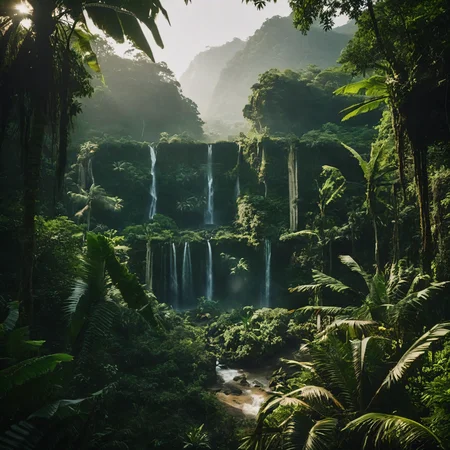

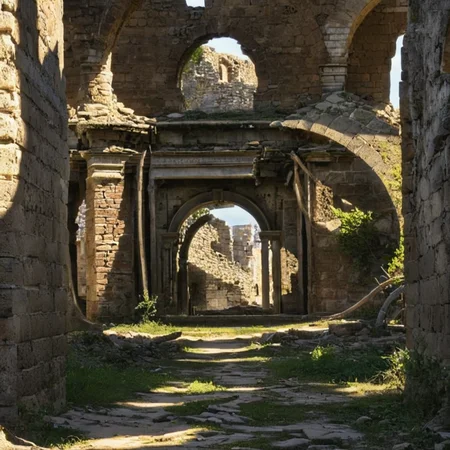
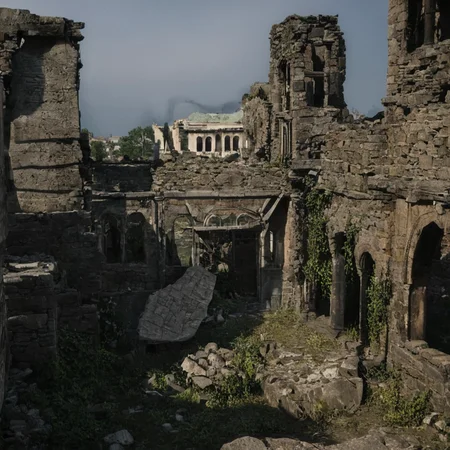
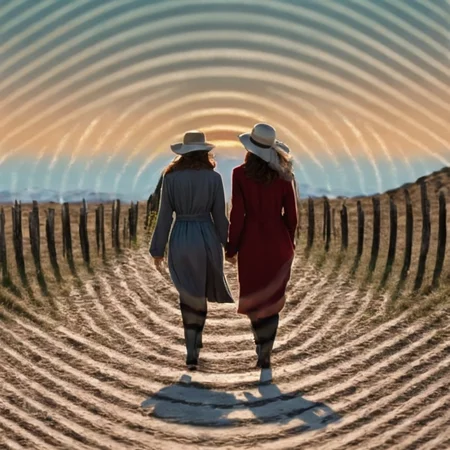
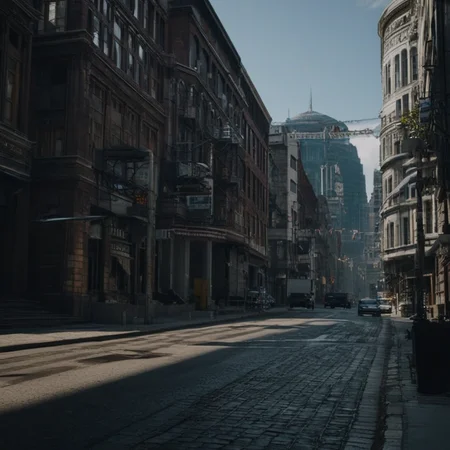
OpticalPattern
Conditioning only 25% of the pixels closest to black and the 25% closest to white

IMPORTANT: Try to generate a lot of images and adjust the parameters. The example parameters are the ones used in the images above, many images require different values
Example parameters
Sdxl Model: realvisxlV20
Preprocessor: none
ContolNetModel: control_v10e_sdxl_opticalpattern
Control Weight: 1
Starting Control Step: 0.15
Ending Control Step 0.75
Prompt: cinematic scenery city street
Negative prompt: (worst quality, low quality, illustration, 3d, 2d, painting, cartoons, sketch), (illustration, 3d, 2d, painting, cartoons, sketch, blurry, film grain, noise)
Resolution: 1024x1024


Notes
Version v10e is now compatible with comfyui and low vram option in automatic webui
I'm still working in a "production ready" version with improve sharpness, for now I recommend the 4x-UltraSharp upscaler
QRPattern version still is in work in progress
OpticalPattern v10e can produce scanneable qr codes for iphone users, but the goal is a version compatible with android google lens also
Thanks for the support, you guys are awesome!
Example comfyui workflow
https://files.catbox.moe/6hz2cs.png

QR Pattern and OpticalPattern sdxl were created as free community resources by an Argentinian university student. Training AI models requires money, which can be challenging in Argentina's economy. If you find these models helpful and would like to support an enthusiastic community member to keep creating free open models, I humbly welcome any support you can offer through ko-fi here https://ko-fi.com/nacholmo
Description
experimental version
FAQ
Comments (18)
this reminds me of magic eye lol
Cool, thanks, do I need a config file for this? And you wrote it doesn't need a preprocessor node so I can just wire the image up to the apply controlnet node and put this model in the load controlnet?
No need for a preprocessor node or config file, here is an example workflow, the image should be importable as workflow in comfyui

@Nacholmo thanks, yeah, I got it working just after posting earlier. Thanks, it's pretty cool.
It wasn't clear in your description if you were the Argentinian student / creator or not?
@EricRollei21 I'm the creator, yes. Clearly not native english speaker haha
@Nacholmo Ok, great! Well thank you for those! They are really cool! I will buy you a coffee or a beer!
@EricRollei21 I really appreciate all the support! Thanks!!
If I could ask a few more questions - does this make the input image square and does it downsample the image to a certain size / ratio? How will it crop the input image ? Also what is the effect of color?
> does this make the input image square and does it downsample the image to a certain size / ratio?
I'm not very familiar with comfyui, automatic1111 has a switch with various cropping options like "resize and fill", that's ui stuff, the model doesn't handle the cropping part
I use square images as examples because of a personal preference, It shouldn't be an issue other aspect ratios
> Also what is the effect of color?
Tends to fill the black spots with dark colors, like shadows, and the opposite with the white, has also grey (7f7f7f) as neutral color, that tends to ignore
Hope this helps!
@Nacholmo Thanks for the info. I asked because I learned that IPAdapter and some of the other tools do take only a square and if they are give an input image in rectangle it will crop from the center - and it resizes the image down to like 300px x 300px So I thought I would ask about yours. I have tried rectangles and it's ok. Also colors seem to be okay - just the bright and dark luminosity are used.
hi~
❤️🐐🐐🐐🐐🐐🐐🐐...🐐!!!❤️
Can I suggest you change the filename to be more descriptive? It downloaded as sdxlControlnet_v10e, which next to all of my CNet models, doesn't help me remember what yours does. I have 30, so :D
.\sd15\ControlNet-v1-1\controlnet11Models_animeline.safetensors
.\sd15\ControlNet-v1-1\controlnet11Models_canny.safetensors
.\sd15\ControlNet-v1-1\controlnet11Models_depth.safetensors
.\sd15\ControlNet-v1-1\controlnet11Models_lineart.safetensors
.\sd15\ControlNet-v1-1\controlnet11Models_mlsd.safetensors
.\sd15\ControlNet-v1-1\controlnet11Models_normal.safetensors
.\sd15\ControlNet-v1-1\controlnet11Models_openpose.safetensors
.\sd15\ControlNet-v1-1\controlnet11Models_pix2pix.safetensors
.\sd15\ControlNet-v1-1\controlnet11Models_scribble.safetensors
.\sd15\ControlNet-v1-1\controlnet11Models_seg.safetensors
.\sd15\ControlNet-v1-1\controlnet11Models_shuffle.safetensors
.\sd15\ControlNet-v1-1\controlnet11Models_softedge.safetensors
.\sd15\ControlNet-v1-1\controlnet11Models_tileE.safetensors
.\sd15\IP-Adapter\image_encoder\model.safetensors
.\sd15\qrcode_monster\v2\control_v1p_sd15_qrcode_monster_v2.safetensors
.\sd15\qrcode_monster\v2\diffusion_pytorch_model.safetensors
.\sd15\qrcode_monster\control_v1p_sd15_qrcode_monster.ckpt
.\sd15\qrcode_monster\control_v1p_sd15_qrcode_monster.safetensors
.\sd15\qrcode_monster\diffusion_pytorch_model.safetensors
.\sdxl\IP-Adapter\image_encoder\model.safetensors
.\sdxl\control-lora-canny-rank128.safetensors
.\sdxl\control-lora-depth-rank128.safetensors
.\sdxl\control-lora-recolor-rank128.safetensors
.\sdxl\control-lora-sketch-rank128-metadata.safetensors
.\sdxl\controlnet-sd-xl-1.0-softedge-dexined.safetensors
.\sdxl\controlnetxlCNXL_kohyaBlur.safetensors
.\sdxl\controlnetxlCNXL_saiDepth.safetensors
.\sdxl\controlnetxlCNXL_sargeztDepth16bZoe.safetensors
.\sdxl\controlnetxlCNXL_sargeztT2iDepth.safetensors
.\sdxl\sdxlControlnet_v10e.safetensors
That filename is a civitai thing, I did not choose it, civitai picked up the version name
Just rename it or download it from my hugging face
https://huggingface.co/Nacholmo/controlnet-qr-pattern-sdxl
The actual name for that version is
'control_v10e_sdxl_opticalpattern'
Respecting the suggested naming convention by the controlnet devs
yeah its really hard for me to organize all these files as well, and its impossible to remember recommended parameters as well.
very cool. Now we just need an AI that generates the masks that the controlnet will use. How to generate a pretty looking black and white pattern?
use a node that posterizes. pre adjust the brightness/contrast with another node to get best results. You can do this in a photo editor if you don't use Comfyui.
where is the workflow ?