




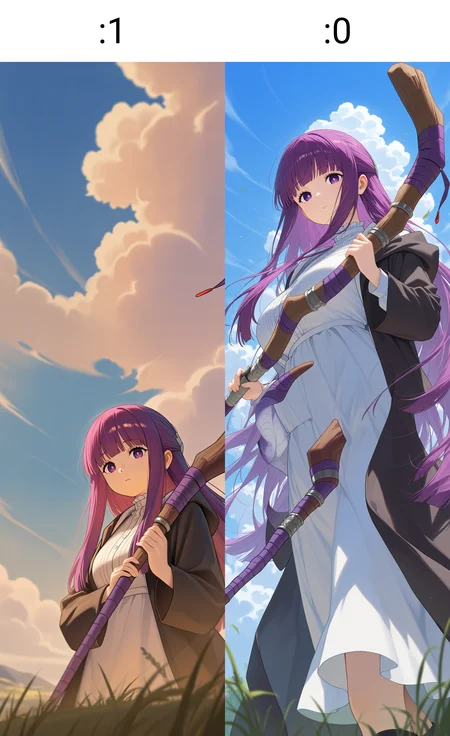


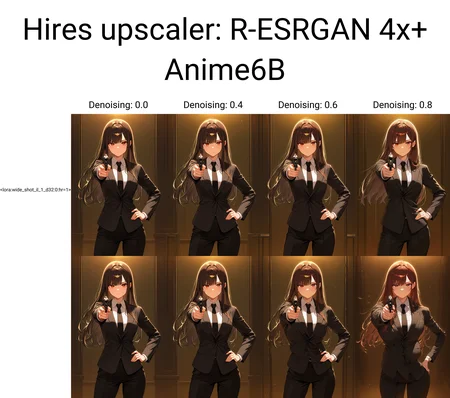


An Illustrious helper LoRA for better composition and less distorted when doing native high resolution and super wide shot generation such as 1024 x 3072 or 2048 x 2048, without using highres fix.
Usage 1: Enable this LoRA and do generation at super high resolutions (such as 1024 x 3072 or 2048 x 2048). Base on some tests, this kind of usage may slightly hurt background quality or colors in some base models.
Usage 2: Enable this LoRA only at highres fix stage (achieved by LoRACTL extension, see demo below) with larger denoising strength. This kind of usage can largely avoid background or color impact but requires the extension.
For ComfyUI users: you don't need the extension for usage 2. You can add this LoRA for highres fix run after the first run. My workflow is here: https://civarchive.com/posts/15595391
Hint: If your generation stuck or CUDA OOM at the last step in the generation progress, it's very likely caused in VAE decoding stage and you may need Tiled VAE extension to save VRAM. All the examples are using Tiled VAE.
Also note: the LoRA is experimental. It may behave differently, even not working in some base models. You may adjust LoRA weights to see if it works properly in your base model. I carried out my tests mostly in Wai and CatWai.
No triggers needed.
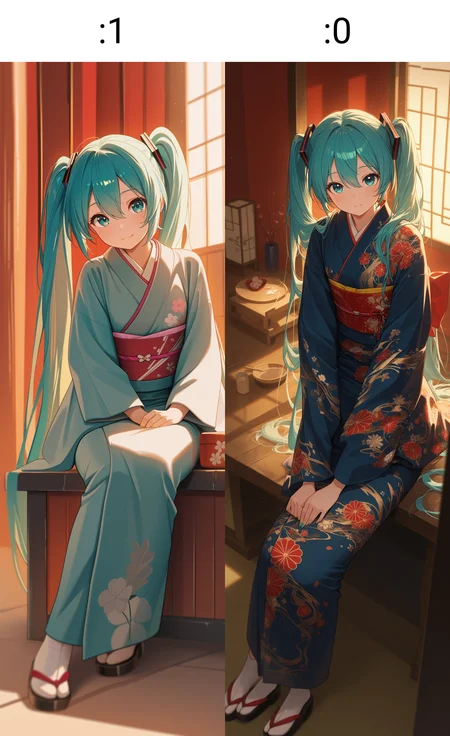
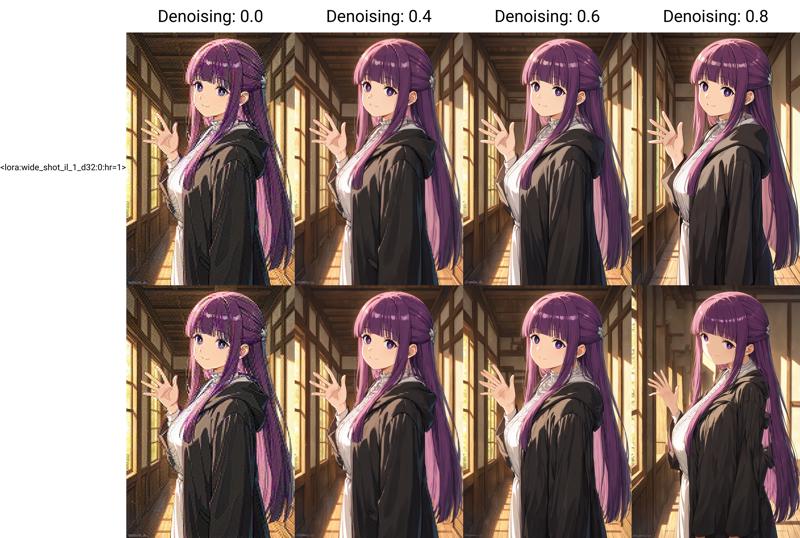
Demo (usage 2, highres fix):
Usage: <lora:wide_shot_il_1_d32:0:hr=1> (requires LoRACTL extension, LoRA weight can be adjusted)
1024 x 1536 upscaled to 2048 x 3072 using method "Latent (nearest-exact)" with denoising strength going up to 0.8
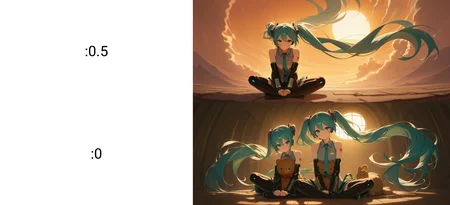
Demo (usage 1, generation at 2048 x 2048):
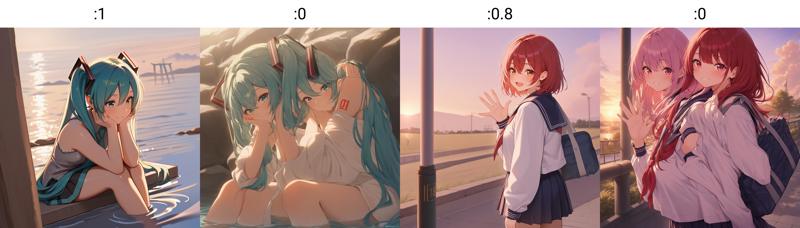
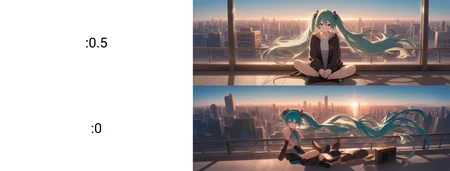
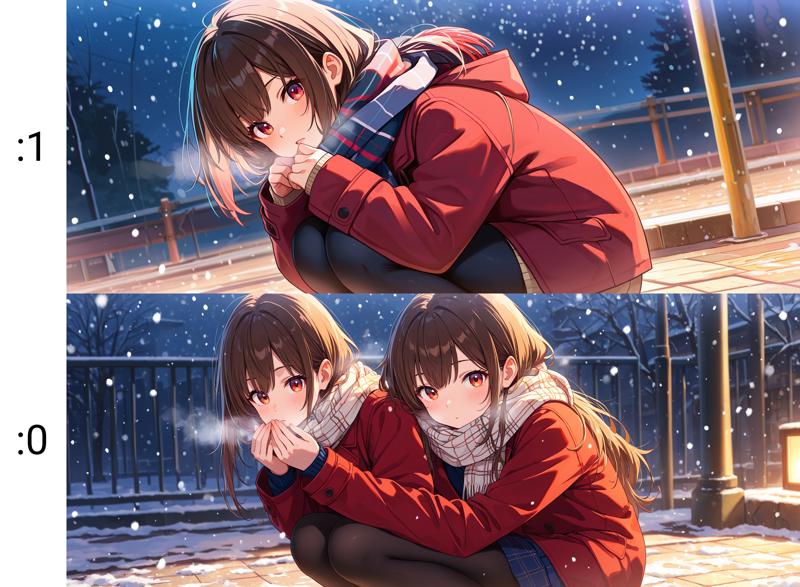
Demo (usage 1, generation at 2560 x 1024):
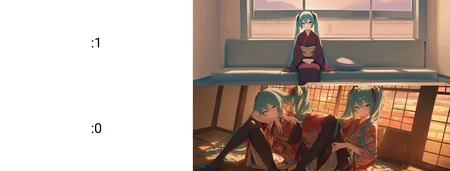
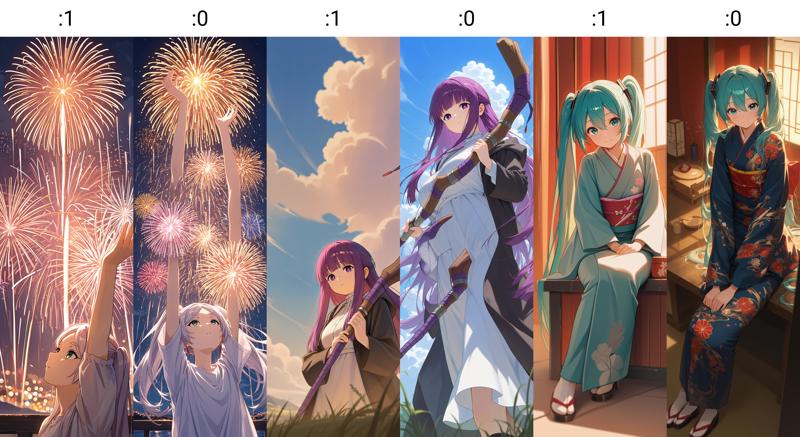
Demo (usage 1, generation at 1024 x 3072):
Description
FAQ
Comments (21)
Do you know any forge-compatible extensions that do the same thing as LoRACTL?
I saw some discussions on forge ver. implementation here: https://github.com/cheald/sd-webui-loractl/issues/32 and https://github.com/lllyasviel/stable-diffusion-webui-forge/issues/68 and reForge implementation here: https://github.com/Panchovix/stable-diffusion-webui-reForge/discussions/185
It seems that LoRACTL has been already integrated with reForge but forge one is not ready yet.
~~The "poor man" solution in forge would be to add the lora in the hires.fix prompt only.~~
~~This prompt can be modified by displaying it: in settings, user interface, UI alternative => Hires fix: show hires prompt and negative prompt ~~
~~This way, you can copy/paste your prompt in there, add the LoRA and Forge will load it only when doing Hires.fix~~
~~(It's also here that the option to display hires.fix checkpoint and sampler options is hidden. This can help using an other checkpoint during hires.fix to do a kind of "refiner" thingy, like switching from an anime model to a semi-realistic model)~~
Scratch that. It doesn't works unless you change the checkpoint too :-(
Interesting lora....Can this replace controlnet tile in the process of upscaling? Or using it with tile can make it more effective/improve quality?
I don't think it can replace tile control net in the upscaling task since the LoRA is not designed to follow the input image like control net is.
With smaller control weight (and properly set denoising strength), one can get more "creative" results from the input. From my understanding, by using the LoRA together it will allow more space for lowering the control weight before you get distorted results (such as extra limbs). If denosing strength is not so large it's possible that control net is not needed when the LoRA is enabled.
But in terms of quality, I'm not sure. There's always some trade off between control (considering LoRA is also some kind of control) and quality.
How to use it in comfyui with loraCTL?
For ComfyUI, you don't need extension to achieve that. You can add this LoRA for highres fix run after the first run. My workflow here: https://civitai.com/posts/15595391
May I ask how this lora was trained? it would give some important clue as to how to use it effectively.
Sorry I didn't notice the comment before. It was trained with 252 pictures in 2560 resolution (instead of SDXL default 1024) with a focus on composition. I intentionally selected some pictures with unusal height-width ratio (super wide or super tall).
@Akiseki Could you please tell us what settings you used to train the model, what program you used, and what the main checkpoint was? I think the community would be very happy if you made a guide on creating similar lore, as they can greatly improve the quality and detail of images without redrawing or upscaling. I've been using your lore for a while now, and it's truly amazing.
Your work is truly amazing! I’ve been struggling with this issue for a long time, and your creation finally gave me the clarity and solution I was looking for. Thank you for sharing such inspiring work!
Hello! I have an issue, I don't know how you're able to generate 1024 x 3072 images.
Is this an extension?
No need for extension, the limit of 2048 is just a ui setting. There's a file called "ui-config.json" in the webui folder and in the file there are keys called "txt2img/Width/maximum" and "txt2img/height/maximum". You may set their values large enough like 4096 or even larger (the default value is 2048 that limits the generation)
@Akiseki thank you very much!
Your tool is amazing but for some CKPTS it struggles, at 0.7/0.8 the images are deformed (1024 x 1536 * 2) but I guess its like you said, for some ckpts the LoRa weight has to be adjusted (i tried at 2 but still, deformed), so when its like that, I can't do much right?
@Wreggor I think 2048*3072 is too large even with the LoRA. You can try generation at 1024*1536 with 2x highres fix and play with the denoising strength. By design the LoRA should allow (slightly) larger denoising strength.
Thanks so much for this Lora. This is quite a discovery for me. I took it and hires fix to 2600 resolution on a checkpoint I knew 100% would fail, and it didn't. Only problem is it changes the style based on the training images used so it is unusable for my specific use case. But the most important thing is that, your experiment worked. This is going to enable us to resample images to 3, 4k, like never before. I'm excited to rent some GPUs and train my LORAs after this.
This is really great.
This fixes issues with human proportions being distorted or extra limbs being created at high resolutions.
I got great results at 1920x1080 resolution one shot.
this is perfect!!
This lora is amazing not only can you use it to create "out of size" images, using it to "upscale" an image again to higher resolutions works amazingly well. I.e pick a standard resolution, apply hi-rex fix (or something comparable), add the lora and apply another hi-res fix and form is preserved. additional details can be added to the image.
i love and use this lora so much. any chance we can get an anima version?
Thank you for your compliment! There's a similar one you can try with: https://civitai.red/models/2540444/anima-highresaesthetic-boost?modelVersionId=2855073
For myself I need a deeper understanding of Anima's DiT mechanism and more LoRa training strategies before I can start working on my own version : )
Details
Files
Available On (1 platform)
Same model published on other platforms. May have additional downloads or version variants.