Wan 2.1 Kissing girl (I2V 480p/720p + accel)
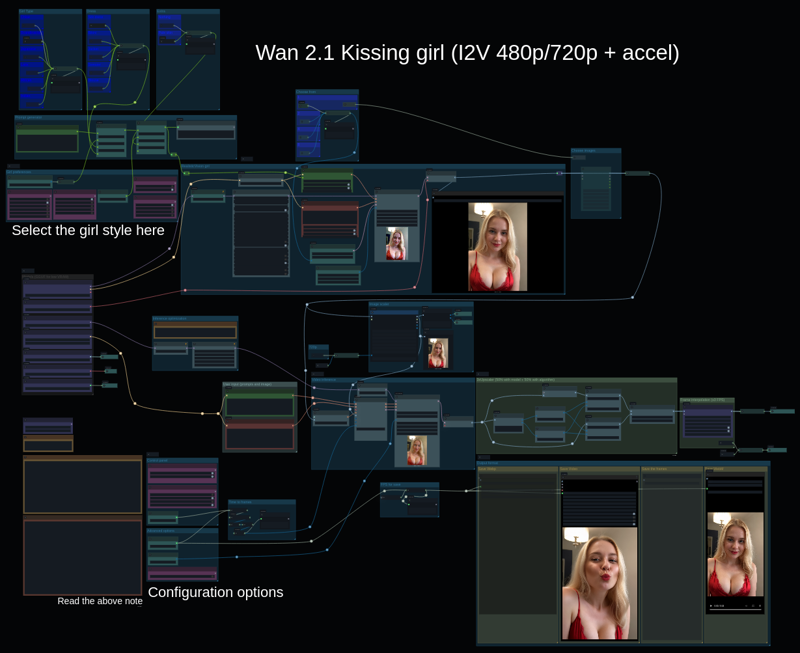 This model is used to create a short video of a woman giving a kiss to the camera.
The girl can be customized and is generated using Realistic Vision (an Stable Diffusion 1.5 model) which is fast and consistent.
The resulting girl is animated using Wan 2.1, which is quite reliable.
The workflow contains instructions and links to the needed models.
✨ Key Features:
✅ Embedded prompt: You just need to choose the girl style
✅ Simple length specification: Just enter how many seconds to generate
✅ Video upscaler: Optional 3x resolution upscaler (1440p/2160p)
✅ Frame interpolation: Optional 3x frame interpolation (24/48 fps)
✅ Low VRAM optimized: Uses GGUF quantized models (i.e Q4 for 12 GB)
✅ Accelerated: Uses Tea Cache
✅ Multiple save formats: Webp, Webm, MP4, individual frames, etc.
✅ Advanced options: FPS, steps and 720p in a simple panel
✅ Key shortcuts to navigate the workflow
The worflow is ready to be used with GGUF models, and you can easily change it to use the 16 bits Wan model.
Wan:
Wan 2.1 I2V 480p Q4_K_S You can use another Q4 selecting it, Q4 is for 12 GB, Q3 for 8 GB
Alternatively you can use the 720p model:
Upscaler:
Stable Diffusion 1.5 model:
Description
FAQ
Comments (6)
前面那一堆节点就是为了选一个女孩子,个人觉得没必要
Not sure if Google translate gave me the correct translation, but yes, part of the workflow is dedicated to choose a girl. But I think this is good, people can choose a girl really fast and try the workflow. You can always plug other nodes and customize it, but you start with something that easy to use and gives very consistent results.
Not sure what I might be doing wrong, but the image generates, but not the video. It just stops once the image is generated.
When the flow is running, I get a red box around WANImageToVideo in Video Inference section with a red circle around Width and Height. I also get a red box around FPS Multiplier in FPS For Save section.
I downloaded the same models as recommended and just load the workflow. ComfyUI Manager is showing no missing nodes.
Which version of ComfyUI frontend and "Use Everywhere" nodes are you using? Frontend 1.16 was a major compatibility breakage. You need an updated "cg-use-everywhere" (v6) if using ComfyUI frontend >= 1.16
@setigame I have ComfyUI v0.3.26, ComfyUI frontend v1.11.8 and cg-use-everywhere v6.0.4. I'll try updating ComfyUI as perhaps the older version is incompatible with the installed version of cg-use-everywhere?
Edit: updating Comfy did the trick. Sorry, I should have tried that first.
This workflow doesn't work?...there's nodes that are not even in the comfy manager anymore.