


needed
https://civarchive.com/models/24690/comfyui-facerestore-node
recommended
https://civarchive.com/models/71980/comfyui-manager
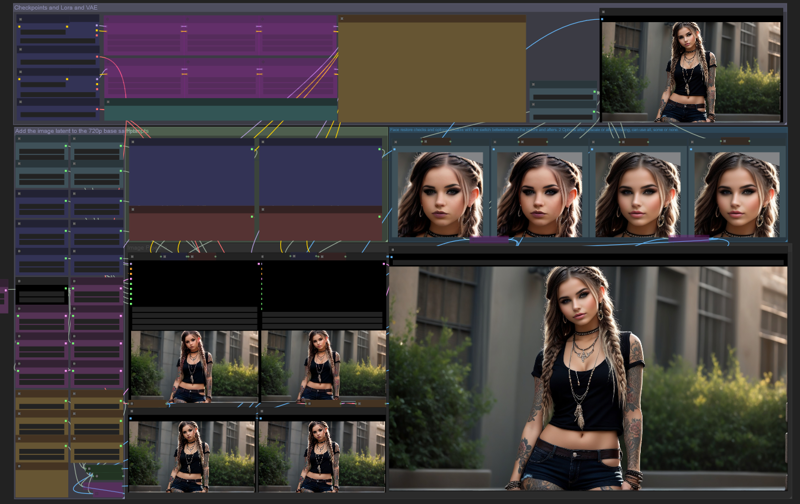
This workflow works for 1.5, 2, XL. Ensure you select the proper VAE for the Checkpoints loaded. I don't use 1.5 any more, so there may be issues with it. When using 1.5 ensure to lower the CFG's to about 4-7, it's not as good at reading.
You can actually mix and match 1.5 and XL, or mix 2 xl models, or 2 1.5 models. The Upscale fix has its own checkpoint, vae, lora and prompts
This workflow is used mostly for 16:9 but can do any resolution with the custom latent, just make sure you set all upscale resolutions properly.
Default 16:9 resolution latents are in the settings area, you need to drag the pink latent circle to the base image ksampler.
Fast upscale is enabled automatically, it's not great, but sometimes works well with high quality bases and is very fast, turn on and off the upscalers in the settings bottom right. You need to have inline upscaling on, the rest help with quality but are slower.
If you want to use a model upscale, remove the bypass on the "model upscale" at the bottom of the settings
Recommendations - use the lowest x model that looks good, they progressively get better quality, but much slower, just inline can work but iffy./
If upscaling to 4k is not great, add 2-4 steps to the finishing step and use model upscaling. I also change the inline upscale to 1440p (Slower)
2x_NMKD-UpgifLiteV2_210k
4x_NMKD-UpgifLiteV2_210k
4x_NMKD-Siax_200k
4x UtraSharp
8x NMKD-Superscale_150000_G
I use 4x_NMKD-UpgifLiteV2 for the first upscale and a 4x ultrasharp for the 4k upscale, I start 1280x720 mostly.
Face restore is tricky and is needed the lower res you start with. Included are 2 points of restore that are default disabled.
1st restore point is after the inline upscale, it has less impact on the final result but can help if you're upscaling from lower res.
2nd restore is after the samplers are done and has a big impact on the look of the person,
With 1280x720 and higher, face restore is not really needed anymore with decent checkpoints
XL Checkpoints tested on RealitiesEdgeXL, atxl, copaxmelodiesxl, crystalclearxl, dynavisionxlAllinone, fudukiMix, morphxl, realcartoonxl, rhapsodyxl, sdvn6realxl, xlyamersrealistic -- 1.5 Checkpoints tested on Kmain, realmoon
Description
4x3 Portrait version of my 16x9 workflow. Seems to work just as well.
FAQ
Comments (3)
Newby here, but I Loaded it and it shows missing face crop, and face restore nodes. What am I doing wrong?
It works great! Just wish I could add to it ie. dynamic prompts...LOL But it is awesome!
restorefacewithmodel is a missing node
I have all requirements and installed properly.
Yet the 720p and 1080p nodes are highlighted in red.
What am I missing?
Manager shows no missing nodes.
Looks like we don't have an active mirror for this file right now.
CivArchive is a community-maintained index — we catalog mirrors that volunteers upload to HuggingFace, torrents, and other public hosts. Looks like no one has uploaded a copy of this file yet.
Some files do get recovered over time through contributions. If you're looking for this one, feel free to ask in Discord, or help preserve it if you have a copy.