
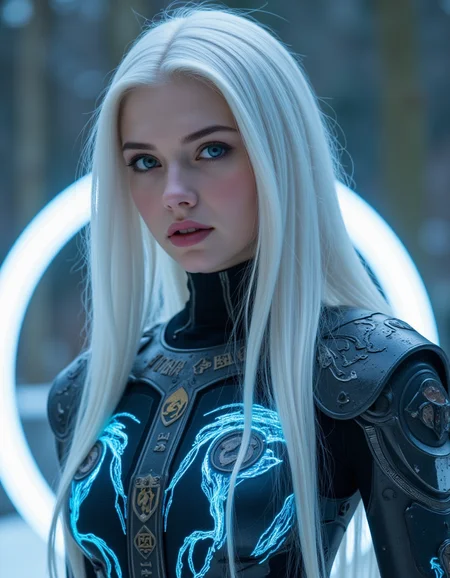




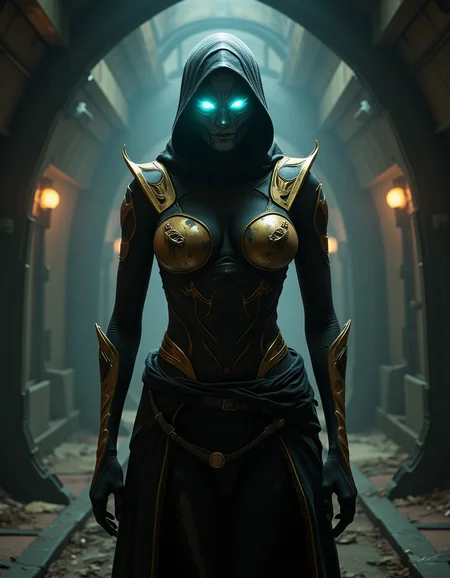

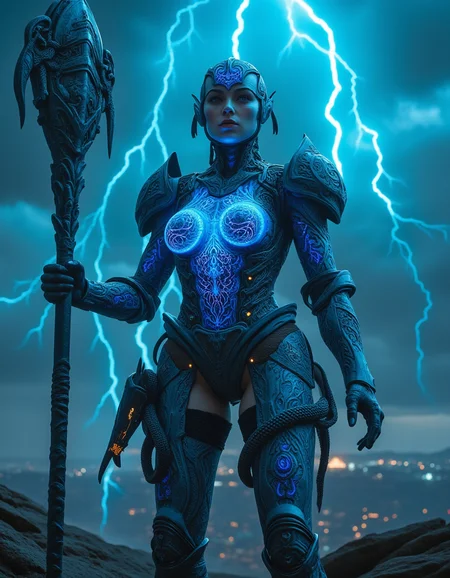


I wanted to create a model that has the usual quality of Flux without the limitations of NSFW content and does not require LoRa.
After a long time of work, I am now happy to be able to present my model to you.
With my model, unsightly and unnatural breasts are a thing of the past without you having to use a LoRa.
All of my example images are therefore created without LoRas.
The model tends to show bare skin from time to time. So if you enjoy bare-breasted or naked girls, you will enjoy the model. Pornographic depictions are not integrated and I do not want them. There are other models for that.
As you can see from my images, SFW images in high Flux quality are of course also possible.
clip_l, ae and t5xxl must be loaded.
Main Sampler: Euler, Simple
CFG: 3.5
Steps: 15+
Flux-dev based LoRa should not be a problem, but I give no guarantees.
If you like my model and want to support my work, send me some buzz.
Please post your pictures directly on the model card...that also helps me to continue my work.
__________________________________________________________________________________________________
GGUF_Q4_K_S
If you wish, there is a version in GGUF Q4_K_S format here. The model is significantly smaller, but this does not affect the quality and functionality.
It is a pure conversion without changing the data set.
My thanks go to @bosshunter who carried out the conversion.
The example images are 100% identical to the creation data of the main model to offer you a direct comparison.
I have not tested LoRa's with this version. So if one of your Loras does not work, I am very sorry.
To use the model, place it in the following folder:
- ComfyUI\models\unet\
- Forge\webui\models\stable-diffusion\
Description
FAQ
Comments (25)
Forgive my ignorance: what are clip_l, ae, t5xxl?
clip_l is a text encoder;
ae is the vae that you probably know from other SDXL models;
t5xxl has two variants: t5xxl_fp8 and t5xxl_fp16. You can choose between them depending on your computing power.
If I had integrated everything into the model, the file would be much larger and would slow down image creation.
@martindieter ok thanks, I generate online on various free sites :o)
Just downloaded it. Super excited! Hopefully it gives good results. I will let you know how it did. Thanks for your hard work!
👍
stunning preview images, cant wait to try it 💜
😁👍
REALLY good, I change it as a main model
it works really well with my loras
I would like to test your Lora's...please post them here.
Flawless Model, this deserves to take off its brilliant!
Thanks
not sure why this happens but when creating multiple images it starts off doing the first couple at roughly 2 mins, then suddenly things change and it can be anywhere between 5 and 20 mins. don't experience this with any other checkpoints. weird.
I cannot reproduce this problem. I have created over 200 images in a row and the processing time is largely the same. However, I have noticed that negative prompts increase the processing time drastically.
@martindieter who knows then, could be any number of obscure settings somewhere.....shame because it's a promising model but this problem ruins it for me...
what tool do you use?
It sounds to me as if, possibly, your graphics card VRAM is paging memory over to your system. This can happen (even on my 4090) if you're using a demanding model like this one (compared to FP8) combined with aggressive resolution sizes and upscaling. So you can have no problem with the initial base images but as soon as upscaling comes into play your VRAM is being exceeded and begins pushing it to your system which dramatically affects output times and can sometimes outright stall progress.
In such cases you can reduce upscaling, reduce batch size, or reduce base image resolution. Or a combination of that. If the other checkpoints you've used are FP8, that would make sense.
Da....Yum....
Great Model! A new Flux1 Dev player has joined.
Generates great images. Liking and commenting to increase visibility of this model.
Thank you!
thank you
will this work with my 16gb RTX 4080?
yes it should work with it...I use a RTX 4060 ti 16GB
I use a 16gb RTX 4080 Super and it works fine.
I use RTX 3050Ti 4GB and can run GUFF Q4. It takes a long time... but it works... you should be fine... lol
I was really curious about this too, thinking that the size would require me to use the GGUF Q4. However, it seems to run on my 4060 16gb, even loading three LORAs, I'm pulling 2.5s/it. The Q4 runs at about 7.8s/it.
Just for my own education, anyone know how a 16gb file can fit and run (using ComfyUI) on a 16gb VRAM setup?
@rlewisfr346 As far as I know/understand: ComfyUI uses a 'Smart Memory' Module that throws parts, if not all, of the models (Checkpoints & LoRAs) into system memory. That's why I can load 1 PONY checkpoint, 1 SDXL Checkpoint, 2 Upscale Models, and 6 LoRAs on a 4GB Card within one workflow... It does this in an efficient manner.
Alternatively, you can turn off 'Smart Memory' with a CLA and ComfyUI will just auto throw everything it can into System Memory regardless of efficiency. And that's how I'm able to run FLUX on a 4GB card... lol
Details
Available On (2 platforms)
Same model published on other platforms. May have additional downloads or version variants.