


Dynamic Poses Package
Presenting the Dynamic Pose Package, a collection of poses meticulously crafted for seamless integration with both ControlNet and the OpenPose Editor. This package offers an array of expressive poses that can effortlessly be employed, enhancing the visual appeal and interactivity of your projects.
Requirements
Make sure you have the following installed:
ControlNet + OpenPose model (For a written tutorial click here).
Optional
OpenPose Editor (See here how to install & download)
Included in Downloads
The following is included when you download the poses:
Preview of Pose
JSON file of Pose
Stick figure of Pose
Additionally there is a "presets.json" file with all poses in JSON format.
How to use?
To use with ControlNet & OpenPose:
Drag & Drop the Stick Figure Poses into a ControlNet Unit and do the following:
To enable ControlNet, simply check the checkboxes for "Enable" along with "Pixel Perfect".
Select "OpenPose" as the Control Type
Select "None" as the Preprocessor (Since the stick figure poses are already processed)
Select "Control_v11p_sd15_openpose" as the Model
To use with OpenPose Editor:
For this purpose I created the "presets.json" file, which can be found in the downloaded zip file. You can place this file in the root directory of the openpose-editor folder within the extensions directory:

The OpenPose Editor Extension will load all of the Dynamic Pose Presets from the "presets.json" file. You can then choose a pose from the Presets dropdown menu, and by clicking "Load Preset", you'll be able to preview the selected pose. From there you can send it to either "txt2img" or "img2img".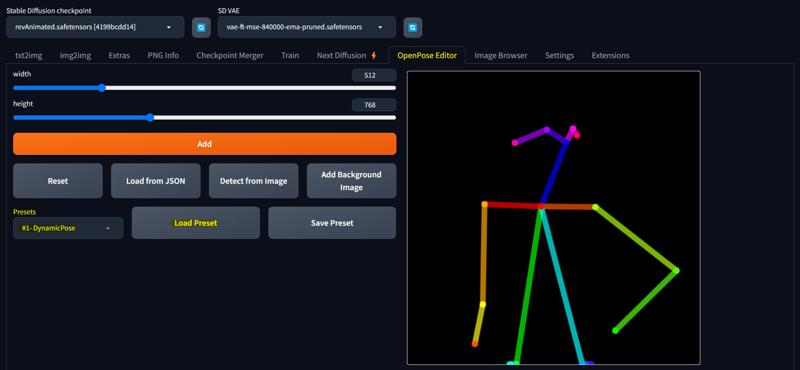
My Settings
For the creations of the preview images inside the downloads folder I used the following settings:
Example Preview Image:
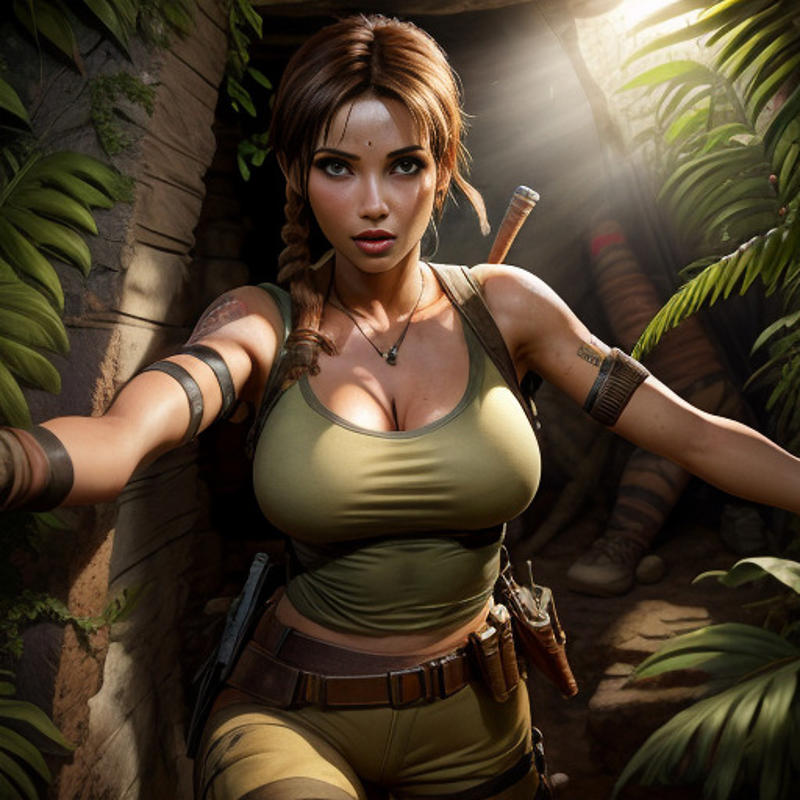
Positive Prompt: ((detailed)), ((masterpiece)), ((best quality)), ((Astounding)), ((Enchanting)), (Striking), woman, (lara croft:1.2), (tomb raider:1.2), (tomb:1.1), natural light inside tomb, jungle, plants in background, (detailed face:1.2), clear skin, (cleavage:1.1), perfect light, perfect shadows, <lora:3DMM_V12:0.6>, <lora:add_detail:0.7>
Negative Prompt: (worst quality:1.2), (low quality:1.2), (lowres:1.1), (monochrome:1.1), (greyscale), multiple views, comic, sketch, (((bad anatomy))), (((deformed))), (((disfigured))), watermark, multiple_views, mutation hands, mutation fingers, extra fingers, missing fingers, watermark
Sampling Steps: 30
Sampler: DDIM
CFG scale: 7
Model: reV Animated
LoRa's: 3DDM & Detail Tweaker
At times, I also used the ADetailer Extension to improve the quality of the faces.
More Poses Coming Soon?
These Dynamic Poses are just the starting point for our package. Stay tuned for more uploads as I'll be continually expanding the selection to offer you a broader array of options. Feel free to share your insights in the comments, and I'll gladly integrate your suggestions into the growing collection.
Latest Tutorials
To access the most up-to-date tutorials, make sure to visit our website and explore our YouTube channel. Don't hesitate to explore these resources for the latest guidance and insights.
Thanks for the support and happy generating ❤️
Description
FAQ
Comments (4)
thank you for going to the extent to share these :) much appreciated!
For some reason, I can't make her (Sierra, the wolf-girl) NOT lying in some coffin (using pose 15).
Says keys are invalid in ComfyUI
Good youtube tutorial on openpose/controlnet + thx for the resources here.