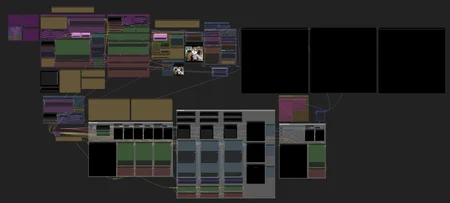
Midnight1111_Nocturne // Multi-Pass Enhancement & Refinement Workflow
ComfyUI Workflow // v02/25/25
Overview
TXT2IMG+ Multi-UPSCALERS + ADetailer
This workflow is designed to enhance image quality through a structured, multi-pass process in ComfyUI. It integrates Txt2Img generation, Hires Fix, upscaling, and ADetailer passes to achieve high-fidelity AI-generated images. The approach is demonstrate creating an image at a lower resolution, upscaling it, and refining it through img2img.
:: Quick-Start Guide :::::::::::::::::::::::::::::::::::::::::::::::::::::::::::::::::::::
Setup & Generate Base Image:
Txt2Img Generation: Create an initial image using a prompt and negative prompt. In ComfyUI, Txt2Img is achieved by passing an empty image to the sampler node with maximum denoise.
Sampler Settings: Configure sampler steps and CFG (Classifier-Free Guidance) scale to define the quality and adherence to the prompt.
Apply Hires Fix:
Upscaling: Increase the image resolution using latent upscaling techniques. This involves upscaling the initial image and then refining it through img2img to enhance details.
Non-Latent Upscaling: Utilize pixel-space upscalers. Convert the image to pixel space, apply the upscaler, and then convert it back to latent space for further processing.
ADetailer Refinement:
Feature Enhancement: Apply ADetailer models to refine specific features such as faces, hands, hair, and clothing, ensuring high-quality details in these areas.
Final Adjustments:
Wetmark Branding: Optionally, add subtle branding or watermarks to the image to signify authorship.
Key Features
2 Pass Txt2Img (Hires Fix): Enhances image quality by generating at a lower resolution, upscaling, and refining through img2img.
Latent and Non-Latent Upscaling: Combines both latent space and pixel space upscaling methods for optimal detail enhancement.
Placeholders Settings (smZ): Allows flexible input adjustments.
Improved Control & Adjustment Modules: Enhances workflow customization.
Stop Node: Lets you temporarily pause the generation process.
ADetailer Integration: Focuses on refining intricate features to produce polished, high-quality images.
Wetmark Branding: Provides an option to embed subtle branding for image ownership.
Additional Resources and More: Includes optimizations for better results.
Usage
Load the Workflow: Import the workflow into ComfyUI.
Adjust Parameters: Modify prompts, sampler settings, and upscaling factors as needed to achieve desired results.
Run the Workflow: Execute the workflow to generate and refine the image.
Save and Export: Once satisfied with the output, save the image for use in your projects.
This workflow is optimized for artists and designers seeking to produce high-resolution, detailed AI-generated images with precision and efficiency.
UPDATES:
NOTE:
Updated Version 02/25/25
Uploaded Version 02/23/25
// Got Questions or Feedback?
Feel free to reach out!
Created by Magnabos.co | Creative Artist
Description
This latest workflow now includes Control & Adjustment Modules, Expression Prompts, and a dynamic Switcher Node for optimized negative text conditioning.
FAQ
Looks like we don't have an active mirror for this file right now.
CivArchive is a community-maintained index — we catalog mirrors that volunteers upload to HuggingFace, torrents, and other public hosts. Looks like no one has uploaded a copy of this file yet.
Some files do get recovered over time through contributions. If you're looking for this one, feel free to ask in Discord, or help preserve it if you have a copy.