





This workflow is now discontinued as I will focus on Qwen Edit 2509 model and the workflow (click here) I did for these kind of generations.
This workflow is the evolution of my "Consistent face 3x3 generator", after the hundreds of requests to modify it to allow the use of a reference-portrait image.
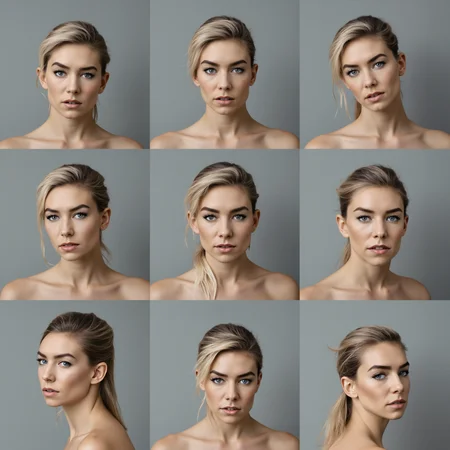
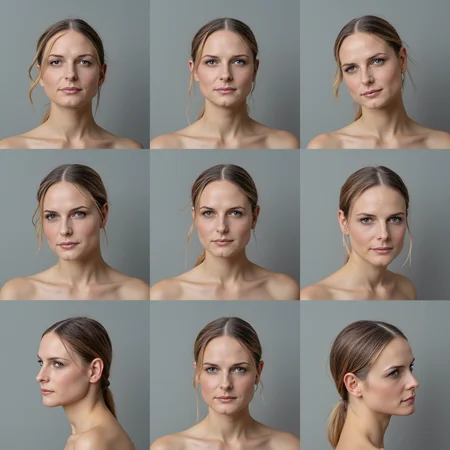
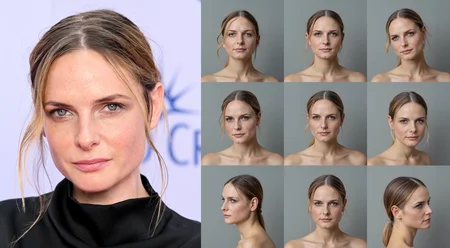
The workflow allows you to upload a portrait photo and use it as img2img reference to generate a 3x3 grid of 9 different portrait images you can use for training a character LoRA with FLUX.
The reference portrait must be a good quality hi-res image, but the workflow works also with old analogic photos (I tested it with a scanned old Polaroid from the '90s and the result was not too bad).
You could also use the workflow as Faceswap but there are better workflows for that. In this case, you would use a single-person photo in place of the reference 3x3 grid.

How the workflow works
1) Load the Primary Image (portrait you want to Replicate) and a 3x3 Grid image (as suggested above).
2) Select if you want a random or fixed Seed, the Redux and PuLID strength, the number of steps, the sampler and scheduler you want to use (my suggestion is Deis - Ddim_uniform). (In the green group "Workflow Settings.)
3) You can change the upscale models used in the Upscale 1st and 2nd pass if you like.
Face Enhacer part of the workflow:
1) Select the skin detail lora and its strength (default is "skin texture style v.5 lora with 0.75 strength).
2) You can modify the Lying Sigma Sampler's dishonesty-factor (default -0.05) and the start/end percent (default 0.15 / 0.85) for stronger/weaker skin details.
3) In the Chin Masking (step 2) check if all 9 the chins are detected (if not, try changing the Layer Mask threshold (default 0.35).
4) Select the chin fixer lora and its strength (default is "chifixer-2000 with strength 2.00).
5) Select what postproduction modules you want to apply (film grain, LUT, filter adj).
6) Start the generation, sit down and relax... it may take several minutes to complete the generation (after all it's working on 9 images 1024x1024 at the same time).
Warning: if you get Out of Memory errors you may try to activate the "Purge VRAM V2" node in the final part of the workflow, at Step 2 - Chin masking. The workflow need at least 32Gb RAM (64Gb ram minimum is strongly suggested).
Warning 2: a recent update of ComfyUI and TeaCache node broke the workflow! The old "TeaCacheForImgGen" was removed from the custom node and it's name is now just "TeaCache". You have to replace the TeaCache nodes with the new one! Sorry for the inconvenient.
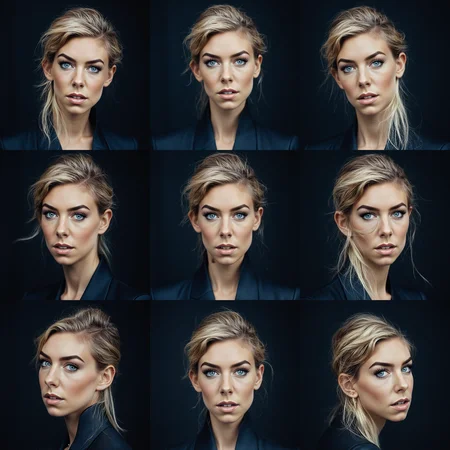
You need to use a realistic 3x3 grid to reach good results. I am testing a few to find the ones that work the best in the workflow. For the moment I suggest you to use one of the following:
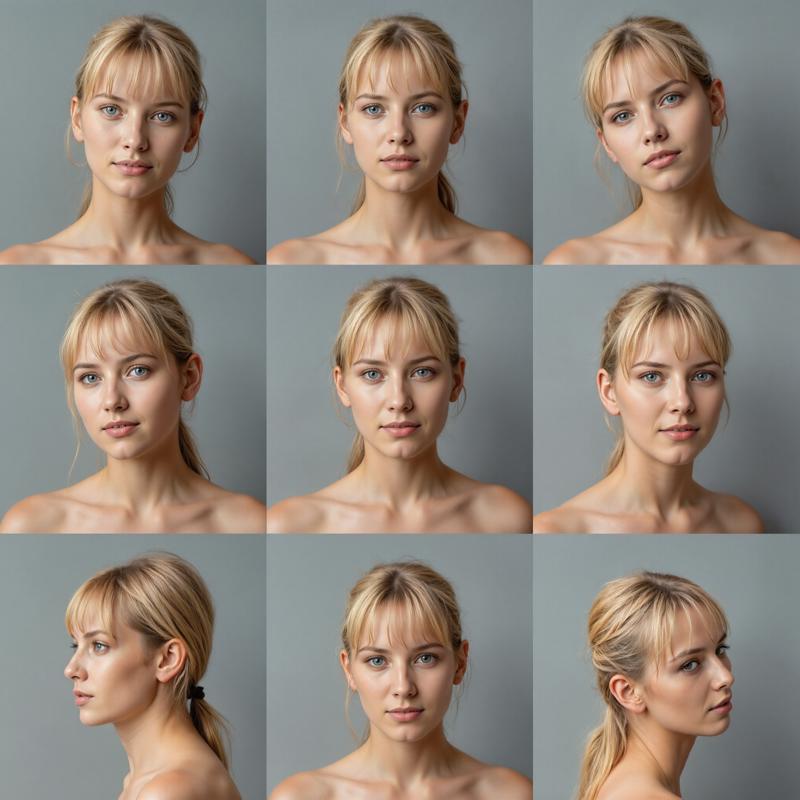
 Files needed and instructions can be found in the workflow, inside the black notes nodes.
Enjoy.
Description
FAQ
Comments (31)
"use the workflow as Faceswap but there are better workflows for that"
Please advise a good workflow for this purpose
Trying now. Ioaded the ref image and the grid. When I generate it looks like its making for blank face in the gen. Like its not referencing the source picture. all ext and models are loaded. any ideas?
but you don't get any error msg? just a blank face?
@Tenofas yes it looks like its trying paste the face on the grid. I have re run it. and some times the face is kinda transferred but mostly it just re rendering the image grid
@Tenofas Looks like the first pass is not applying the face. I tried a couple of different face photos
@someone_ Same thing for me
what 3x3 grid do you use as reference?
@Tenofas Same issue. Used the grid you posted on the consistent 3x3 face generator as the 'load reference 3x3 grid image'.
@marshy you mean the 3D cgi one? no, you should not use that for FaceReplicator. This workflow needs a realistic-photographic 3x3 grid, like the one you would generate with the other workflow (3x3 face generator). There are a few pre-generated 3x3 grid on my Patreon (for free).
ok i tried but get this error?:
Failed to validate prompt for output 175:
* Context Big (rgthree) 86:
- Return type mismatch between linked nodes: scheduler, received_type(['normal', 'karras', 'exponential', 'sgm_uniform', 'simple', 'ddim_uniform', 'beta', 'linear_quadratic']) mismatch input_type(['normal', 'karras', 'exponential', 'sgm_uniform', 'simple', 'ddim_uniform', 'beta', 'linear_quadratic', 'beta57'])
* KSampler 68:
- Return type mismatch between linked nodes: scheduler, received_type(['normal', 'karras', 'exponential', 'sgm_uniform', 'simple', 'ddim_uniform', 'beta', 'linear_quadratic']) mismatch input_type(['normal', 'karras', 'exponential', 'sgm_uniform', 'simple', 'ddim_uniform', 'beta', 'linear_quadratic', 'beta57'])
Output will be ignored
Failed to validate prompt for output 162:
Output will be ignored
Failed to validate prompt for output 74:
Output will be ignored
Failed to validate prompt for output 77:
Output will be ignored
Failed to validate prompt for output 70:
Output will be ignored
Failed to validate prompt for output 53:
Output will be ignored
Failed to validate prompt for output 118:
Output will be ignored
invalid prompt: {'type': 'prompt_outputs_failed_validation', 'message': 'Prompt outputs failed validation', 'details': '', 'extra_info': {}}
It happens the same to me...
please, try to update ComfyUI, Python dependencies and all the Custom nodes.
@Tenofas thx for reply, strange thing i updated all and still same issue, its on the scheduler node/link that seems to give the error
Just right-click on each of the nodes with Scheduler and convert the input back to widget. Then pick the scheduler manually.
@SalamiSandwich this is a way to fix it, but it's not the best way, as you will need to select the scheduler manually on each node. I had the same problem a few weeks ago, and I think I solved it just by updating everything (ComfyUI, all the custom nodes and the python dependencies). Scheduler is always a problem in ComfyUI as it is a "combo" data (not just a float or int number) and it's not always managed correctly in some nodes. It is even worse with those "wireless" nodes ("anything everywhere" or "set-node/get-node" for examples), this is why I am trying not to use them anymore, even if they make the workflow much cleaner and nice.
@Tenofas ok, seems to be ok on scheduler now, but now at the end of the process i just get the 3x3 grid picture instead of 9 different angles from the primary 1st face pic?
@aiM0NGUs you mean all 9 faces staring in the same direction?
@Tenofas no the 3x3 grid image that i uploaded is just the same one that outputted, didn't create the primary faces
Stops at Face Detailer with error:
Expected all tensors to be on the same device, but found at least two devices, cuda:0 and cpu! (when checking argument for argument weight in method wrapper_CUDA__native_layer_norm)
You probably need to update the python dependancies and ComfyUI
@Tenofas did that. found that there is an issue with Pulid Flux Enhancer node, then did the fix told in it's Github page, and now same is happening with Impact Pack node.
same issue for me
Same problem for me. Perhaps I will try the fix mentioned by @extra2AB - but the fragility of these modules and python dependancies is really annoying; everytime you have an update here something is crashing there...
@mpacerx yes, they keep updating and breaking the nodes... this way workflows need to be modified every time. Sorry for the trouble... Will try to find a fix or some sort of workaround.
@Tenofas I (almost...) found a solution today, the hint came from your comment at the former 9x9-workflow: The error seems just to be caused by VRAM memory problems. I have 24GB VRAM, and the usage indicator in ComfyUI running the workflow was at 98 or 99%. So I replaced the "Load Diffusion" standard model with a GGUF version - and voila - the VRAM usage was significantly lower at 82% and now the upscale nodes worked without error.
The workflow runs through now until the SampleCustomAdvanced node in the Enhancer Step 1 - here comes a runtime error "Boolean value of Tensor with more than one value is ambigous" :)
So here is a new problem to be solved; but at least I have a 9x9 grid with the desired face in 3072x3072 resolution, which I can save manually or copy from the temp folder.
And an update - after I activated the "Purge VRAM" node it was possible to use the standard Flux-dev model. The "Boolean value of Tensor with more than one value is ambigous" error seems to be a compatibility problem with teacache. After I had bypassed the teacache nodes, the SampleCustomAdvanced nodes in Step 1 and 2 worked - unfortunately the workflow stopped then in the Adetailer node in Step 4 with an "OutOfMemoryError: Allocation on device". I will try it again tomorrow, but now its bed time :)
@mpacerx check carefully what models are loaded in all the nodes. There are some that offer alternatives with smaller size models, I can run it on my 16Gb Vram pc, but I have 128 Gb Ram (and ComfyUI dump to Ram memory models that are not used in that particular part of the generation wf). For example the "sam_vit" model in the LayerMask at the Chin Masking group (there are 3 different sizes), or smaller upscale models, or the ultralytics detector face_yolov8, there are many size version around (m - medium, s - small, n - nano).
Missing Node Types:
SetNote
GetNote
What can i do? I already load the missing nodes...
Pretty slick. Your instructions got me up and running. My results have not been ideal, but it will take some time to gain a feel for what kinds of images this works best with. If the two parties are very dissimilar, like a fair skinned blonde, and an olive-skinned brunette, the system breaks down a little, but if for people with a similar complexion it works very well. This isn't a complaint, only an observation.
Yes, the main problem in this workflow is to find a 3x3 grid with a face and hair "resembling" the portrait face we want to replicate. This is why I suggest to build a "3x3 grid images" batch with different combination of details (blonde, red, black and long, medium, short hair for example, then again the skin, the eyes... ) and you can do this with my other workflow: https://civitai.com/models/1224719/consistent-face-3x3-generator