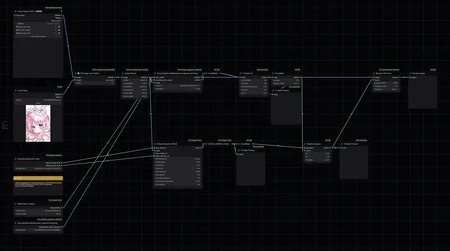
What is this?
This is a small collection of workflows for ComfyUI that is meant to serve a certain function. These "mini-flows", as I call them, are meant to be used separately from a whole, since each one serves a different function and have different outputs.
Technically, since this is ComfyUI, you could meld all of these workflows together if you want, but I wouldn't personally recommend it.
Currently, it includes the following workflows:
Watermark removal using GroundingDINO + Anzhc's YOLO model (works with complex watermarks)
Add Perpendicular merge re-creation in ComfyUI (for re-creating CyberFix-perp and equivalents)
How to use it?
Step 0: Download ComfyUI and ComfyUI-Manager
Step 1: Download your workflow of choice
Step 2: Extract the .zip file
Step 3: Import either the workflow image or the .json file
Step 4: Download all missing nodes from ComfyUI-Manager and restart
Step 5: Have fun!
Q&A
Q1. (Watermark Removal) In your txt2img workflow, you use CLIPSeg instead to remove watermarks. Why not use that here as well?
A: CLIPSeg works for really obvious watermarks, but also have a lot of false positives. In the txt2img workflow, I abuse the false positives to "reroll" certain parts of the image as well. For more accurate work, however, GroundingDINO + SAM is more accurate and can detect complex signatures and watermarks to remove them, and the false positive rate is lower.
Description
Does not use any generation checkpoint. It's basically plug-and-play for the most part. Instructions for Anzhc's Face YOLO is already included within the workflow.