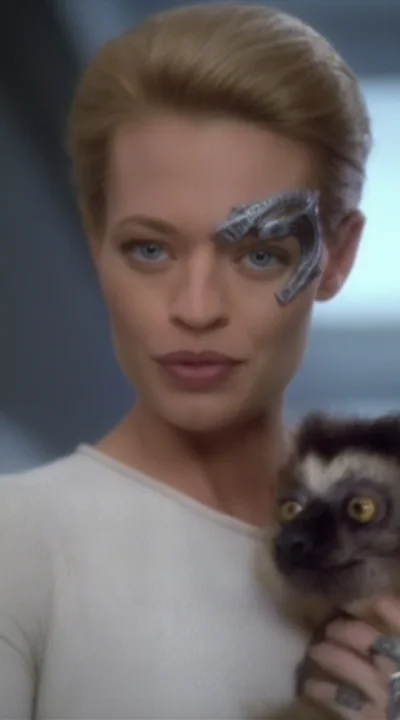
Adds the fictional character Seven of Nine from "Star Trek:Voyager" to your gens. Interestingly, the model also learned other characters from the TV series, Capt. Janeway and the Doctor, although I'm not sure of other characters can be reliably prompted. I mostly wanted to see if the model would learn Seven's remaining Borg implants, unusual features
Description
FAQ
Comments (15)
Thanks for the model. You do know that you can do character/person loras with a much lower rank right? I train at 16/16 and my loras work great and only weigh 115mb. Just FYI.
Thanks, 64/64 is likely a carryover from the Flux LoRas I've trained.
Interesting, did you make a tag for the other characters while training? It seems from those images to do well with other characters, normally everyone would look similar to the main character lol
Also excellent choice of character.
Thanks, glad you liked it. I think the model must have picked up the other characters from the moving images, I didn't tag the other characters, only 7 of 9, but many many thousands of steps and 40 epochs. I also used about 200 .apngs (animated png files) because I wasn't sure how to caption .mp4 files. There was a video caption workflow posted on this site, but I couldn't get it to work in ComfyUI.
@noodles3211z_ oh wow cool thanks for the reply, yeah that's cool how it picked up the other characters without tagging haha
thank you for the tip, @Zorglub . I'm listening to suggestions, if you have some.
what prompts do you use my results are wonky
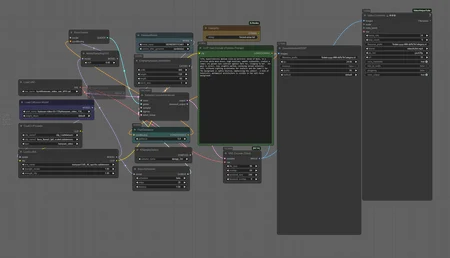
@Cyberai99, the trigger word in every caption was 7of9, and Seven of Nine. I specified 7of9 as the trigger word in diffusion-pipe, although I'm not certain if diffusion-pipe supports trigger word. You can download any of the example videos from the LoRa, drag them into the the ComfyUI browser window and it will open the workflow and you can see the exact prompts used to generate each example video.
@noodles3211z_ i appreciate the help, i tried downloading the videos, also tried dragging them into comfyui but it doesnt load anything, sorry i just really like your example videos and am trying to figure it out
@Cyberai99, I've added another example, with the prompt details, and a .png which should have the embedded workflow inside it.. Drag the .png or the workflow image into the ComfyUI browser window and it should load the workflow into ComfyUI for you.
This doesn't work. It just comes out blurry and grainy as if the strength is extremely low.
Not enough detail to help with your issue. I've added another example, with the prompt details, and a .png which should have the embedded workflow inside it.. Drag the .png or the workflow image into the ComfyUI browser window and it should load the workflow into ComfyUI for you.
Bumping the guidance up to 8.0 or 8.5 gave me much better results.
What resolution was the imagery it was trained on? Were they full-screen 4:3 or cropped to just her? And what was her outfit called, caption-wise? Bodysuit, catsuit, uniform? (just trying to get the right aspect ratio and trigger words to really get the right scenes/look)
The training images were 720x576 video captures from Star Trek:Voyager series, her outfit was and is is called a catsuit. I didn't crop out other people in the scenes, that's why other characters appear in the gens. You should be able to download and drag the included workflow image into the ComfyUI browser window, it will load the workflow which has a sample prompt and all the other settings
Details
Available On (1 platform)
Same model published on other platforms. May have additional downloads or version variants.