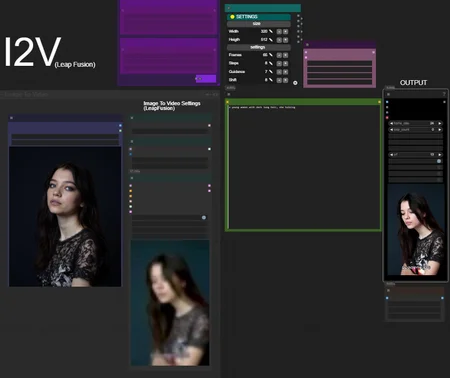
HUNYUAN | Img 2 Vid LeapFusion
Requirements: LeapFusion Lora v2 (544p) or v1 (320p)
In short: it uses a special LORA to do the trick.
It works combined with avaible loras around. Prompting helps a lot but works even without.
Raise resolution for more consistence and similarity with input image.
*you may want to change steps on your needs. I used few steps for testing.

Bonus TIPS:
Here an article with all tips and trick i'm writing as i test this model since December:
https://civarchive.com/articles/9584
you will get a lot of precious quality of life tips to build and improving your hunyuan experience.
no need to buzz me, ty💗 ..feedbacks are much more appreciated.
Description
FAQ
Comments (20)
I2V lora v2 1.0 is the Hunyuan I2V workflow that's working the best for me so far.
It's really hard to find settings that are reliable and not end up in OOM and browser crashes all the time. But IF it works it creates pretty nice videos!
Hi, love your workflow, I join the other user's request. Any possibility of having the option to choose Skyreels Img2Vid?
Thank you very much.
at last a workflow that works out of the box and dont ask for obscure nodes or oom my gpu . great work
UnetLoaderGGUFDisTorchMultiGPU:
https://github.com/pollockjj/ComfyUI-MultiGPU
ApplyFBCacheOnModel:
https://github.com/chengzeyi/Comfy-WaveSpeed
god damn Cui update broke console
my first tests look very promising, but I can't figure out where the output is being saved? switched save_output to true, but they aren't in my output folder? all my other outputs are landing normally. Any thoughts? i'm stumped...
ok well nevermind. my gdrive connection was funky, i guess. they all just landed. gonna keep working on this, thanks!
Is there an ideal frame count for this workflow? My most reliable results come from the default 64 frames, trying to gen longer seems to result in jittery animations
Try using 720x400 or 400x720 resolution at 20 steps and you can crank the length up to like 150-250 frames depending on what you're running
i made my first video with your super easy workflow, thank you bro, i love it. <3
Thanks for suggesting this in your guide. I tried it out after using the official I2V and had some trouble with it at first, but I'm getting some real good stuff now.
It works with Hunyuan Loras!
I had fantastic results using Loras with 0.5 up to 0.8 Strength. Just to let you and all others know.
(Best result i had with 0.5 and the Lora looked like it should in the video at the end. But, as it was my own Hunyuan-Lora, i had to use 0.5 strength because i trained it too long, so i suggest try using 0.5 or 0.95 to make sure your Loras wont surpress the model itself too much.
Hey, the prompting with Hunyuan Video with I2V seems to be different from what i know. After Uploading an imagine and giving a detailed description of it, the first frame is of my provided picture and then display something completely different. It seems like it works better with tags or I am doing it wrong. Any suggestions?
nice
Since i switched from forge to comy, thanks for the actually working workflow. It helped a lot in understanding. What i seem to miss is getting it to work with either prompting or other loras for having an actual motion other than random stuff (might be a limitation of leapfusion).
800 is funky... origin(374).outputs[5].links does NOT contain it, but target(358).inputs[1].link does. > [PATCH] Attempt a fix by adding this 800 to origin(374).outputs[5].links. 799 is funky... origin(374).outputs[4].links does NOT contain it, but target(370).inputs[1].link does. > [PATCH] Attempt a fix by adding this 799 to origin(374).outputs[4].links. 792 is funky... origin(374).outputs[3].links does NOT contain it, but target(375).inputs[0].link does. > [PATCH] Attempt a fix by adding this 792 to origin(374).outputs[3].links. 791 is funky... origin(374).outputs[2].links does NOT contain it, but target(378).inputs[0].link does. > [PATCH] Attempt a fix by adding this 791 to origin(374).outputs[2].links. 790 is funky... origin(374).outputs[1].links does NOT contain it, but target(376).inputs[0].link does. > [PATCH] Attempt a fix by adding this 790 to origin(374).outputs[1].links. 789 is funky... origin(374).outputs[0].links does NOT contain it, but target(380).inputs[0].link does. > [PATCH] Attempt a fix by adding this 789 to origin(374).outputs[0].links. Made 6 node link patches, and no stale link removals.
????
How do you change the steps or length of vid in this workflow ?
"In short: it uses a special LORA to do the trick."
Sorry, what trick? What does this lora do?
great workflow, everything is clear and accessible! And in general, your research of this model is amazing, where do you get so much free time? Thank you, I will follow in your footsteps and also try to study!