前言:每一个 Flux 模型都值得尊重,无论是训练时间成本还是投入的努力都远超其他格式的模型。我们充分训练出了模型的泛化能力,并尽最大努力保留素材原始风格,形成最佳质量。大家可以放心下载使用,训练不易,且用且珍惜。
Preface: Every Flux model deserves respect, and both the training time cost and the effort invested far exceed those of models in other formats. We have fully trained the generalization ability of the model, and tried our best to preserve the original style of the material to achieve the best quality. You can download and use it with confidence. It is not easy to come by, so use it well and cherish it。
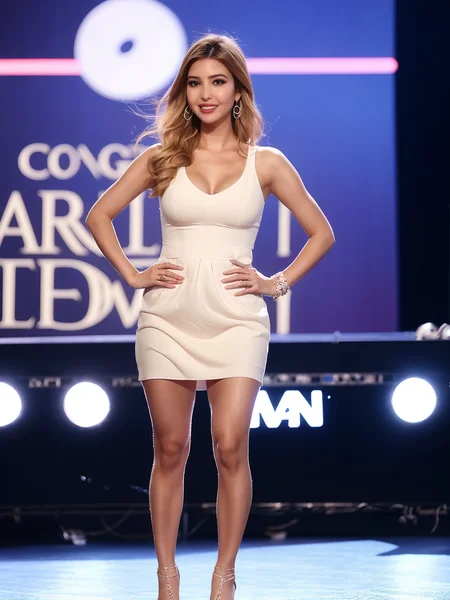
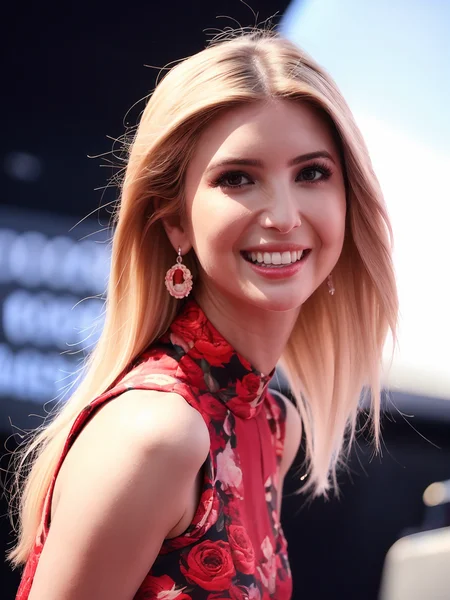
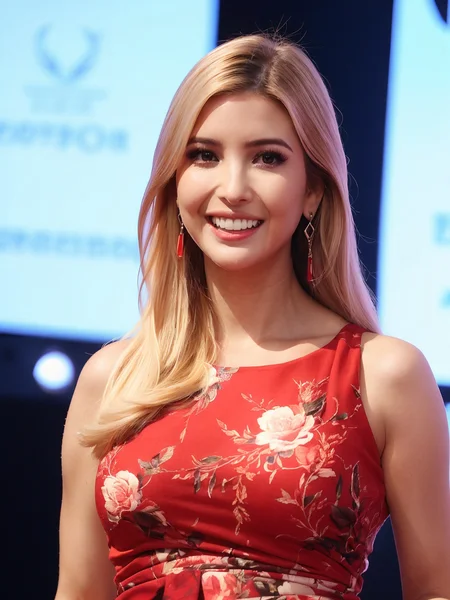
V2是关于我使用Flux模型进行肖像训练的lora,它大大改善了皮肤纹理和真实感。手指非常自然,欢迎下载学习。
V2 is about my use of the Flux model for portrait training, which greatly improves skin texture and realism. Fingers are very natural, welcome to download and learn。
Lora系数权重可参考0.8-1(可根据您的喜好进行调整)
Lora coefficient weight can refer to 0.8-1 (can be adjusted according to your preferences)
禁止使用此模型生成成人内容。上述模型仅用于学习目的。用户在使用模型时必须遵守当地法律法规,不得侵犯他人的荣誉、隐私和肖像权。用户在使用该模型时还必须遵守当地法律法规,不得侵犯他人的声誉、隐私和肖像权。
Prohibit the use of this model to generate adult content. The above model is only used for learning purposes. Users must comply with local laws and regulations when using the model, and must not infringe upon the honor, privacy, and portrait rights of others. Users must also comply with local laws and regulations when using the model, and must not infringe upon the reputation, privacy, and portrait rights of others。
接受Lora训练业务(类型可包含SD1.5/XL/Flux),当您收到样本图片并满意后,付款后会收到LORA文件。
We accept Lora training business (types include SD1.5/XL/Flux). When you receive the sample pictures and are satisfied, you will receive the Lora file after payment。
我只有在"civitai"发布我的lora,其余的地方皆是盗用。我创作的肖像很少涉及Civitai平台上的重复作品。如果你有任何最喜欢的名人艺术家,可以在评论区留言,我会继续更新她们。
I only post my loras on "civitai", and all other places are plagiarized. The portraits I create rarely involve duplicate works on the Civitai platform. If you have any favorite celebrity artists, please leave a message in the comment section and I will continue to update them。
如果你喜欢我的lora,可以找我讨论;
我的电报ID:@Jonathan_Madison。
If you like my Lora, you can discuss with me;
My Telegram ID:@ Jonathan_Madison。
Description
FAQ
Comments (12)
I suggest to use only ONE name for a "Trigger word", not an entire sentence. That way the creator can write a proper prompt for what he wants to create for an image.
- Take Notice - NEVER use the real name of the person you are making a model. Never. The Stable-Difussion was trained on 1996 famous faces and those images inside the program can interfere with your model training images, and your model will not look perfect as you wish to see.
Thank you for your input. Regarding the portrait LoRAs on my homepage, I want to clarify that they don't hinge on a fixed set of phrases to achieve the best results. This means there's no restriction on trigger words. It doesn't rely on a specific sentence, and artists aren't obliged to follow my descriptions for painting. You're absolutely free to use whatever prompt words you'd like to see, enabling a more personalized and creative exploration.
I do see the value in your advice about using single, powerful trigger words, and I'll keep this in mind for future improvements. Also, rest assured that I'm aware of the risks associated with using real names in model creation due to interference from Stable - Diffusion's training data, and I will strictly avoid it.
@Jonathan_Madison I wish you good luck and the best of good times making your models.
Personally, I am not going to use this Ivanka model, because I have no interest in her, but
I will be looking forward to other cool models you will create. Thank you !
@maxhitman Truly grateful for your response! Your support is the driving force for me to keep moving forward. I'll create each model with humility and dedication. Looking forward to bringing you more surprises, and I hope you'll keep cheering me on.^_^
@Jonathan_Madison I am posting here for you some tips and discoveries from my tests done on
the SD-1.5 that I have done since 2022 . I usually create highly detailed photo-realistic
images using SD-1.5, in the style of "sexy Boudoir Photography", or "Classic Pin-up style photos".
These are the most used and best Checkpoints to use for Photo-realistic pictures that I use....
.............................................
1 version -- BEST
Main checkpoint = RealisticVisionV1.3
--- triggers to use in your prompts = PHOTOREALISTIC
Below.... Add 3 other checkpoints to your SD-1.5 so you can blend more details and images into
your main checkpoint. These are located in your SD-1.5 menu in the A, B and C locations....
A - ProtogenX3.4
--- --- triggers to use in your prompts = = SAFETENSOR
B - Clarity_19
--- --- triggers to use in your prompts = = PHOTOREALISTIC
C - Deliberate
--- --- triggers to use in your prompts = = DELIBERATE
.............................................
Another selection of checkpoints to use for Photo-realistic images using SD-1.5
2 version -- BEST
RealisticVisionV1.2
--- triggers = PHOTOREALISTIC
Below.... Add 3 other checkpoints to your SD-1.5 so you can blend more details and images into
your main checkpoint. These are located in your SD-1.5 menu in the A, B and C locations....
A - ProtogenX34
--- triggers = SAFETENSOR
B - Deliberate
--- triggers = DELIBERATE
C - Clarity
--- triggers = PHOTOREALISTIC
.............................................
Another selection of checkpoints to use for Photo-realistic images using SD-1.5
3 version
RealisticVisionV1.2
--- triggers = PHOTOREALISTIC
Below.... Add 3 other checkpoints to your SD-1.5 so you can blend more details and images into
your main checkpoint. These are located in your SD-1.5 menu in the A, B and C locations....
A - Refined_v10
--- triggers = REALISTIC
B - Deliberate
--- triggers = DELIBERATE
C - ProtogenX34
--- triggers = SAFETENSOR
---------------------------------------------------------------------------------
Take Note = Even if some of these checkpoints were made about 2 years ago, they are still
very very useful , because they contain ALOT of great information embedded in them
for the best Photo-realistic picture creations.
The trick is to never just use ONE checkpoint, but also include 2, or 3, other checkpoints
in the A, B and C sections of your menu.
---------------------------------------------------------------------------------
---------------------------------------------------------------------------------
Best Samplers: choose one
- Euler a (faster rendering speeds)
- DPM++ 2M Karras (Slower rendering of images)
- DPM++ SDE Karras (Slower rendering of images)
- PLMS (Slower rendering of images)
---------------------------------------------------------------------------------
---------------------------------------------------------------------------------
CFG scale: The CFG scale adjusts how much the image looks closer to the prompt and/ or input image.
If CFG Scale is greater, the output will be more in line with the input prompt and/or input image.
On the other hand, the lower the CFG Scale value, the more likely it is
to drift away from the prompt or the input image, but the better quality.
CFG scale: best settings
Portraits: 7 - 8 - or 9
Landscape: 9 - or 12
-----------------------------
Steps: best settings
Portraits: 30 - 40 - 70
Landscape: 40 - 80 - 100
-
my personal choice for best quality AI photo-realistic photography
images is these settings ...
CFG scale - 8
Steps - 70
------------------------------
---------------------------------------------------------------------------------
Recommended Resolution:
2:3 ratio (i.e 512x768)
1:1 ratio (i.e 512x512 or 576x576)
---------------------------------------------------------------------------------
---------------------------------------------------------------------------------
..................
Check the RESTORE FACES for better rendering and for the A.I. to create
better faces.
..................
-------------------------------------------------
(BELOW) is a very good prompt script for doing tests and create
some nice images while you test your A.I. to create some famous faces.
Depending on what Checkpoint you will use, some times it will
create the face and body Very Good (A+), and
if it does not, then you may need to use a Lora, or a T.I. for training your
A.I. to make them better.
This is for a female NSFW photo-realistic Photograph !
I will also post for you a SFW image prompt below.
... Do not change the word placement, as this prompt has
been tested for many weeks as to be the best place for the words to be
in the script.
Each section has importance for the AI to understand better and to create better images.
.
...........................Positive prompt for Not Safe For Work .......................................
...IF ITS A LORA MODEL - You will write it like this ...
(<YOUR LORA MODEL:0.9>),a Realistic Full Portrait Photo of a ___place LORA Trigger word name here____ with long hair style, Beautiful, Detailed face, Perfect eyes, (highly detailed skin:1.1), (perfect breasts:1.1), ((perfect nipples:1.1)), perfect body, NSFW, nude, pussy, best quality, Modelshoot style, Professional Photography, Photorealistic, standing in a Dark Studio background, blurred background, RAW, analog style, sharp focus, 8k, ultra high resolution, DSLR, high quality, Fujifilm XT3, film grain, award winning, masterpiece
.
...IF ITS A TEXTUAL-INVERSION (EMBEDDING) MODEL - You will write it like this ...
a Realistic Full Portrait Photo of a ___place Embedding model name here____ with long hair style, Beautiful, Detailed face, Perfect eyes, (highly detailed skin:1.1), (perfect breasts:1.1), ((perfect nipples:1.1)), perfect body, NSFW, nude, pussy, best quality, Modelshoot style, Professional Photography, Photorealistic, standing in a Dark Studio background, blurred background, RAW, analog style, sharp focus, 8k, ultra high resolution, DSLR, high quality, Fujifilm XT3, film grain, award winning, masterpiece
.
...........................Negative Prompt for NSFW for all.......................................
.
(Clothes), (clothing), (pants), (bra), (underwear), (dress), (shirt), (skirt), canvas frame, (deformed iris, deformed pupils, semi-realistic, CGI, 3d, render, sketch, cartoon, drawing, anime, mutated hands and fingers, fused lips and teeth:1.4), text, close up, cropped, out of frame, worst quality, low quality, jpeg artifacts, ugly, duplicate, morbid, mutilated, extra fingers, poorly drawn hands, poorly drawn face, mutation, deformed, blurry, dehydrated, bad anatomy, bad proportions, extra limbs, cloned face, disfigured, gross proportions, malformed limbs, missing arms, missing legs, extra arms, extra legs, fused fingers, too many fingers, long neck, doll, child, un-detailed skin, monochrome, black and white,
.
.......................................................................................
.......................................................................................
.......................................................................................
...........................Positive prompt for Safe for work .......................................
...IF ITS A LORA MODEL - You will write it like this ...
(<YOUR LORA MODEL:0.9>), a Realistic Full Portrait Photo of a ___place LORA Trigger word name here____ with long hair style, Beautiful, Detailed face, Perfect eyes, (highly detailed skin:1.1), perfect body, best quality, Modelshoot style, Wearing a Gold dress designed by Chanel, Professional Photography, Photorealistic, standing in a Dark Studio background, blurred background, RAW, analog style, sharp focus, 8k, ultra high resolution, DSLR, high quality, Fujifilm XT3, film grain, award winning, masterpiece
.
...IF ITS A TEXTUAL-INVERSION (EMBEDDING) MODEL - You will write it like this ...
.
a Realistic Full Portrait Photo of a ___place your embedding model name here____ with long hair style, Beautiful, Detailed face, Perfect eyes, (highly detailed skin:1.1), perfect body, best quality, Modelshoot style, Wearing a Gold dress designed by Chanel, Professional Photography, Photorealistic, standing in a Dark Studio background, blurred background, RAW, analog style, sharp focus, 8k, ultra high resolution, DSLR, high quality, Fujifilm XT3, film grain, award winning, masterpiece
.
...........................Negative Prompt for SFW for all.......................................
.
((NSFW)), ((Nude)), (Naked), (pussy), (vagina), canvas frame, (deformed iris, deformed pupils, semi-realistic, CGI, 3d, render, sketch, cartoon, drawing, anime, mutated hands and fingers, fused lips and teeth:1.4), text, close up, cropped, out of frame, worst quality, low quality, jpeg artifacts, ugly, duplicate, morbid, mutilated, extra fingers, poorly drawn hands, poorly drawn face, mutation, deformed, blurry, dehydrated, bad anatomy, bad proportions, extra limbs, cloned face, disfigured, gross proportions, malformed limbs, missing arms, missing legs, extra arms, extra legs, fused fingers, too many fingers, long neck, doll, child, un-detailed skin, monochrome, black and white,
.
......................................................................................
.
IF YOU WISH for the model to be Outdoors, change the word script in the
section areas with these words below ....
Photorealistic, sunny, standing in a beautiful beach background, blurred background, RAW,
-or-
Photorealistic, sunny, standing in a foggy forest background, blurred background, RAW,
.
......................................................................................
......................................................................................
.
Using the above posted prompt, your images will look much better in details
and in a Photo-Realistic quality (without the use of any extra Lora or T.I.).
--- This is good for training and testing your A.I. Lora models to see if they are good.
.
The following images below were created just using the original Stable-Diffusion 1.5
without the use of any Lora/Lycoris/Textual-Inversion, and using the same style
of written prompt as I have posted for you above. In many cases your Stable Diffusion 1.5
has already been trained on creating over 1996 famous faces without the use of any pre-trained models.
It all depends on how well you write your prompts.
This is the full list of known faces - https://laion-aesthetic.datasette.io/laion-aesthetic-6pls/celebrities
-
-
https://i.imgur.com/VuiQgOU.jpg

-
https://i.imgur.com/4CHOqDC.jpg

-
https://i.imgur.com/SuuGCpx.jpg

-
https://i.imgur.com/3jziP2r.jpg

-
https://i.imgur.com/XgdQVXX.jpg

-
.......................................................
@maxhitman Dear maxhitman,
I hope this message finds you well. I would like to take some time to express my deepest gratitude to you for the suggestions you shared on Civitai. Your advice has been a real game - changer for me.
Every piece of advice you gave was well - thought - out and demonstrated a profound understanding of the relevant field. The [prompt recommendation] you mentioned opened up a whole new way of thinking for me, and I immediately put it into practice.
The creative ideas you shared with me are also of great value. It helped me solve a long - standing problem that had been bothering me. Without your guidance, I might have spent much more time fumbling on my own.
Your willingness to share your knowledge and insights with me is truly commendable. It's not every day that one meets someone as generous and helpful as you. I really appreciate the time and effort you put into carefully crafting these suggestions.
I'm looking forward to having more exchanges with you in the future. If you have any other ideas later, or if there's anything I can do to help, please don't hesitate to let me know. Thank you very much for your continued support, and I'm excited to see what remarkable achievements we can make together.
Best regards,
Jonathan_Madison
@Jonathan_Madison Hello again Jonathan. I am sorry for my late reply to you, because
I have been away for a while. I am happy to help you, because you have the mind and skill
of a good artist. By helping you create good things for yourself, in turn we can ALL
benefit from good AI art and images.
We must help each other to become better humans and artists.
I will give you some tips on how I have discovered some good ways to make your A.I. understand
better, some of the things you write in your prompts for creating images.
Some of that information I have already posted for you before, and I will give you now a better
explanation on how I do it.
In my discoveries along time ago (3 years ago), I tested many types of words and sentences on
how to better make the A.I. create images. I tested ALOT of different ways to do it.
This "robot AI" is still young (imagine it being a little 3 year old child) and it needs some
help in understanding the human language. When it does understand, it will create exactly
what you want to see.
I tested many types of writing but did not get much success. Since I am also a painter and artist,
I thought of doing things in a different way, which is different from
other people.
I have discovered that you NEED to describe and tell the A.I. how to make an image by
describing things "in Steps", and also include certain "trigger words" which the AI already
has knowledge of. What I mean by "in steps" is to describe in words to the AI as if YOU are talking
and describing things to a BLIND PERSON. Imagine you are talking to someone who does not
see things in this world (they are blind) , and you must describe and say things to the blind person for
them to understand of what YOU see. - It is like you are going to a museum and then
looking at a painting and describing that painting to blind person.
Look at the prompt I have written below as an example ....I will then describe how it is written
by "in steps"
.............................
a Realistic Full Portrait Photo of a 21 year old Taylor Swift woman with long blonde hair style, Beautiful, Detailed face, Perfect blue eyes, (highly detailed skin:1.1), perfect body, best quality, Standing Modelshoot style, Wearing a Gold dress designed by Chanel, Professional Photography, Photorealistic, standing in a foggy forest background, blurred background, RAW, analog style, sharp focus, 8k, ultra high resolution, DSLR, high quality, Fujifilm XT3, film grain, award winning, masterpiece
.................................
1 - First, you describe what type of image it is you want, or what type of Art you want to see.
2 - if the main subject is a woman (or man) you must start describing the person with details, include
a name if you want and age. Describe their hair, face, hair style, color eyes, then slowly looking down
the body and describing what type of body they have, what type of clothing they wear, and what
type of pose they are doing in the image.
3 - Describe once again what type of photography type it is.
4 - describe the background it is you want to see and the weather or sun conditions.
5 - describe what type of camera type you are using, what type of lens and its resolution.
6 - End the prompt sentence by saying some special "trigger words" the AI already understands
such as "award winning", "masterpiece"
By describing to the AI in steps what you want to see, the AI will create a better image with
much more details in the photo. There is no need to use a special Lora or Embedding for making
better details or camera light situations. The AI already understand this, you just need to put the
words in your prompt.
The same thing can be said about ART styles and Camera type and camera lens effects. Your AI
has already been trained on making them very well, without the need to use an extra Lora
or a T.I. Imbedding.
I will give you a LINK so you can see the types of ART and things the Stable-Diffusion can
create for you .....
@maxhitmanThank you for sharing your detailed insights on AI image creation. Your step-by-step descriptive approach is highly insightful, particularly in guiding AI through structured prompts to enhance detail generation. Your analysis of "trigger words" and photography parameters, along with the emphasis on avoiding reliance on additional models, offers valuable practical guidance. I will experiment with integrating this methodology into future projects to explore more precise image control. The example prompts and logical frameworks you provided serve as crucial references for optimizing output quality. Thank you for sharing your expertise in the comments—this is a valuable way to inspire others in the community, and I deeply appreciate your contributions. Looking forward to further discussions.
You don't happen to keep the training data for these, do you? I'm always curious to see how they're made!
You can elaborate on what you want to know from me. Maybe I can help.
I'm just curious to see the training data, I like seeing how the tags match up to the training images to make a good Lora like this one! :)
@HongryHongryHippo Hello! Regarding the data and label - matching issues for SD1.5 portrait training, when training, a rich and diverse collection of portrait images should be gathered as training data. In terms of labels, key features in the images need to be accurately described, such as the person's hairstyle (long - hair, short - hair, curly - hair, etc.), facial features (whether wearing glasses, having a beard, etc.), clothing style (casual, formal, ancient - style, etc.), and postures (standing, sitting, waving, etc.).
When matching labels with training images, ensure the accuracy and consistency of the labels. Specialized annotation tools can be used for this task. At the same time, to ensure good results for the trained Lora, pay attention to the quality of the data and avoid using blurry, incorrect, or irrelevant images. In addition, reasonably setting training parameters, such as the number of training rounds and the learning rate, is also crucial. Hope these can answer your questions.