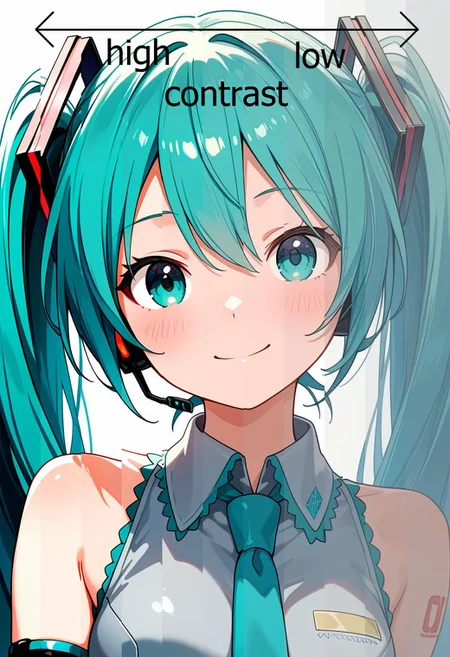
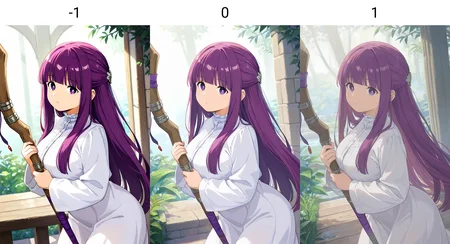
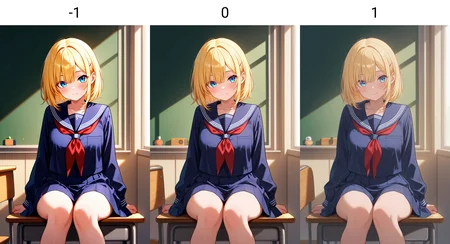
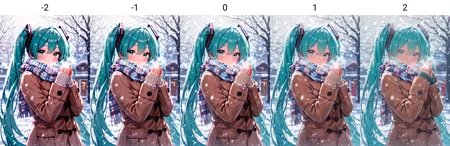
Update 2025-01-03: Added contrast slider
I noticed that my previous Amnesia + Avilia LoRA always looks too warm, so I made some patch LoRAs to fix that.
No triggers needed. LoRA weights can be set from -2 to 2, depending on your use case and your base model, but please be careful that larger weights may change the result composition.
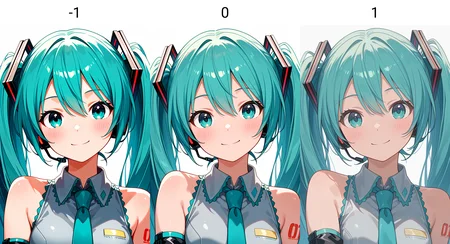
Color Temperature preview (色温):
positive weights make pictures colder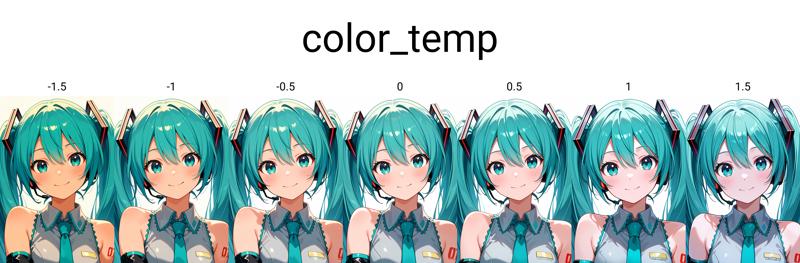
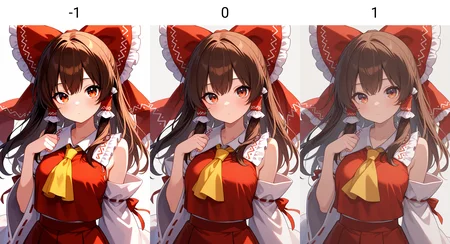
Saturation preview (饱和度):
positive weights make pictures less saturated
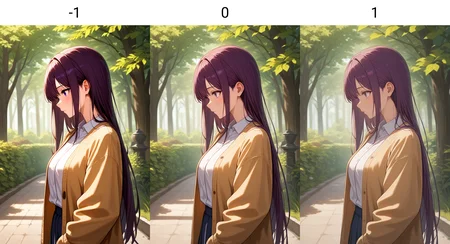
Brightness preview (亮度):
positive weights make pictures brighter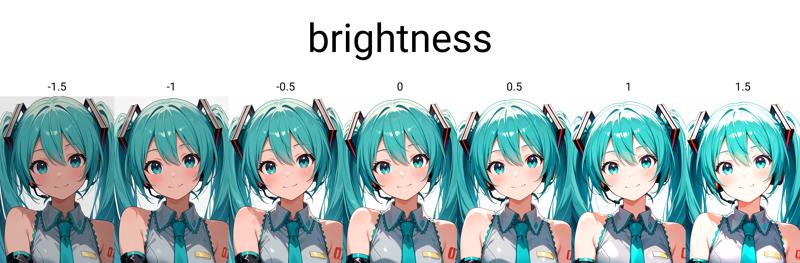
Contrast preview (对比度):
positive weights make pictures less contrast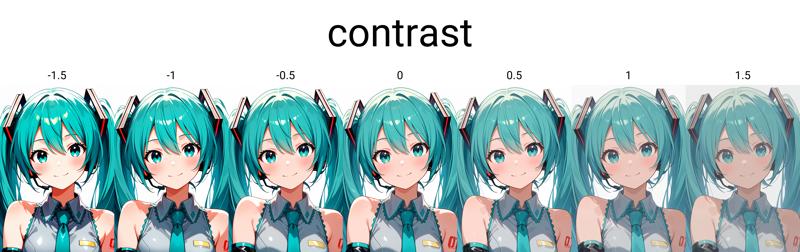
Description
FAQ
Comments (23)
AMAZING!!!!!
Great solution for when Automatic CFG makes your picture all washed up
this is so good
This is what I needed, great loras.
It's great Lora!
Can I share model that is merged your Saturation Lora ?
Contrast Lora saved me. Works perfectly. Doesn't affect style.
This is really useful. Would you consider adding a 'line thickness' slider too, for controlling whether borders / outlines are thick (highly stylized) or thin ('flat art')?
line thickness is a different storyline from these ones but sounds interesting
谢谢大佬,解决了困扰已久的图片泛黄的问题♥
要是有能调整borders/outline粗细的lora就更好了
How to control color temperature, saturation and brightness separately
You can select the corresponding LoRA version. They are listed under the title.
这是我第一次在c站评论,可以说这是迄今为止,我用过最好的lora
谢谢!
You are my god
One of the Must-have Lora Suites in my Opinion. Can't Get Enough of it! All of them are great and Have great Control for your Gens! Thank you for Releasing!
Thanks for the encouraging comment!
this is peak, thank you so much
这模型厉害了啊,看着拼出来的miku,一致性也太好了吧
absolutely god-tier LoRa😭
When changing the strength value, will brightness, saturation, and the rest all change simultaneously, or can I set different values for each of them?
Details
Files
Available On (2 platforms)
Same model published on other platforms. May have additional downloads or version variants.