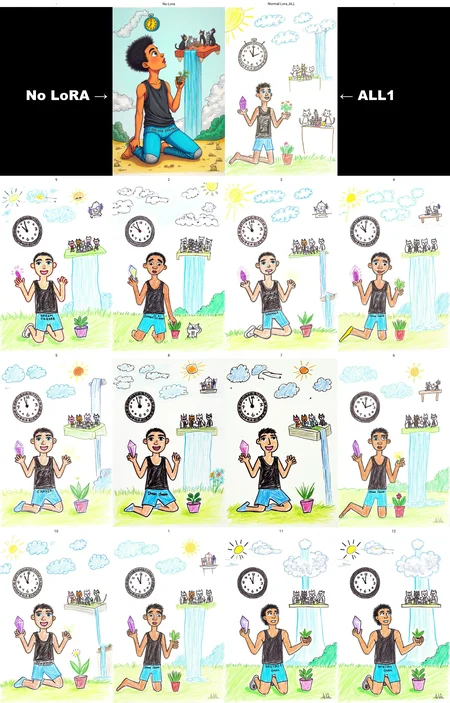
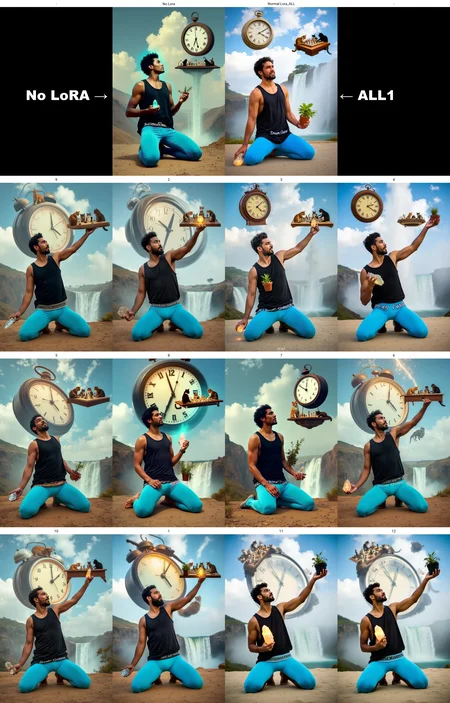
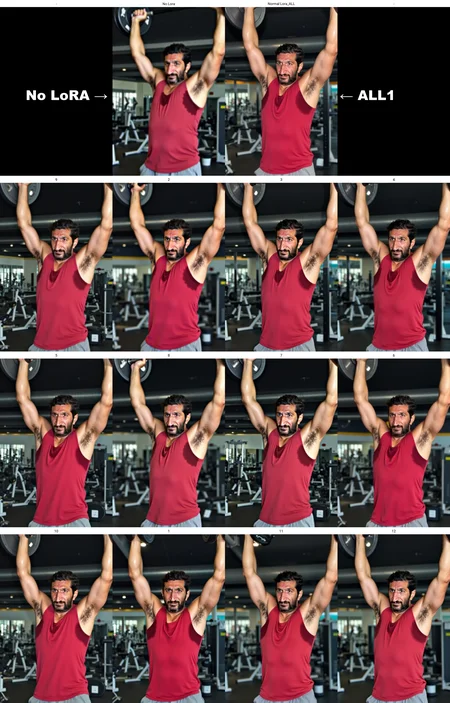
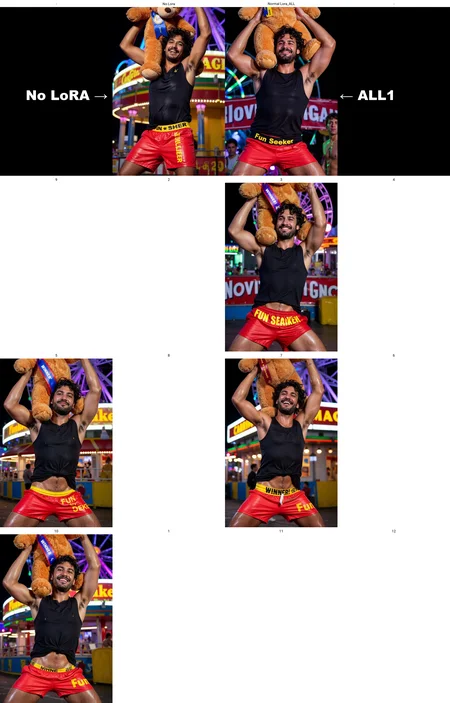
Read the changes of each version on the "about this version" on the right panel
Doing a block analysis can completely save a bad trained LoRA with a bad dataset, or even make a great one better! It can help make LoRas more flexible, compatible with each other and non-destructive with background, colors, quality, character faces etc. You can read more about it here: https://civarchive.com/articles/8733/post-training-block-weight-analysis-give-flux-loras-a-second-breath
Since then, some people have pointed out to me that my guide was not very practical at all. And they were correct. I basically said that it needs trial and error. So to make things a little easier, mainly for me, but I think it can help other people, I made this workflow.
It will create a sample of your LoRa with 12 of my own block weight presets that I found out worked somhow good for one of my Flux LoRas in the past. They were basically found after trial and error and testing.
They are all different from each other and may yell different results depending on your concept. Still, there are some presets that I would like to call attention to:
7 and 8, but mostly 7 is specially fantastic in keeping more influence of the original model like colors and contrast and might help keep the character pose, and face. Currently, I think it's the best preset most of the time IF your goal is to be less destructive of the original model. Keep in mind it might make your image "uglier" because most LoRas actually works as a realism enhancer since they are trained on good images. But 7 might strip that realism out, leaving your concept with the base model quality. This can be desirable, or not. Depends on what you want.
5, 9 and 10 are great and mostly similar. They will have mor of an influence of your LoRa concept, but might fix weird overcooked effects. I do like them as well.
3 4 and 6 are the one that will keep most of the fidelity to your full lora but is worth checking.
11, 12 are mostly new, and I have not tested them enough.
I think it's fairly simple to use. It will give you a plot with all the results in the end. You can also choose the presets you want to test to make it run faster. Any doubt, please leave a comment.
You can use my tool to remerge the LoRa with the desired block weight after the analysis: https://github.com/diodiogod/Flux-Block-Weight-Remerger
Description
Add: Workflow cross-posting with manual_hash and Civitai Hash Fetcher. You will NEED to uninstall image-saver and reinstall it by using my fork: https://github.com/diodiogod/ComfyUI-Image-Saver/tree/webp-workflow-save. My fork brings many improvements to image-saver like being able to add manual hashes to any model, control-net, etc. Being able to save webp (images with workflow and better prompt handling (that this workflow needs, aesthetically, so your prompt don't become a mess).
OR wait until my pull request gets merged to image-server current fork. https://github.com/alexopus/ComfyUI-Image-Saver/pull/57
Fixed: Will NOT write negative when NOT using skimmed or threshold, as it should.
Fixed: Again, better Positive prompt handling, will only add additional LoRas information when using additional LoRas.