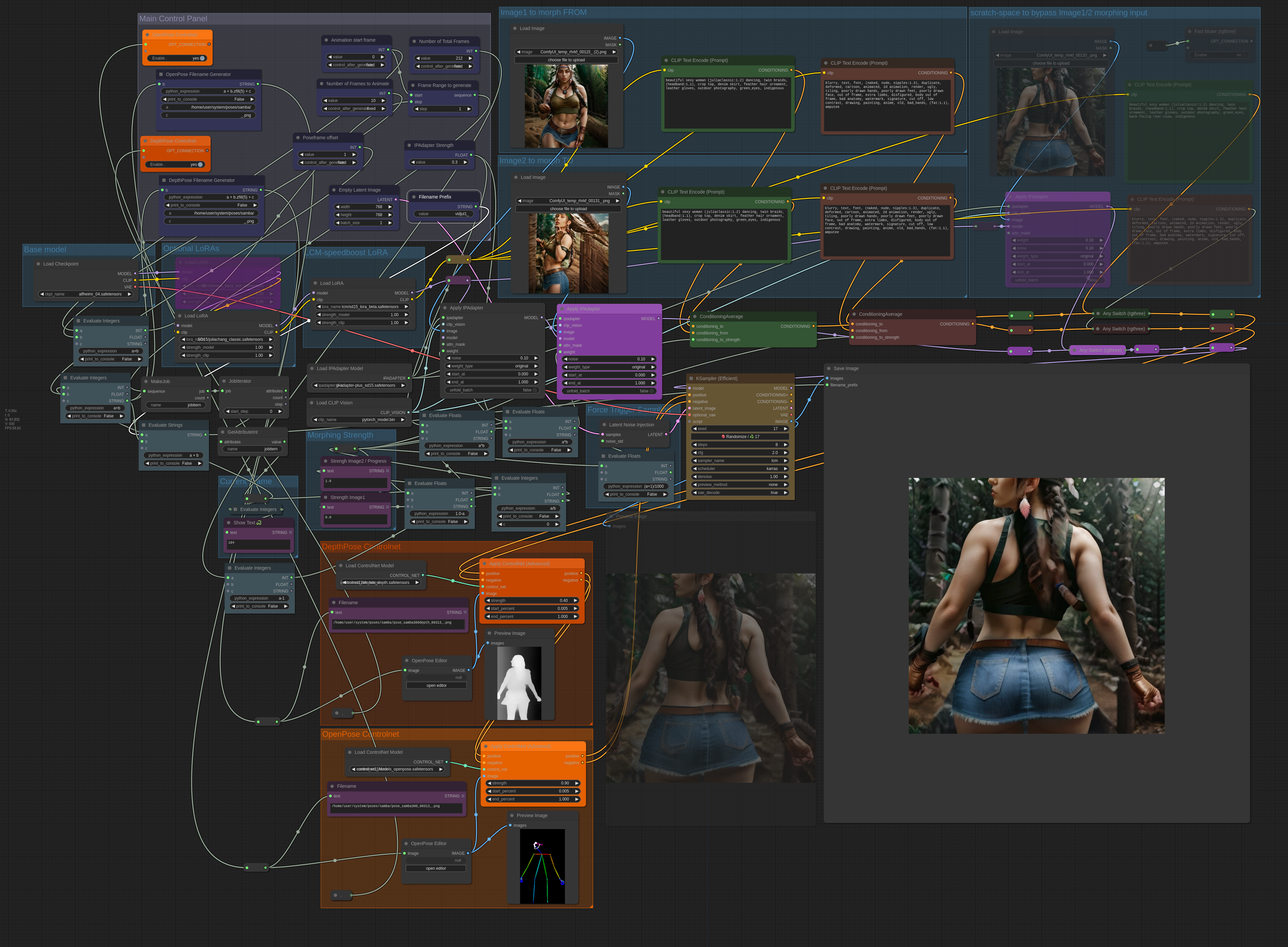
With this workflow I was able to create a 1024x1024 12.5s 8fps video in 19min (and 768x768 in 13min) on an RTX 2060 mobile with less than 4GB VRAM.
This workflow is intended to create a video morphing between two IPAdapter image models. In addition OpenPose images can be used to support the animation.
The workflow iterates through the frames one-by-one with batch size 1 and therefore uses low VRAM.
The workflow creates only the png-frames, so the actual video needs to be created with an external tool like ffmpeg:
ffmpeg -framerate 8 -pattern_type glob -i 'vid4*.png' vid4.webmVersion 2 remarks:
the calculation going into the save image filename_prefix should be changed to "a + b.zfill(5)" for easier sorting of filenames.
Here are some poses used for generating my example video: https://civarchive.com/models/329183 (filenames and paths need to be adjusted)
Version 1 remarks:
I am using the following OpenPose images in the workflow but it can be adapted to other Poses aswell:
https://civarchive.com/models/162947/open-pose-dwpose-running-animation-figures
(path needs to be adapted)
The workflow is currently using SVD as CLIP_VISION model, but other CLIP_VISION models/loaders could also be used instead.
Version 2 changelog:
Improved layout with groups
normal CLIP_VISION loader instead of SVD
Poseframe number saved in filename
Depth controlnet
Image morphing bypass, Controlnet bypasses
IPAdapter stength control
Version 2.5 (In progress, probably to be released in June):
option for more consistency between generated frames
replacement of hacky jobiterator nodes by either manual queue or loop nodes from impact pack.
Description
Improved layout with groups
normal CLIP_VISION loader instead of SVD
Poseframe number saved in filename
Depth controlnet
Image morphing bypass, Controlnet bypasses
IPAdapter stength control
...
FAQ
Comments (2)
fyi had to manually install https://github.com/ali1234/comfyui-job-iterator as comfy manger didn't find it.. here's the link for anyone else that needs it. Use comfy mangers install git option for easiest install.
Yeah good point, the jobiterator is also a bit hacky and I try to replace it with impactnodes for the loop or manual queueing in the next release of the workflow.. ^^