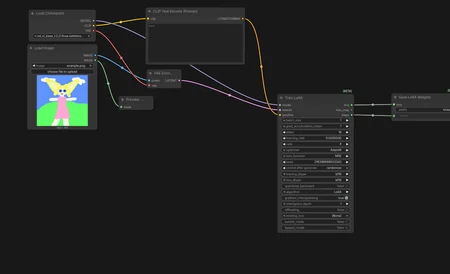
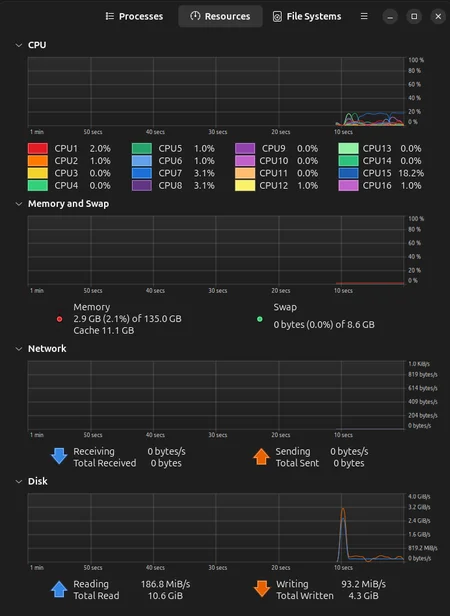
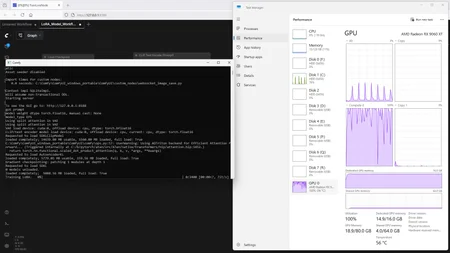
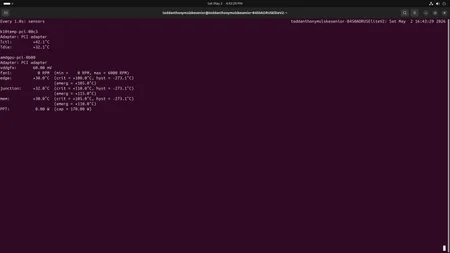
This is a Workflow Model that I made with Comfy to train a LoRA. It does work well without errors and only takes about 2 minutes to generate, so even if you have to use a CPU instead of a GPU; it should not overheat.
*Important*
Do not touch the settings on the Train LoRA Node if you are using your CPU or do not have a Workstation that can handle the process; it could burn elements of your system up. It is best to just use this as it is and generate your other LoRAs here on Civitai. This model I posted was just so you could take images and make a quick LoRA to use to see what kind of results you can get.
*Revised*
If the process does not move very fast and you are using a CPU, there is one thing you can do to get a completed job no matter what. If you set the Learning Rate higher, the resources required to generate a LoRA will be lower so the process will speed up. So try, .0006000 or .0007000 or .0008000, slightly increasing it at that interval until you can complete the LoRA without your equipment getting too hot; since you reduce the Learning Rate, there is less demand put on your system, but, the higher the Learning Rate the less trained the finished LoRA will be in correlation to the data you used to create it.
Description
This is a Workflow Model that I made with Comfy to train a LoRA. It does work well without errors and only takes about 2 minutes to generate, so even if you have to use a CPU instead of a GPU; it should not overheat.
*Important*
Do not touch the settings on the Train LoRA Node if you are using your CPU or do not have a Workstation that can handle the process; it could burn elements of your system up. It is best to just use this as it is and generate your other LoRAs here on Civitai. This model I posted was just so you could take images and make a quick LoRA to use to see what kind of results you can get.
*Revised*
If the process does not move very fast and you are using a CPU, there is one thing you can do to get a completed job no matter what. If you set the Learning Rate higher, the resources required to generate a LoRA will be lower so the process will speed up. So try, .0006000 or .0007000 or .0008000, slightly increasing it at that interval until you can complete the LoRA without your equipment getting too hot; since you reduce the Learning Rate, there is less demand put on your system, but, the higher the Learning Rate the less trained the finished LoRA will be in correlation to the data you used to create it.
Looks like we don't have an active mirror for this file right now.
CivArchive is a community-maintained index — we catalog mirrors that volunteers upload to HuggingFace, torrents, and other public hosts. Looks like no one has uploaded a copy of this file yet.
Some files do get recovered over time through contributions. If you're looking for this one, feel free to ask in Discord, or help preserve it if you have a copy.