DSLR Pro — SD 1.5 Checkpoint
Overview
DSLR Pro is a photorealistic portrait checkpoint trained on Stable Diffusion 1.5, built from a curated dataset of 1000 images at 640x960 resolution. The model specializes in generating highly consistent female portraits with exceptional skin texture, hair detail, and natural lighting. Trained using Kohya SS with 89-token captions combining natural language descriptions with Danbooru-style tags, the model has deeply internalized photographic qualities without requiring extensive prompting.
Trigger Word
frdslrlens
Always place the trigger word at the very beginning of your prompt. The model will not perform at full quality without it. Most photographic attributes — skin texture, subsurface scattering, hair detail, catchlight in eyes, film grain aesthetic — are automatically applied when the trigger is active. You do not need to describe these in your prompt.
What the Model Delivers Automatically
When frdslrlens is active, the following qualities are embedded and do not need to be prompted:
Photorealistic skin with micro pore detail and natural texture
Subsurface scattering and translucency on skin
Fine hair strands with natural flow and volume
Catchlight in eyes and detailed iris
Natural depth of field and bokeh
Film grain aesthetic consistent with DSLR photography
Anatomically accurate proportions
Natural lighting response
Prompt Structure
Keep your inference prompt under 40 tokens after the trigger word. The model's training captions were 89 tokens — leaving room for the embedded concept to breathe produces better results than overloading the prompt.
Recommended order:
frdslrlens, [quality tokens], [character], [outfit], [scene], [lighting]
Example:
frdslrlens, RAW photo, 8k,
1girl, brown hair, green eyes,
crop top, denim shorts, gold jewelry, black choker,
outdoor park, golden hour, bokeh
Tested Concepts & Results
The following concepts were tested across multiple generation batches and show strong consistency:
Characters successfully generated:
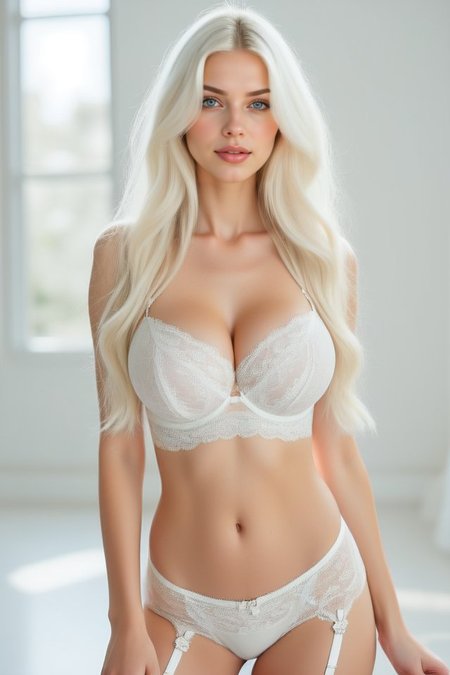
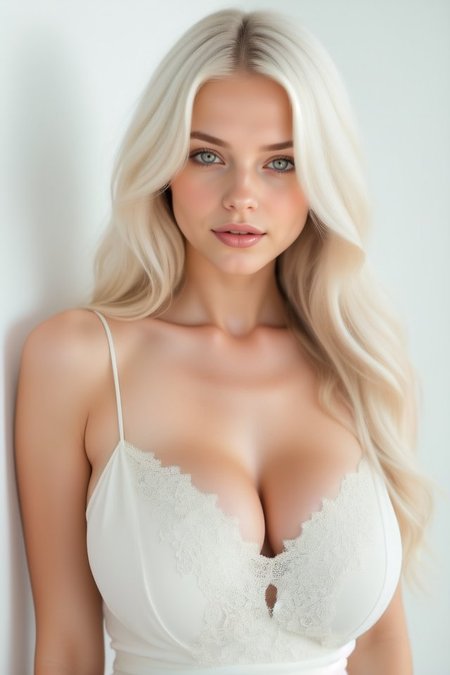
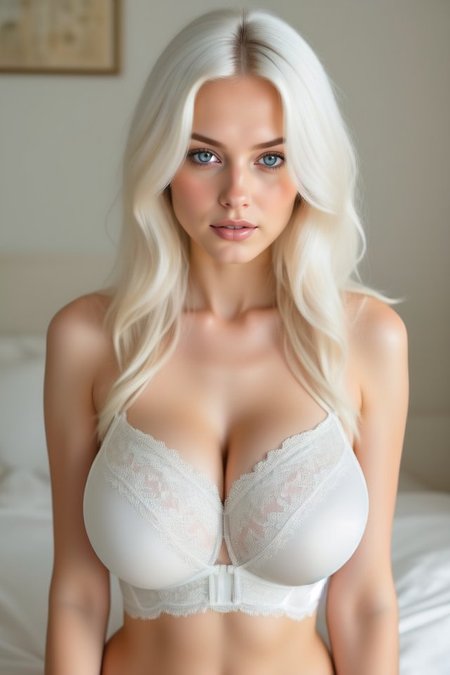
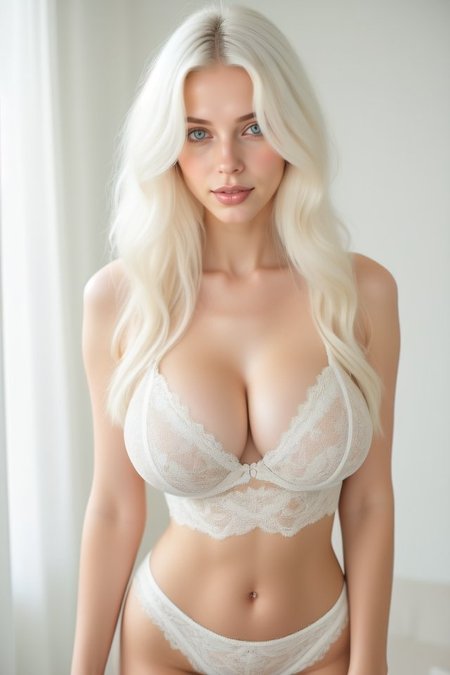
— Platinum blonde, blue eyes, white lace lingerie, indoor soft lighting — Asian features, dark hair, glasses, tweed blazer, snowy forest — Brown hair, golden skin, nude crop top, indoor neutral — Redhead, freckles, green eyes, floral dress, sunset field — highest consistency of all tested concepts — Dark brown hair, green eyes, black lingerie corset, urban park — White/platinum hair, green eyes, braided updo, bridal lace dress — Brown hair, green eyes, crop top, denim, gold jewelry, black choker — best overall prompt-to-output accuracy
Environments that perform well:
Indoor neutral / soft window light
Outdoor golden hour / sunset field
Snowy forest / winter outdoor
Tropical beach
Urban park with bokeh
Studio with cinematic lighting
LoRA Compatibility
The checkpoint is compatible with external LoRAs. Recommended weight range: 0.4 — 0.7
Avoid using LoRA at weight 1.0 — the checkpoint has a strong trained concept and high LoRA weights will override character attributes like hair length and body proportions.
When stacking a style or clothing LoRA over this checkpoint, always include frdslrlens as the trigger. Omitting it will produce a different character identity even if the LoRA performs correctly.
Tested behavior at different weights:
0.3 — LoRA barely visible, checkpoint dominates
0.6 — balanced, LoRA adds style without overriding character
1.0 — LoRA overrides hair length, body proportions, skin tone
Known Behaviors
Hair length — The model strongly prefers long hair. Prompting short hair or medium-length hair may be partially ignored. Use higher attention weights if needed: (short hair:1.4)
Eye color — Green and brown eyes are most stable. Blue eyes appear in some seeds without being prompted — a residual from the training dataset.
Accessories — Jewelry, earrings and necklaces appear frequently as the dataset captions included detailed accessory descriptions. If you want a clean look without jewelry use the negative prompt: jewelry, necklace, earrings, choker
Freckles — Appear occasionally without prompting, especially on lighter-skinned generations. This is a dataset characteristic, not a bug. To suppress: add freckles to negative prompt.
Outfit color — The model interpolates outfit colors freely when not specified. For precise color control use weighted tokens: (yellow bikini:1.3)
Body proportions — The model generates hourglass proportions by default from training. This is deeply embedded and difficult to override with prompting alone.
Negative Prompt
lowres, bad anatomy, bad hands, extra fingers, missing fingers,
deformed, ugly, blurry, watermark, text, signature,
cartoon, anime, 3d render, painting, overexposed,
bad proportions, disfigured, mutated, (worst quality:1.4),
(low quality:1.4), jpeg artifacts, cropped
Resolution
Native training resolution: 640x960
Best results at this resolution or with hires.fix upscale. Portrait orientation recommended for all generations. Square crops will reduce quality noticeably.
Technical Notes
Architecture: Stable Diffusion 1.5
Training: Kohya SS
Dataset: 1000 images, 640x960
Caption style: Mixed natural language + Danbooru tags, 89 tokens average
Recommended inference token budget: 40 tokens after trigger word
⚠️ CONTENT WARNING (NSFW):
This merge is uncensored and capable of generating high-quality explicit NSFW content and nudity. It has a tendency towards revealing clothing in casual settings.
For SFW results: Strong negative prompts are highly recommended (e.g.,
nude, nipples, explicit, nsfw).
⚠️ LICENSE & PERMISSIONS (READ BEFORE DOWNLOADING)
1. PERSONAL USE ONLY This model is provided free of charge for Personal, Non-Profit, and Research use only. You may use it to create images for your personal portfolio.
2. STRICTLY NO REDISTRIBUTION
❌ DO NOT re-upload this file to Civitai, Hugging Face, or any other platform.
❌ DO NOT host this model on third-party generation services (e.g., Tensor.art, Mage.space, Telegram Bots).
3. COMMERCIAL RESTRICTIONS Using this model or its outputs for commercial revenue (Influencers, Ads, Stock Photos) without a license is PROHIBITED.
💼 COMMERCIAL SERVICES & COMMISSIONS
I do not sell the model file for commercial use. Instead, I offer premium AI solutions for brands and agencies:
✨ Exclusive AI Influencers: I create and manage consistent digital personas for Instagram/Social Media.
🏢 Corporate B2B LoRAs: Custom training for brand identity and mascots.
📸 High-End Image Packs: Monthly content packages for your brand.
To hire me for professional AI Modeling services: 📩 Contact: [[email protected]]
I recommend using the Adetailer extension.
Use this extension to fix hand errors:
https://github.com/licyk/advanced_euler_sampler_extension
Use these recommended settings for generation:
Sampling method: Euler_Max
Sampling steps: 30-50
CFG Scale: 2.0 - 7.0
Skip clip: 1-2
Sampling method: Restart
Sampling steps: 30-50
CFG Scale: 2.0 - 7.0
Skip clip: 1-2
Sampling method: Kohaku_LoNyu_Yog
Sampling steps: 30-50
CFG Scale: 2.0 - 7.0
Skip clip: 1-2
Sampling method: Euler_Smea_Dy
Sampling steps: 18-50
CFG Scale: 2.0 - 7.0
Skip clip: 1-2
Sampling method: Euler a
Sampling steps: 18-50
CFG Scale: 2.0 - 7.0
Skip clip: 1-2
Sampling method: LCM
Sampling steps: 18-30
CFG Scale: 2.0 - 7.0
Skip clip: 1-2
Sampling method: DDPM Karras
Sampling steps: 18-30
CFG Scale: 2.0 - 7.0
Skip clip: 1-2
Sampling method: DPM++ 2M
Sampling steps: 18-30
CFG Scale: 2.0 - 7.0
Skip clip: 1-2
Sampling method: DPM++ SDE Karras
Sampling steps: 18-30
CFG Scale: 2.0 - 7.0
Skip clip: 1-2
Sampling method: DPM++ 2M SDE Karras
Sampling steps: 18-30
CFG Scale: 2.0 - 7.0
Skip clip: 1-2