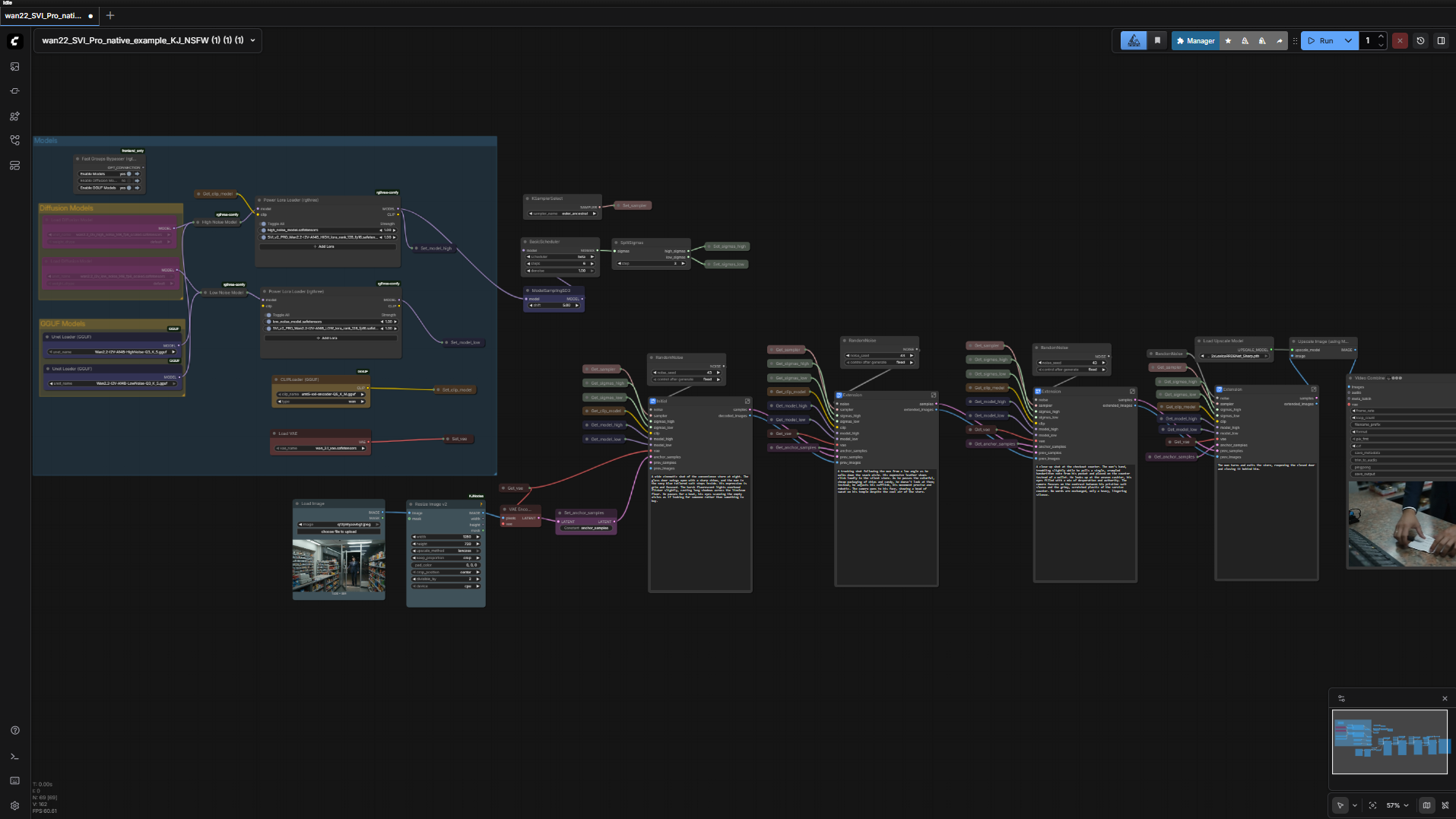
Break the 5-second limit. This custom workflow unlocks the full potential of WAN 2.2 by integrating Stable Video Infinity (SVI) LoRAs with LightX2V lightning models.
Instead of short, disconnected clips, this setup allows you to daisy-chain segments together to create long-form, seamless videos that maintain character identity and lighting consistency. I've also optimized it for speed and lower VRAM usage by incorporating GGUF support and a 4-8 step generation process.
✨ Key Features
♾️ Infinite Length: Uses SVI LoRAs to condition new clips on the previous frames, creating seamless transitions for as long as you want to generate.
⚡ 4-Step Lightning Speed: Integrated LightX2V LoRAs reduce sampling steps from 20+ down to just 4-8, making iteration blazing fast.
📉 Low VRAM Friendly: Native support for WAN 2.2 GGUF quantized models (works on 6GB+ VRAM).
✨ Built-in Upscaling: Includes a dedicated upscaling chain to polish your final output.
🔀 Easy Extension: Modular "sub-section" groups allow you to simply clone and connect nodes to extend the video length instantly.
📺 Video Tutorial
I walk through the entire installation, model setup, and prompting strategy in my YouTube tutorial. Watch it here to get the best results:
📦 Required Models
To avoid red nodes, make sure you have the following in your ComfyUI models folders:
Checkpoint: WAN 2.2 I2V (GGUF recommended for this workflow).
LoRAs:
SVI v2.0 Pro (Image-to-Video).
LightX2V (High/Low).
Text Encoder: UMT5_fp8 Clip.
VAE: WAN 2.2 VAE.
(Detailed links to all models can be found in the YouTube video description!)
🤝 Support & One-Click Installer
If you want to skip the manual installation of ComfyUI, Python environments, and model management, I offer a fully automated One-Click Windows Installer for this exact workflow (and many others).
Get the One-Click Installer here:
https://www.patreon.com/posts/147707880
Enjoy the workflow and share your generations in the gallery!
Description
FAQ
Comments (7)
Video link not working, can you check? Thank you!
Sorry about that, the video wasn't uploaded to YouTube yet but its up now.
I grab this workflow the other day. I made 1min long video and it was flawless. You can copy past the Extensions and just keep adding to make the render even longer. By far the best I seen thus far. Great work on this one.
Just curious about the workflow. How come there's two SamplerCustomAdvanced nodes in the "Initial" subgraph and each "Extension" subgraph?
What purposes does the 2nd one serve?
Love the workflow, been experimenting with different loras and models... I have a question though, how do I increase the duration or amount of frames per clip? I cant seem to find it..
You have to click the little arrow in the top right corner of each the four subgraphs nodes(or how many you added after) and modify the "length" value in the WanImageToVideoSVIPro node. You would basically be setting the number of frames you want to set for each section.
is there a way to add mmaudio here or something a little better than that?