

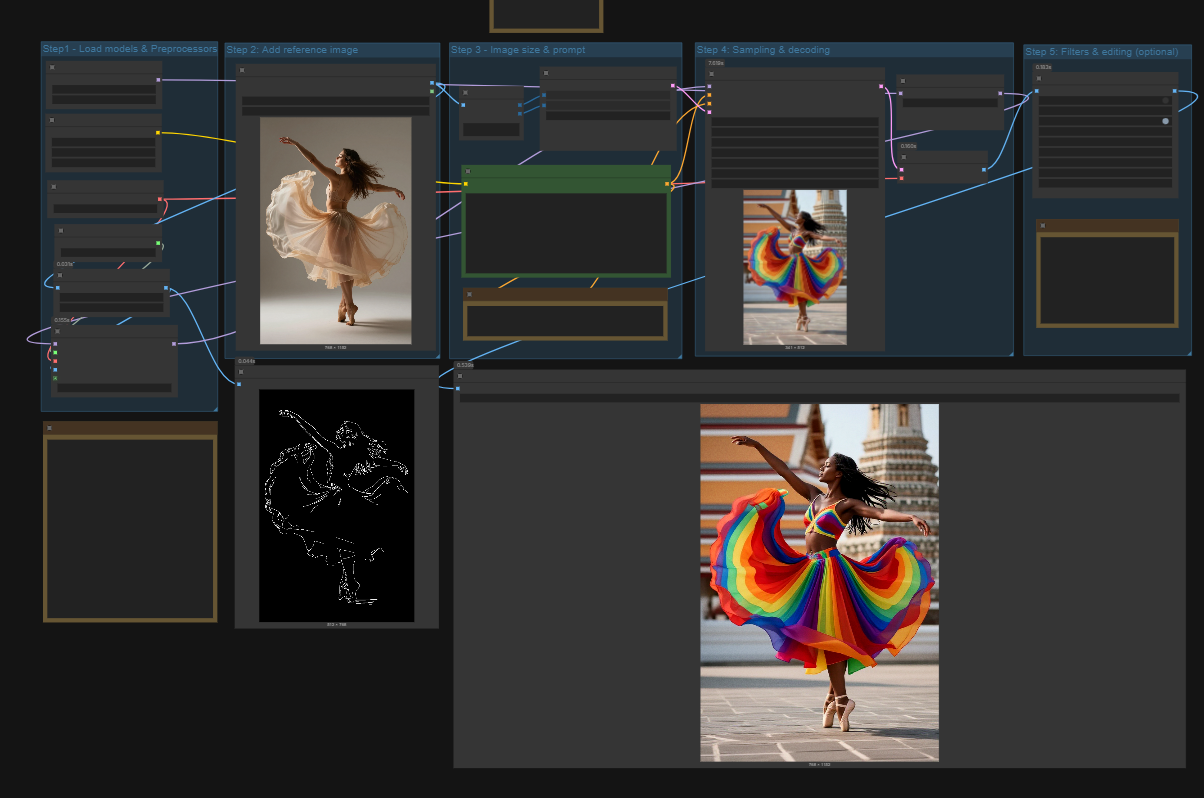
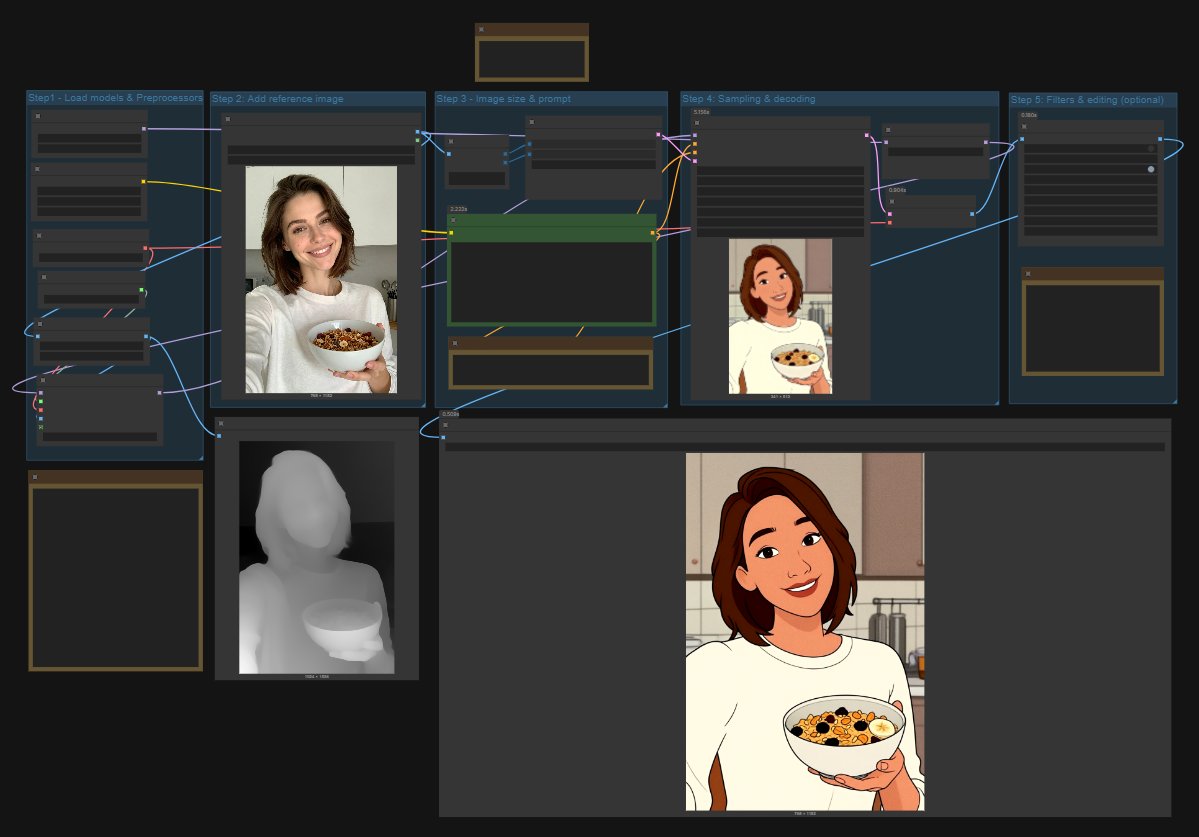
🎨 Z-Image Turbo Controlnet Workflow
This is a fun and efficient workflow designed around Z-Image Turbo generation.
💡 Requirements & Tips
Models: Check the Notes within the workflow for the names of the required models and their corresponding folder paths.
ComfyUI Update: To ensure stability, please update your ComfyUI to the latest version. It is highly recommended to select the "Nightly" version in the left column of the ComfyUI Manager to avoid potential issues, especially with the
ModelPatchLoader.Recommended Preprocessors: In the
AIO Aux Preprocessornode, the following preprocessors have been confirmed to work well and are highly recommended for optimal results:CannyEdgePreprocessorDepthAnythingPreprocessorOpenposePreprocessor
A detailed guide for this workflow will be added soon.
👷♀️Fixing errors
ModelPatchLoader, local variable 'model' referenced before assignment
(or similar loader related errors)
If you see this error when running the workflow in ComfyUI, it usually means your installation is not fully updated and one or more loader files are outdated.
Here are the steps that solve it in almost all cases:
Do not rely only on ComfyUI Manager for updates.
On some systems, especially macOS, updating through the Manager does not apply all required files.Portable version users:
Use the update script inside the update folder.
On Windows: runupdate_comfyui.bat.
On macOS or Linux: run the included update script or usegit pullif you installed via Git.Desktop version users:
The desktop build can be slightly behind in updates. If the error persists, switch to the portable version or update your local repo manually withgit pull.Missing nodes:
Make sure you've installed all nodes (missing nodes via the comfyUI manager). The Huslyo123RealismNode is Discord only, but you can just select the node and press delete. It will not break the workflow!Switch to the Nightly version in ComfyUI Manager:
In the left column under Update, change ComfyUI stable version to Nightly version and reboot ComfyUI.
After a full update, the workflow should run without the ModelPatchLoader error.
Description
A follow is highly appreciated
ControlNet for Z-image functionality has only recently been made available. While this initial workflow is functional, expect changes and improvements in future versions as the feature evolves.
FAQ
Comments (22)
Z-Image Turbo Controlnet destroys the image quality
Yeah, kinda. You can always add an upscaler or (sdxl) refiner to the workflow. This is just a base controlnet workflow for now.
@fox23vang226 thanks! Will test tomorrow. Looks awesome
Yes, but we can cheat with 2-step generation. Get as idea - Z-Image 2-step T2I with DepthControl - v1.0 | ZImageTurbo Workflows | Civitai
Updated the workflow!
Nice! Thank you.
gat an error
"Modelpatchloader : cannot access local variable 'model' where it is not associated with a value"
any idea?
prob you dont have the model in the folder, should be at "model_patches"
@drcfr have it already but always got an error
@Wh1temonday I have updated the workflow and I also updated the instructions on the Civitai page to include the fix for this error.
What does your discord node do?
It's an all-in-one tool designed to improve the photorealism and film quality of AI-generated images.
The core presets are based on my favorite Lightroom CC presets.
Key Features:
- Tone Mapping (S-Curve): Adds deep contrast and an HDR-like cinematic feel.
- Realism Filter: Applies fine-tuned adjustments for Contrast, Saturation, Brightness, Sharpness, and Film Grain based on chosen presets (like realism_base or realism_film)."
- Fully Customizable: While presets provide a base, you have full control to fine-tune Brightness, Contrast, Saturation, Grain, and Sharpness in the workflow before generating the image.
The effect of my node is often subtle, but its main purpose is workflow efficiency. It saves me time.
While my node is an all-in-one solution, you could replace almost all its functions using separate, free ComfyUI custom nodes like:
FilmGrainhttps://www.runcomfy.com/comfyui-nodes/ComfyUI-post-processing-nodes/FilmGrain
Brightness/Contrast: https://www.runcomfy.com/comfyui-nodes/ComfyUI_LayerStyle/LayerColor--Brightness---Contrast
etc.
This custom node is a small, exclusive extra for members of my private Discord community. It is not the main reason to join; most members join for the LoRA creation and dataset guides! 😉
The workflow works perfectly without the node! You can easily select it and press delete if you don't want to use it. ComfyUI will automatically correct the links between the remaining nodes.
Thank you very much, any way to buy it directly? I'm not really into discord servers for single software, I don't intend to ask for support. Anyway amazing workflow, I'm using it without the custom node and works amazing!
Hello! Thanks for the forkflow. I have a question: is there anything I can do to ensure the final resolution isn't tied to the original image? Thank you in advance for your reply.
warning: i updated to comfyui nightly and broke my whole comfyui, luckily chatGPT helped me fix it. If you dont want to deal with that wait until the stable version of comfy supports this workflow without errors.
nevermind, was an error in my setup. Fixed it and its working fine now.
ModelPatchLoader cannot access local variable 'model' where it is not associated with a value. i used nightly version
Check all the other tips in the text!
Same here, all updated now but still get the error....
@Huslyo123 The same thing, but three days ago, everything worked.
Can you add a char lora with a bunch of style/concept/slider loras to this workflow?