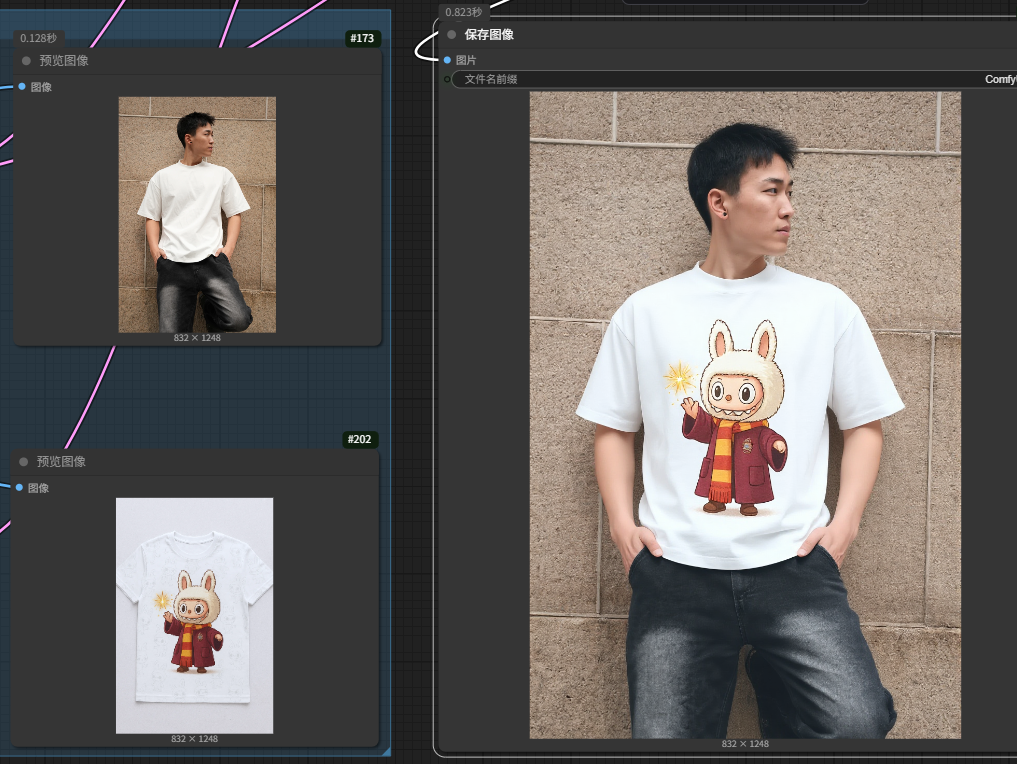
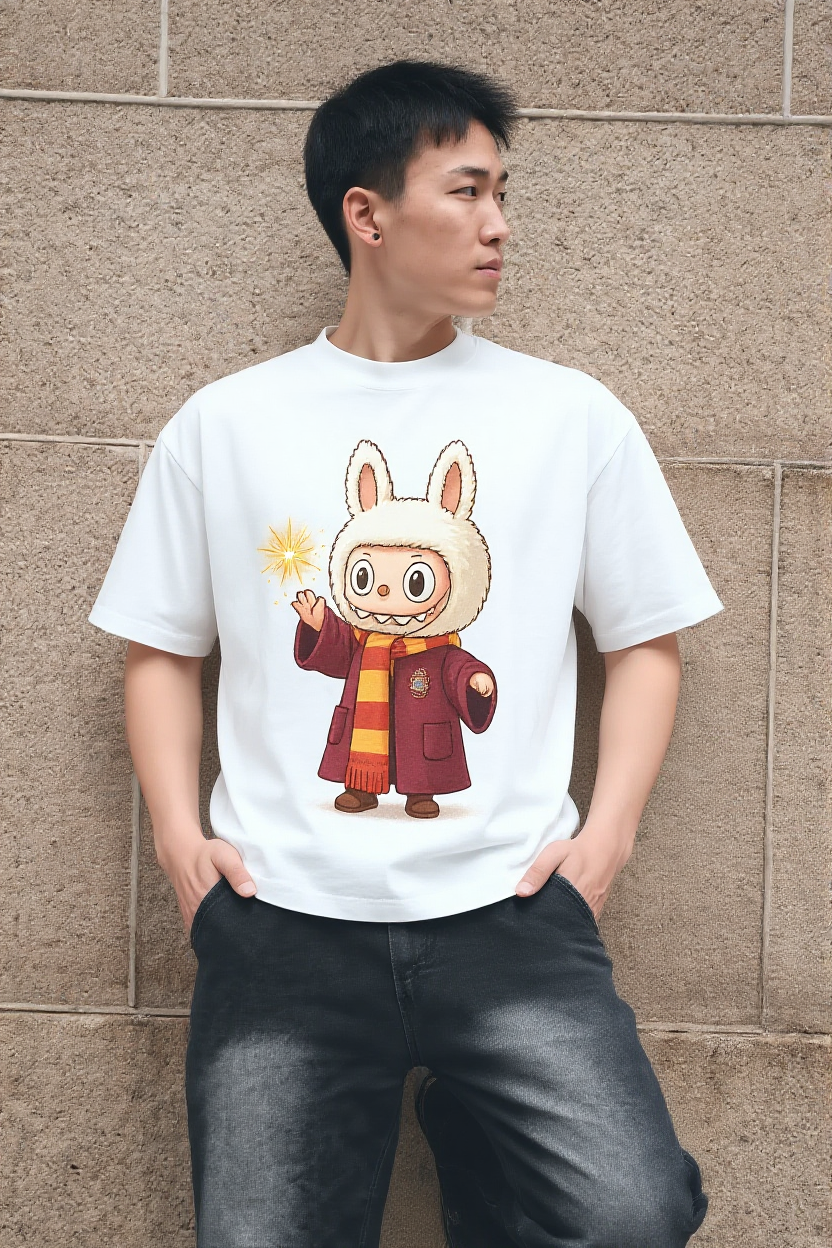
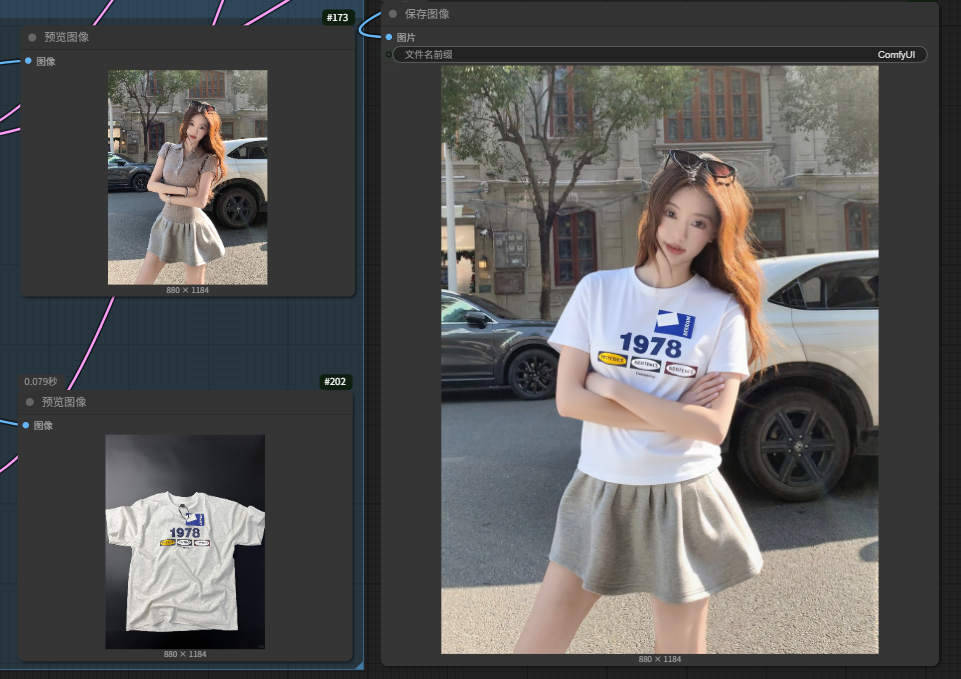
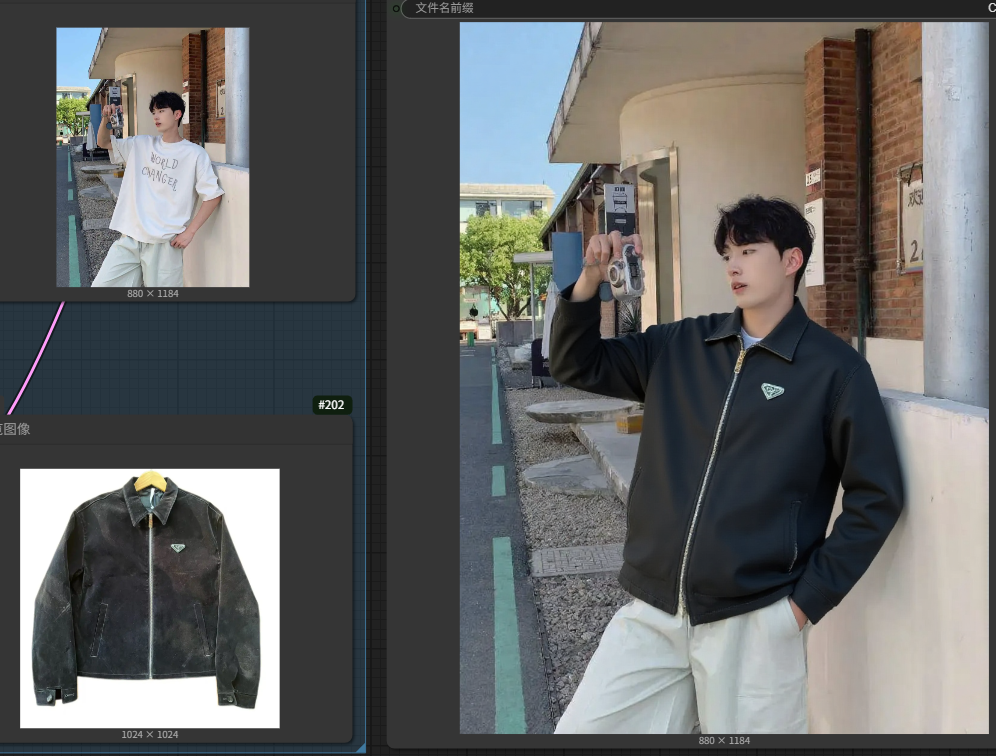
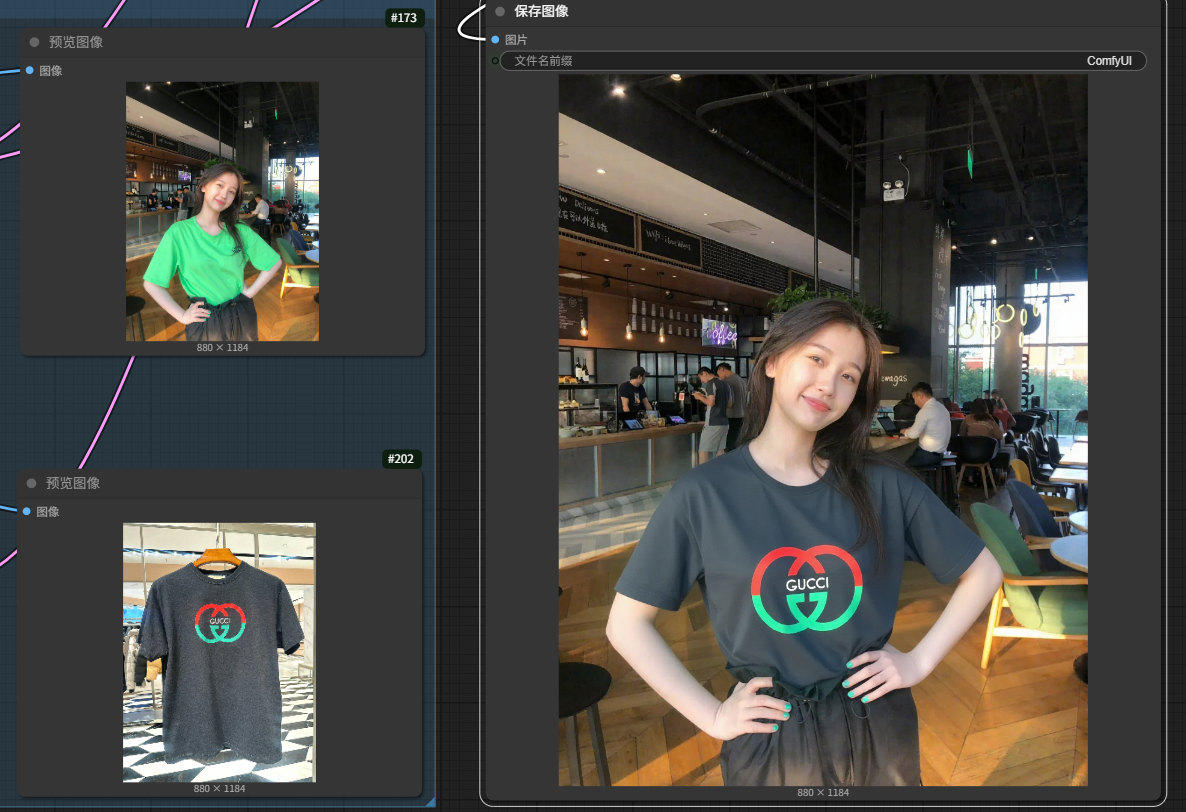
change man/woman xx_clothes to xx_clothes,
keeping the person in the exact same position, scale, and pose. Maintain identical subject placement, camera angle, framing, and perspective.
准备两张图片,底图和目标换装衣服图片,换装图需要是纯衣服的图片,最好背景干净,可以加个抠图节点
训练集只有8张普通的T恤外套衬衫用于测试,没有裙子、裤子、吊带、内衣...,如果只是更换夏天的服饰,成功率很高,其它的没测过,裙子随便测了下,很一般
这是测试的第一个lora,主要测试能否训练,实际生图测下来,我发现,很多衣服不知道怎么描述,我理想中的提示词是"change woman/man clothes to image2 clothes",但是开始没想那么多,将就用吧
Prepare two images: a base image and a target clothing image. The clothing image should be of the garment only, preferably on a clean background. A background removal node can be added.
The training set only contains 8 basic T-shirts, jackets, and shirts for testing (no dresses, pants, camisoles, underwear, etc.). The success rate is high for summer clothes; others are untested. A quick test on dresses performed poorly.
This is the first test LoRA, mainly to verify that training is possible. During generation, I found many clothes are hard to describe. My ideal prompt is "change woman/man clothes to image2 clothes", but I didn't think it through at the start
Copy my workflow:
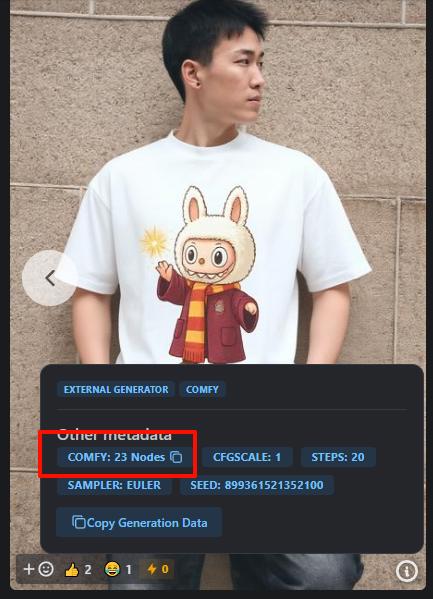
Click the Info Icon in the bottom right corner of the image to copy the workflow, then paste it into ComfyUI.
Description
FAQ
Comments (30)
Can you share the workflow
+1
+1
Copy generation data and create new file save as .json and open on comfyui.
Click the exclamation mark in the bottom right corner of the image to copy the workflow, then paste it into ComfyUI.
Can you share your lora training config?
期待更新
Got the LoRA and the workflow but it doesn't change the clothing.
Please tell me how you trained this lora? At the input you had 2 glued images (a person and clothes), and at the output one image with a dressed person?
So far this has worked amazingly well. I did pull one of your images into comfyui (with the nodes in it), and I bypassed the GoogleTranslate Node (not needed for me). Made a few Extended Save Node tweaks, and downloaded you LORA. So far it's worked better than expected. It does take a while, but for a 3060 12GB Card, that's fine as the output does what it says it's going to do. I'd post examples, but I don't have permission from the people that I swapped clothing on, cheers.
Don't work
support anime?
does anyone know any good articles for explaining how to best use two images in regards to flux kontext, I'm using it in forge and I'm getting hit or miss results?
I'm fighting with this too. Sometimes works like a charm, sometimes fails. It's just Kontext still doesn't work 100% I think
I found this one but it's not very helpful... https://www.nextdiffusion.ai/tutorials/flux-kontext-dev-multi-image-workflows-comfyui?
I found this one but it's not very helpful: https://www.nextdiffusion.ai/tutorials/flux-kontext-dev-multi-image-workflows-comfyui?
Works good on other types of clothes, which FLUX was seriously lacking. Good job. Look forward to your improvements in the future.
не работает
Very successful. Congratulations. It will be very useful for me.
你好!
我最近在尝试用 FLUX Kontext 训练一套能够精准换装(特别是 T 恤)的 LoRA。看到你分享的效果非常棒,想请教一下你在训练 LoRA 时用的是什么数据集?
比如:你用的是单独衣服的照片,还是人穿着衣服的照片?大概有多少张图片?有没有对图片做特殊处理(比如去背景、标签等)?
非常感谢你的分享和帮助!
祝好!
hey bro amazing but currently its only accurate with shirts , could you please get it to work for dresses etc ? you can tell me how much it costs ill pay for it and i have a good database for clothing dresses shirts jeans suits etc includes detailed prompting for it as well if ur interested let me know please
我也有训练能力,你可以联系我
It doesn't work......
does it work with forge or only comfyUI?
For those having issues keeping the same pose but the clothes still transfer; first of all, the other Try Anything Kontext workflow may work better for most of you when it comes to simplicity. But most importantly: if your pose or angle keeps changing no matter what you do, turn the denoise from 1 to 0.90. Keeps your original reference subject/pose much more in-place and still gives the LoRA and model plenty of headroom to make the necessary changes. With the denoise slightly down, your pose and composition will remain a decent 90% of the time and also have better faithful quality to the input image. This is a very overlooked setting, your denoise at 1.0 may actually wash out details or hallucinate more details, so setting it down lower; 0.85 and lower will not allow any changes, but around 0.9 it will look nearly identical to the original and it will conform the clothing to the subject much better than 1.0 denoise strength. Hope this helps anyone struggling!
Aww, thanks a bunch! that really helps
Details
Files
Available On (1 platform)
Same model published on other platforms. May have additional downloads or version variants.