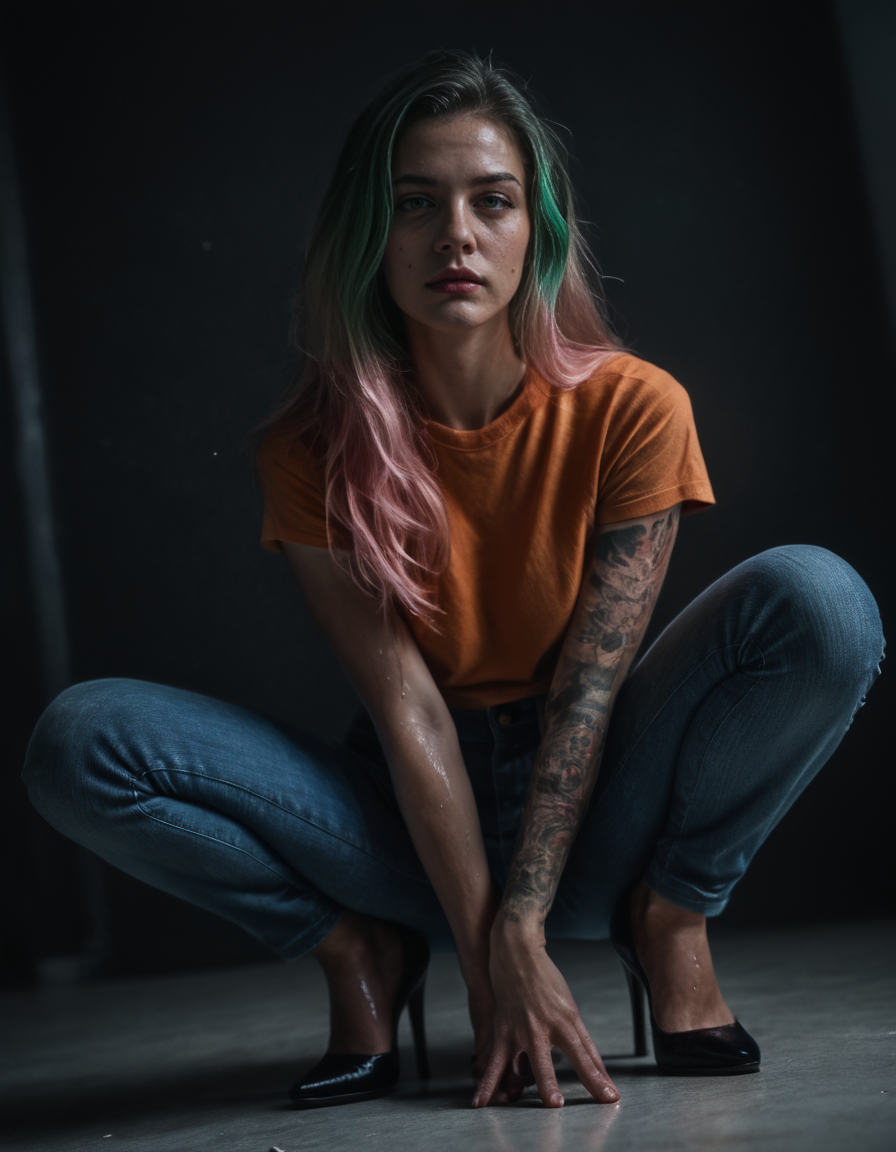

The All-in-One Realism LoRA Realism Lora By Stable Yogi-v3
Why stack 10 different LoRAs when one can do it all? This LoRA is built to deliver balanced, lifelike results straight out of the box—from hyperrealistic skin tones and delicate freckles to natural lighting and authentic camera vibes. It’s designed to handle everything, whether you’re aiming for soft lifestyle portraits, casual fitness shots, or cinematic boudoir scenes.
Check out the Pro Version on Patreon 🔗 – 30% more data, flexible from 0.3 to 1.5
Key Highlights
One LoRA, all features – skin detail, realism, and mood are perfectly blended.
Organic textures & freckles that look naturally embedded, not painted on.
Amateur photography feel with realistic depth of field and color balance.
Works beautifully on faces and full-body shots without breaking anatomy.
Effortless control: performs well with weights between 0.4 – 1.5.
Ideal for Illustrious, SDXL, or Pony checkpoints.
💡 Want more skin depth, full-body precision, and cinematic control?
Check out the Pro Version on Patreon 🔗 – 30% more data, flexible from 0.3 to 1.5
Join me on Patreon for exclusive perks and early access to unique resources.
To discuss custom LoRa's or models, feel free to connect on Discord.
👍 Like this model to keep me motivated and inspired to create more!
💬 Drop a comment and let me know what you'd love to see next.
🌟 Review this model to help me improve and make even better creations.
🔔 Hit that notification bell to stay updated with my latest models and updates!
Important Usage Tips
Add Stable_Yogis_PDXL_Positives at the beginning of your prompt section.
Add Stable_Yogis_PDXL_Negatives-neg at the beginning of your negative prompt section.
Why?
The difference is enormous—check the image below for same-seed comparison with and without these Embeddings. Link to comparison images https://civarchive.com/images/41648855
 For Best Results use My Negative Embedding with Detail sliders and Checkpoints
Description
Realism_LoRA_By_Stable_Yogi (Pony)
Bringing more realism, detail, and creative depth to your generations.
Note: This is a heavy LoRA. For best results, use at a weight of 0.3–0.5.
The sweet spot is around 0.3.
This model naturally leans toward a moody, low-light aesthetic.
For brighter, well-lit images, add to your positive prompt: bright lighting, HDR, well-lit, vivid exposure.
In the negative prompt, block: dim lighting, shadows, low contrast, dark background.
Check the XYZ plot to understand its behavior at higher weights.
A Pro Version of this Lora will be available on My Patreon
FAQ
Comments (3)
Your posted images are unnecessarily dim because their histograms do not fully extend from 0 to 255. This can be corrected by post processing but such post processing may result in visible quantization noise. I will post such a correction on one of your images.
Haha, good eye! 😄
Yeah, this lora is a got a bit of a moody personality — it naturally leans into those soft shadows and low-lit aesthetics, like it’s obsessed with indie film lighting or something. I actually like that tone for certain shots, but you’re right — the histogram doesn’t really stretch out unless you guide it a bit.
Appreciate you pointing it out — genuinely helpful!
If you want to push it toward a brighter, HDR-style look, here’s what works well:
Keep weight under 0.5
Positive : extremely well-lit, vivid lighting, bright exposure, HDR, glowing light, lens flare, cinematic light, high contrast, daylight, backlight, rim light
Negative : low contrast, dim lighting, dark background, shadows, underexposed
@Stable_Yogi soft shadows. Bruh. the poor ai, is going: I want to give humans picture but where the fuck is the light switch? It might help if the data got help with a bit light weight blue and magenta magenta, and overall white balance and light balance pass. lol and yeah--if training has a way to--well if you've used a photoshop type program--some of the posted pictures have me wanting to find a layer to see if gently adusting it with slight light white balance curves layer to pull all that up some. and then add something so that they don't look like someone is either: extremely horny, stoned, or just woke up and the light in the room is still low. Otherwise that's for all the lora posts man.