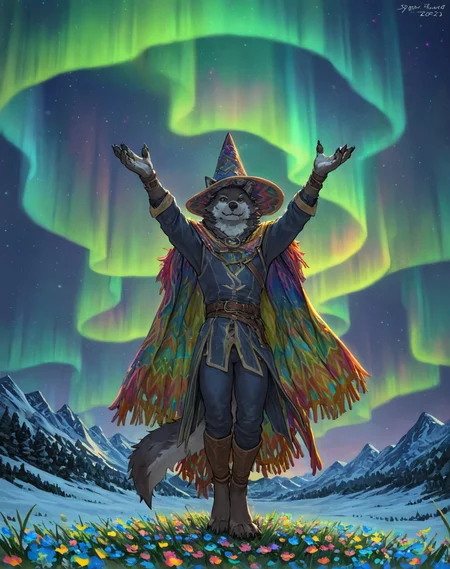
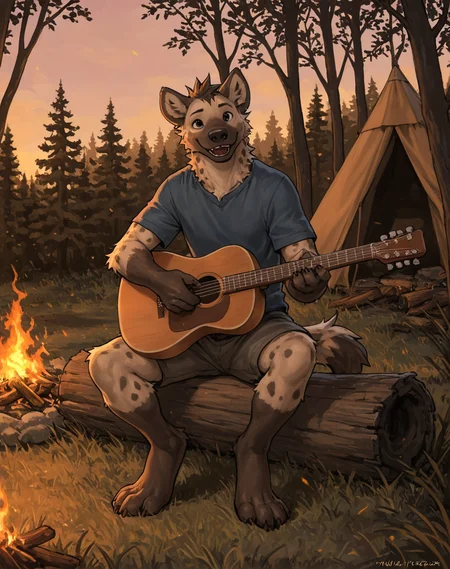
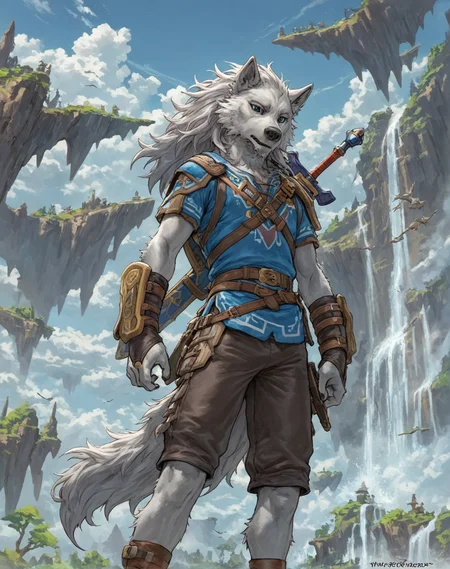
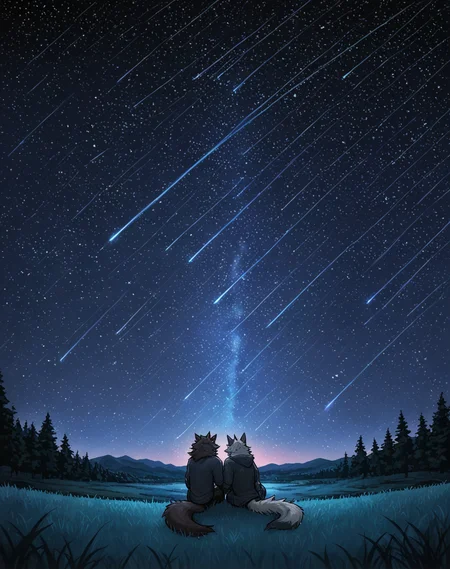
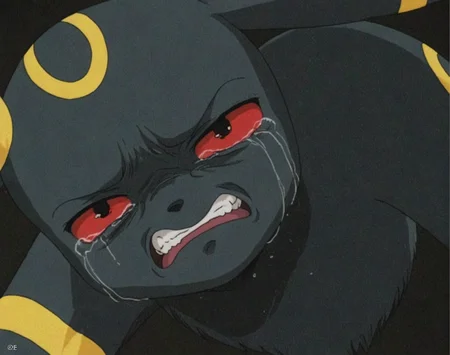
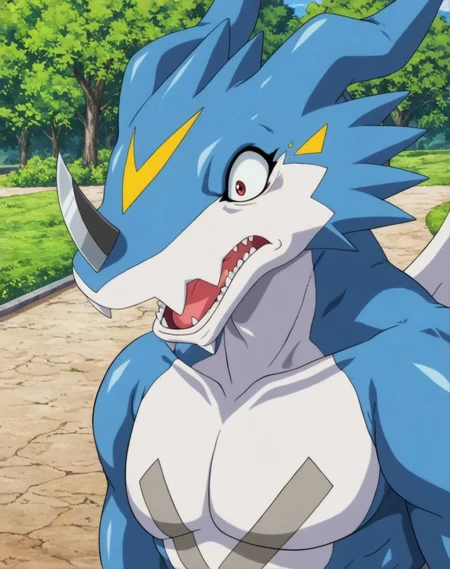
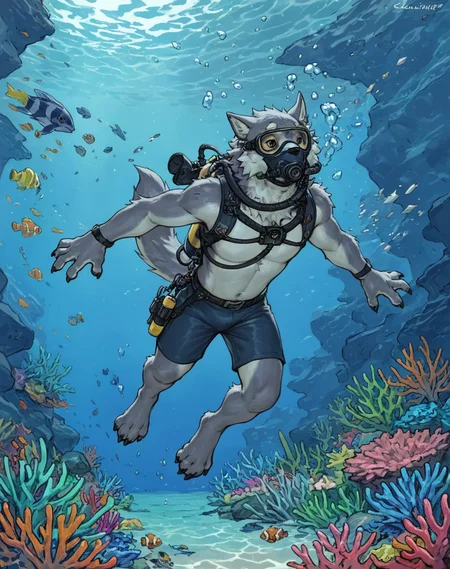
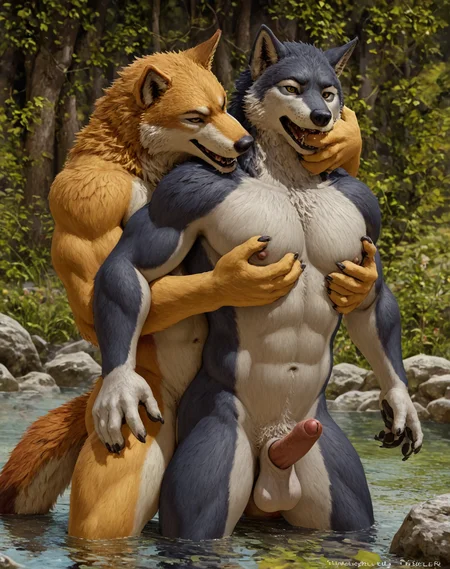
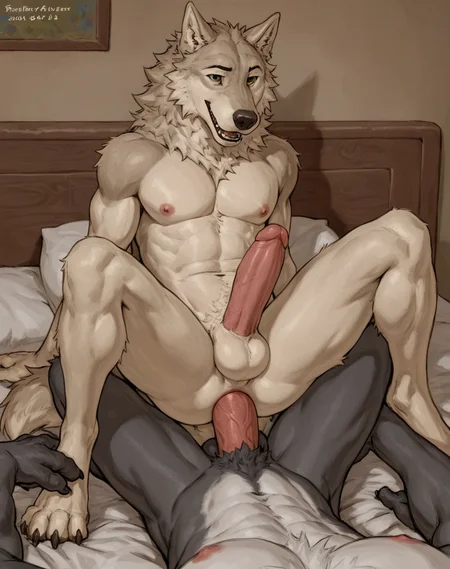
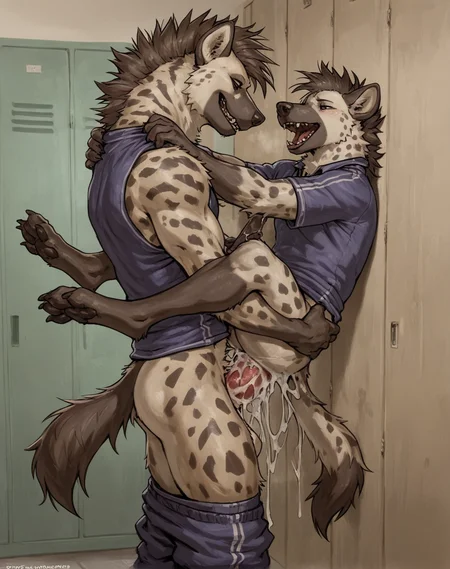
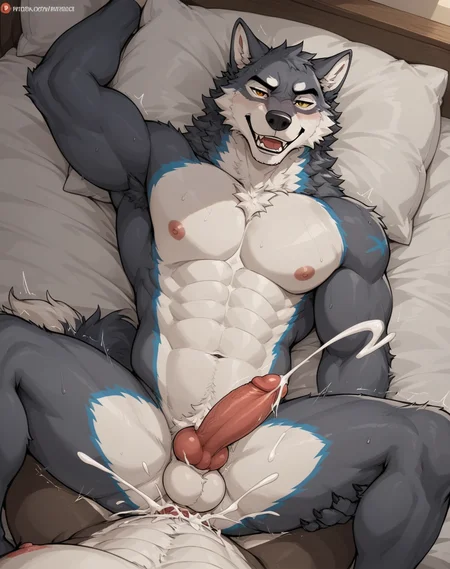
Confused about the different model versions? Check the 'About this version' on the right sidebar for more information.
This is just a quick release that we did since Flux + SD3.5 is taking such a long time (but we are working on it!)
Hopefully this satisfies those furry desires.
Take care!
Model Info
Chroma XL is an experimental model that is a partial merge + train of the brilliant NoobAI-XL (NAI-XL) model by L_A_X and their team, NoobAI is based off of Illustrious. All credit to the model goes to him.
The model only needs low CFG and low step count. Making it highly versatile over a wide range of consumer hardware.
We thank L_A_X and their team for his fantastic efforts in creating this model!
Recommended Settings
We recommend using the following settings with the model for best results.
Resolution: 1024x1024
Steps: 8-12
CFG Guidance: 1.7-3.0
Sampler: Euler A
Scheduler: beta
The model utilises the low guidance and steps. It's advised to keep your step count as well as your guidance low, whilst you may increase the step count if you choose to do so, there is a clear point of diminishing returns, therefore we recommend you to follow our recommended values here.
It is strongly recommended to use an ancestral sampler (e.g. Euler a) with beta schedule, the noise injection in ancestral sampler is absolutely needed to prevent over saturation.
Usage Instructions
All the sample images have their workflow included within them. It’s recommended to download those images and use that workflow in ComfyUI.
For all other clients, just run it as you would with any other SDXL model.
Strengths & Weaknesses
During our evaluations of the model, we find the following strengths and weaknesses in the model.
Strengths
High-level understanding of danbooru and e6 tags.
Relatively good anatomy compared to previous models.
Good understanding of many booru concepts, especially ones related to anime and furry.
Ability to do duo quite coherently, especially compared to prior models.
Ability to do high quality backgrounds.
Weaknesses
Non-existent natural language capabilities (don’t even try to use it).
Slightly incompatibility with SDXL model extensions, such as ControlNet but give it a go.
Characters that are in the distance tend to become extremely blurry.
The whole model has sort of a burned in ‘haze’ which can cause upscaling to look extremely pixelated.
Can look overcooked sometimes.
Prompting & Tips
The model has next to no knowledge of natural language so you should exclusively use tags with this one.
It’s recommended to go over the guidelines provided within the base models CivitAI page here.
https://civarchive.com/models/833294?modelVersionId=998979
The model was trained with artist tags.
It’s recommended to always include solo, duo, trio, etc. Since not adding any of those tags results in a very unpleasant amalgamation of them.
Credits
This model was merged + trained by the Horizon Team.
All credit for the base model goes to L_A_X and their team.
https://civarchive.com/models/833294?modelVersionId=998979
Contact Us
You can reach us at our Discord server!
Description
Updated to using Epsilon NoobAI 1.1
FAQ
Comments (35)
The v4 is the BEST model I've ever used. It starts to look a bit like NAI for me.
GREAT work!
I tried to use some LoRA's but it generates pics very slow. Does anyone know how to fix it?
My setup: RTX 3080 12 Gb VRAM, 16 Gb RAM
This model is simply extraordinary. This is next level compared to pony XL based models.
While it cannot exactly reach the highest possible render quality of pony or other models, it's extremely fast and exceptionnally good at following prompts, imitating specific art styles and overall it's way less difficult to prompt than pony.
Truely incredible work!
I just have to add, after only 3 days of testing, i can already say that it DOES reach the highest possible render quality of pony, and more. Without a single lora. At least for furry, but also most humans i tried, the detail of fur and especially scales, is so far unmatched by anything ive ever seen or made with pony. While this model cant do straight up realism, adding the "realism" and the "photography \(artwork\)" tags, can increase details by a lot. Even with artist styles, just test around if you like it or not. And if have an idea that fits it, the "close-up" tag can increase that even more. Tomorrow ill try to make some pics to show that off, but you can already look at my other ones to see some fur. c: I can already say, on reptiles ive tried so far, i could see every single scale on them, and im not even kidding.
Pony, even with the 5 loras you need to make it even function, can go pack. This is the by far best furry model, and its not close. And this is a bit spicy so i wont describe it too much, but the knowledge of animal... parts it has, is ridiculous.
Oh also, while this is true for every model ofc, hires fix obviously makes the details even more ridiculous. Rn i found the best settings to be 12 steps, same as the main model, on 0.1, or even just 0.05 denoise. Anything higher could introduce errors, and above 0.2 even the details themselves get a bit too much for me now lol. Even on a 4k screen, ive realised now there actually is such a thing as TOO MUCH detail. Just use your favorite upscaler, ESRGAN, Remacri, test them all.
@Bigboyblaziken I agree. In my initial testing, I was using Highres. fix with 0.4 denoising strength of more (which is what you need for any other model out there). But like you say, denoising strength 0.2 MAX and same Cfg scale as the model (so, 1.8 to 3 max) can yield pony level quality. But even without Highres. fix, the quality can already be extremely good in many cases!
@yukifoxy Ive posted some quick examples to show off scales, and eyes. As you can see, the prompt is really simple, and i didnt use adetailer, or any lora. The only extension used was hires fix, on the 0.1 setting i mentioned. Pony cant get to this level even close, with any help other then adetailer, from what ive seen.
Thank you very much for your kind words! Don't forget to thank the developers of NoobAI since they put all the effort in with training the base model.
Take care.
Update: If you have it, the best results im getting with the sampler euler a cfg++, scheduler beta, 12 steps, 1.0-1.25cfg, 1024x1280.
Yeah, this is crazy. Im trying around with NoobAI v-pred 1.0 since it came out now, and getting somewhat close to making actual images now with it (sometimes), with a lot of fiddling around, and then someone told me about this.
Right away i can say, many of the points i thought exclusive strengths of noob, this model can do too, sometimes close enough... and sometimes even better.
Prompt understanding: Weaker then noob v-pred... but sometimes stronger then noob eps from my tests. Despite being only able to use tags, if you know that and work right with them, you can make MUCH more complicated scenes then you first think.
Multiple characters: Not as exact as in v-pred, but better then any pony, and even most illustrious, models. I dont always get exactly what i wanted, but often it gets close enough. If you can live with the model being a bit creative with the characters, you can get pretty good scenes. Anatomy errors are kind of on par with IL models, much worse then in noob v-pred, but much better then in any pony model. I got lucky more often then not, which is usable enough in my book.
Artist styles: Biggest plus of this model for my by far. Just as both noob versions, this can use EVERY single artist style ive tried, perfectly, ESPECIALLY FURRY, and can even mix them extremely well. And i really mean mix them, not use one sometimes, and another one sometimes. This point makes this far far beyond anything pony could hope to achieve.
Ease of use: Biggest reason for this to be a viable option to noob. With noob v-pred, you have to prompt almost EVERY single thing you want in the image, and describe the scene, lighting and details exactly, it has some creativity, but almost never enough to count on. This model has a big part of the creativity from some IL finetunes, where with just a few prompts, you could get a full scene with many details. Backgrounds can be a bit worse then IL, but so far much better then noob, even eps.
And now for the reason why the average person might prefer this to noob for quite some time to come: You set the settings it tells you, and- Todd Howard kicks down door "IT JUST WORKS!" In noob, you have to fiddle with extensions you didnt even knew existed, cfg rescale, latent modifier, thresholding, use ui's that even support v-pred, try around the cfg and steps for every single new idea you wanna try, etc.
Ive said something like this in another comment already: Noob v-pred is an unpolished diamond... but almost noone knows how to polish a diamond. This one is a already polished quartz, which might not be as beautiful, but close enough for most average people to not see much difference on the surface.
Very informative, thanks
Any tips for getting a realism/2.5 style like the bb95 checkpoints?
All my gens have that digital/concept art feel
@elfsmasher Hey, actually yeah.
https://civitai.com/models/946205/konpaevo-mix-noobai-eps This is for the best 2.5d styles, that can still use artist styles, it like chroma has noob merged in so has most of the same strengths... but i have to say, it seems to be in almost every way improved from even this one, somehow, ill make a comment on it soon too. However, the only things it cant do are pure realism, and pure flat 2d art styles, for that chroma still is the most exact. Chroma is still the only model ive seen that can PERFECTLY adapt an artists style in actual pure 2d.
https://civitai.com/models/17649?modelVersionId=1194580 And while you mention bb95... guess who got an updated XL model now? So yeah id prob recommend that one actually. :'D
@Bigboyblaziken Can i DM you ser:?
@elfsmasher Sure, no need to ask really.
Heyo, so because i REALLY love and care about this model, i have to talk about some negatives and ideas for improvement now, especially after trying a very similar model in the meantime.
But first again, this model has almost all strengths of noob, but can actually make good pictures easily, this kind of noob-mixes are probably THE future of 2-2.5d models rn, getting ever closer to perfect.
I have now tested this model and another one a lot, which might be one of the, if not the, closest models to this one ive found so far.
https://civitai.com/models/946205/konpaevo-mix-noobai-eps
And i have to admit... it seems to do MOST things better then chroma, but not all. Chroma still does 2 major things the best imo: Pure 2d, while perfectly adapting an artist style, especially furry. (It can help a lot to put up to 1.5 weight on a name to really get a pure style, but this model can do it.) And the other thing is extremely close-up details, most noticeable with "portrait" and, well, "close-up". The details (at least for furry and scalie characters) i get with this are still barely unmatched even with konpa.
But now for what i think is the main problem for this model: The few steps needed. Sure, this increases gen time and works very well actually, however after testing a lot now i think i can say that this is the main reason anatomy can get screwed, and background diluted quite a lot of times. For complicated concepts, which this model can DO, it seems like a 50/50 if the image is usable just from the anatomy, which reminds me of using SD1.5 and having to hope for rng.
Testing the konpa model ive realized, the only reason it seems better in many cases is, first because its mainly trained on IL and just merged with noob, still giving it a lot of strengths, but also much stronger base style, which prevents it from fully using artist styles like this model. But IL also gives it better background, lighting and slight realism, which isnt always a good thing if you like me, want pure 2d sometimes. And the second reason is, because it uses (by default) 24 steps, which also isnt that much, but double as much as this one (by default). And because i have the image preview while generating set to every step, i can see how the image changes with each one. Which shows me that the main reason konpa does anatomy and most other things better (most times, it still screws up pretty often too), is just because of the more steps, it just has more time to think and correct itself. At around half of the steps, i can see that it also makes the same mistakes as chroma (and most other models), but then has more time to correct itself, becoming more consistent overall.
Long story short, if this would get a version that just works with more steps, i would still use this over even konpa for most things, even just because of the better style adherence. That said, i dont know if around 24 steps would be enough either, since thats also the reason konpa still screws up sometimes, its still not a lot of steps. Obviously, using either model with just more steps, isnt a good idea, because theyre not made for that, and it will ruin images.
Btw yes, i have tried both models with turbo loras like lightning, PCM and DMD2. While they can work pretty well actually, they so far always proved the point to me that less steps equal worse anatomy. AT LEAST for furry art, which does not have as clear-cut anatomy as humans, models that are just for making waifus which 99% of SD users are interested in, will probably have less problems with fewer steps.
So yeah, i think the biggest possible improvement for this model would be a version specifically build around more steps, imma just throw out the number 36, just because 24 seems still not quite enough for at least other models, but thats mostly just an uneducated guess. It doesnt even really have to be trained more ore differently imo... the pure knowledge and capability of this model is already so advanced, that idk how much it could, or needs to be, improved by that rn. (Probably v-pred would be the next biggest step for that.)
Lastly i wanna say, im just someone who tries very complex scenes using just a model, just to test and push it. And this model so far, was able to actually do most of them, with multiple characters. And i can tell, if it had more steps, it could have actually finished most of them right. Right now it just has to stop at a point too early to get there often.
Thanks again for this model, im not smart enough to work on things like this myself, all i can do right now is share experience from tests, to try and give infos to the people that actually can improve things. :'D
UPDATE/: For some reason, my results are good now with 12 steps and CFG at 2.0!
--------------------------
I agree about your observations with the step count, for a smooth looking semi-comic style with distinct inks but still detailed fur/scales, I have to set CFG at 1.6 or 1.7 (not higher or lower) and step counter in Euler A to 25. Going down to 20 already worsens the output by a lot, so I wonder how they came to that 8-12 step recommendation, because that looks absolutely poor. I don't use any extra LoRas or VAEs, just the pure Chroma model. It respects artist tag styles less than my old SD1.5 IndigoFurryMix model, so still figuring this out. But overall it is a good upgrade, since I can really do 1536x1024 without any upscaling/hiresfix and 80-90% of all results are actually usable or very easily fixable.
If you can recommend furry specific Loras (I am a macrofurry fan, and I noticed that cities always look a bit weird and boring), I am happy to give them a try :)
@Rashy I guess with artist styles, the more you want one, the more you have to weight it. I found that at (x:1.5), it did really get the ones i tried pretty much exactly, but i havent tried that many i guess. If one has a less distinct, or just extremely distinct, style it might not be as good. Also i think because it has a much bigger database then 1.5, it has to fight more with all other styles it knows to get purely the one you want. What i can imagine is, that some artist styles that look "softer", more painted, like the one furry artist you see used, by choice or not, on almost every single 1.5 furry pic, might not look as good in XL/Noob models, because this most times has more clear lines. Which for me makes most styles more close, but i guess not all.
The funny thing is, the extremely detailed lizards i did as tests for this model, were made with just 12 steps, it CAN work very well with it. But only really on such close-up portrait style images, the further away the less detailed it gets specifically with lower step models.
I still dont really use any loras either rn, i did want to test more... but im testing so many other things still, i dont have the time lol. And i dont know any of that kind really, sry.
@Bigboyblaziken Hey all cool, thanks for your quick and detailed reply! I am always learning something new! I will try with (artist:1.5) now, overall I don't mind the slight ink-focused/art-like style of Chroma/NoobAi at all, I never wanted ultra-realistic macrofurry stuff, but compared to my old IndigoFurry, it seems that I have to emphasize artists stronger than before, otherwise the stock output render looks pretty 'basic' depending on the CFG. Maybe it is also due to how it got trained? Let's say I want a distinct artist-style, but said artist isn't that trained, and I combine it with a specific character he/she has never drawn, could the result in the artist style getting ignored altogether? That could explain some random result variations I got. (p.s. I love Blazi <3)
Edit: Yes, confirmed! I just tried the same artist-style for "Exveemon" and then just for "dragon". The dragon turned out terrific, but Exvee looks like a stock render without any artist influence. Alright - a pity, but that's how it is.
@Rashy Yes, a character/creature an artist has actually drawn before, maybe even a lot, will always turn out better in that style. But even things the artists have never drawn, i got pretty close when setting the weight high enough. Of course another problem is, if an artist never did that character... you dont know exactly how that would actually look. Maybe it would just look bad in their style. c': Another factor also might be, if a character has been drawn a lot by another artist, and you want your prompted artist instead, it has to mostly take data from the image the other artist has made, so the style for some characters might be kinda more... pre-baked then others.
Hello there!
Thank you for trying out the model. I'm glad to hear that you're enjoying it.
You're correct that there is some level of degradation with the lower step count of this model and somewhat related to the lower CFG guidance of the model. This seems to impact anatomy to a certain degree, especially eyes, particularly if the character is at a certain distance.
However, there is method to the madness and this is to try and keep the unconditional guidance intact. If you've ever removed your prompt and set CFG to 0, on many models you'll get incomprehensible or barely comprehensible garble. With this model, if you give it a go, you won't get that. You'll get surprisingly high quality coherent images. Compare this model to the original Noob with CFG 0 and no prompt and you'll see what I mean.
By using this method, we're able to keep the unconditional guidance intact. This can significantly help with generation quality, but the lower step count does impact things, so there's a trade-off. If you don't understand what 'unconditional' guidance means, it's effectively sort of like the 'canvas' for the model. If the unconditional guidance is fucked up, the model may not perform as well. We have a better canvas, but a sloppier brush at the same time. (This is a gross oversimplification, but it gets the general idea across.)
Hopefully this helps give you some insight into why the model has a low step count.
As for solutions, this model can benefit quite well from a second pass. That can help significantly with refining individual details whilst keeping the step count relatively low, getting both of the benefits.
@Rashy Hi there.
That's quite a surprise! We've gotten terrible results with using a higher step count. I just tested around 25 steps and the image looked very 'overcooked'. Are you sure that you're using the beta scheduler? If you could provide some more information about what you're using to generate, that would be quite helpful. A workflow would be even more helpful.
We don't use any LoRA's/upscaling/voodoo in our example images, so I'd recommend trying to see if you get the same results as the example images.
@HorizonTeam Hey there, me again! I was discussing your model with a friend today. That way, I also gave it a try again with a lower step cound of exactly 12, while gently increasing the CFG to 2.0 - and I must say, you are right! I have no idea why I got bad results initially and thus went for 25 steps (which took ages on my M1 Max), but now it seems to work fine, and pretty fast too! Yes, I have Euler A + Beta enabled, all set in A1111. I think the higher the step count and/or CFG the more overcooked the results look. But probably because I had my CFG set to 1.5-1.6 it was looking fine even with 25 steps. Very strange indeed. Anyway, short story: CFG 2 and 12 steps work good, and I do anime and furry stuff. So thank you again, for me your model was bringing me a nice wow-effect after using SD1.5 for a long time 😌
Question: Some anime characters like Bakura Ryou or Link have super beautiful eyes (detailed and reflective), while in other cases they look garbled/poor (Seto or Yami Marik), using the same parameters otherwise. Is this due to the amount of trained data? Just so that I can understand. I usually fix them myself in Affinity afterward, but if you can recommend me a good tool to fix eyes, I would give it a try :) Speaking about that: What would you recommend as "2nd pass?" Do you mean the refiner, using the same checkpoint, set at something like 0.7-0.8? I could give it a try. I also have the addon "detail daemon" ready, but not tried yet. Will experiment around!
A nice improvement when coming from an older SD 1.5 model. More robust with multiple characters, anatomy and poses. Can do 1536x1024 out of the box. Also, very fast! But quality and style is just mediocre. There are much better looking models like the Nova Furry/Animal/Anime ones.
Here are my issues:
- Rather mediocre looking stock style, some characters like Simba or Toothless look off
- Using artist styles doesn't impact results as much as hoped
- Eyes mostly look bad, though results vary per character and distance
- Cities/buildings look pretty garbled/blurry and in general very monotone/grey
- Characters and objects in mid and far distance look garbled/blurry very quickly
- Often adds too many toes
I moved on to models like Nova Furry XL, that give higher quality results (but need more steps). Maybe with a future update, we can get cleaner results at the cost of (slightly) more steps? I think 12 is just too low. I also have to keep the CFG lower than 2.5 otherwise my results look messy. Tested on both A1111 and Forge.
Any way to reduce the grainy/noise?
Even though I'm not a fan of furry - this model is something else. with my potato the biggest advantage is the minimum number of steps and a noob as a base. I want to thank author from the bottom of my heart and really hope for future updates and improvements.
Beautiful just beautiful.
The model is great! However, when I use this model to train LoRA, the output results are very blurry. The material I’m using is 1024x1024.
You should train on the base model instead. For Chroma V4, Noob AI 1.1 (eps). For 3.31 Mango/Spud, Noob 1.0, and for v3.1, Noob 0.75 epsilon
This is easily a worthy competitor to NoobAI based versions of Indigo Furry Mix XL, I say this because while that model needs at least 25 steps to generate an excellent image, with this one is possible to generate an image with just 10 steps.
CompassMix and BananaStrike were kick ass model merges. Love em.
But I gotta know...
What are the original models merged into any of these versions? I'm trying to figure out the source model causing all the artifacts and text/logo issues.
All other people's merges with these issues seems to traced down the line to this model.
Consider, different models to merge and/or merge types. This model has a lot of potential structurally but is suffering during the first few IN blocks and the very last few OUT blocks of the unet.
Id love to help if needed.
I assume you've used a LCM/Turbo/Hyper/Lightning LoRA while the elaboration of this model.
Which was that lora?
This model looks promising, only one slight issue; I’m on mobile, and for some reason I can’t use it, is this an issue on my end, or a device specific thing, thanks if anyone responds.
Apparently the major part of the users of this site are allergic to use models in the CivitAI's generator that are able to generate an image in less than 20 steps.
I say this because because is unbelievable the fact WAI-CheapFast-ANI-NoobAI and this model aren't winning in the auctions for the ability of being used in the Image generator of this site.
sdxl lightning lora doesn't work with this (the images come out blurry or messed up), but it generates images in low steps (~12?) without it just fine.
Anything for the actual humans?
I just want to say that since January, this is still one my top go-to models for SD. So incredibly good =D
It's a great model, but it takes a lot of time to learn how to use it. I'm so used to the features of Illus / Pony that even the tags are used differently here.
Details
Available On (1 platform)
Same model published on other platforms. May have additional downloads or version variants.